
GPT Image 2 Lifestyle Product Photo Prompts for Ecommerce
Write GPT Image 2 prompts for lifestyle product photo concepts with a clear buyer scenario, product role, environment, camera, props, and copy space.
Quick answer
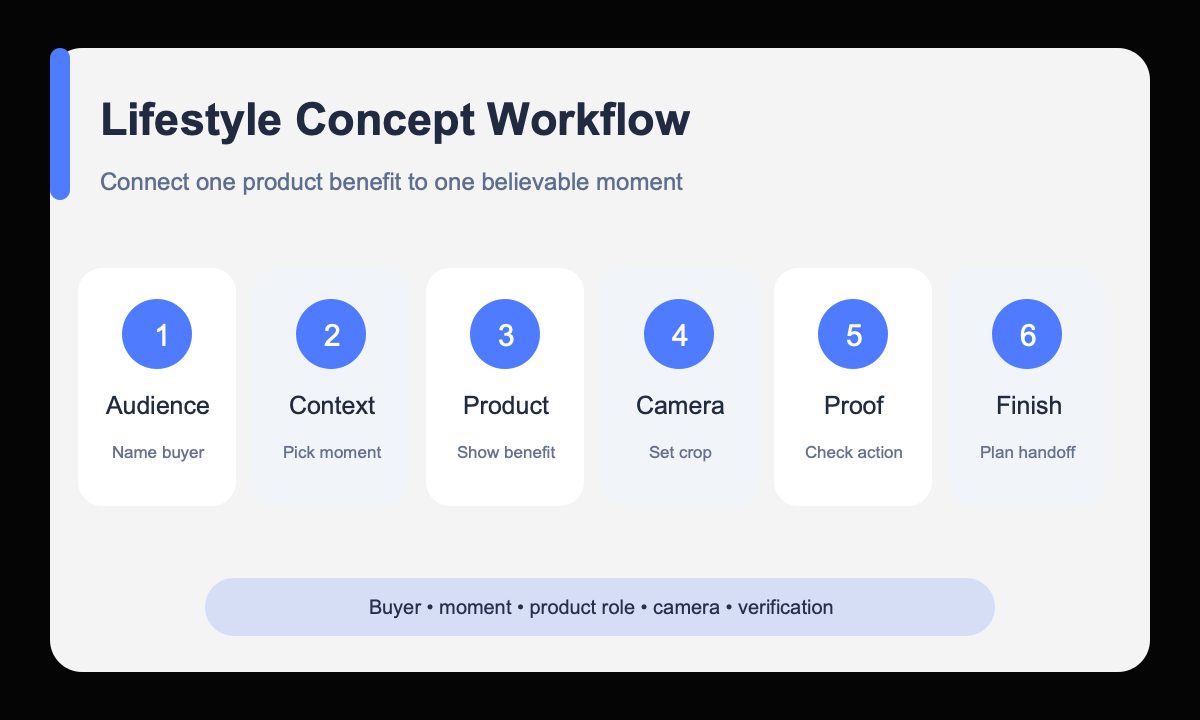
A useful lifestyle product prompt connects one product benefit to one believable moment. Define the buyer, setting, action, camera, light, and product prominence, while treating the result as a concept unless exact packaging and factual claims are verified separately.
Who this guide is for
Ecommerce founders, content teams, and creative strategists exploring homepage heroes, category banners, seasonal scenes, and ad directions before a final shoot or reference-preserving production pass.
Recommended model
| Use case | Recommended model | Why |
|---|---|---|
| This workflow | GPT Image 2 for text-to-image lifestyle concepts | It fits text-led concept creation where the team needs a clear commercial scene from a written brief rather than exact reconstruction of an uploaded SKU. |
AIBase is an independent creative platform. Model names are shown only to identify supported underlying technologies and workflow choices.
Prompt template
Create a lifestyle ecommerce photo concept for [product category] used by [buyer] during [specific moment]. Product role: [benefit demonstrated visually]. Environment: [believable setting]. Composition: [angle, lens feel, crop, product placement, copy-safe zone]. Lighting: [direction and mood]. Include only [two or three props]. Keep the product visually dominant. No readable packaging text, fake logo, unsupported claim, extra product, watermark, or UI overlay.
Step-by-step workflow
- Choose one buyer and one real usage moment instead of a generic aspirational lifestyle.
- Translate the product benefit into a visible action, such as packing, pouring, organizing, charging, or carrying.
- Set the camera and product placement before adding atmosphere or styling words.
- Limit the environment to a few believable supporting props and leave space for approved copy.
- Generate separate concepts for each message rather than forcing several benefits into one image.
- Validate product feasibility and hand the chosen concept to a reference-based workflow or final shoot.
Example prompt variants
- Lifestyle concept for a compact travel organizer used by a frequent flyer while packing at a hotel desk, overhead three-quarter crop, organizer open and dominant, passport and two cables only, soft morning light, left copy space.
- Lifestyle concept for a ceramic pour-over set used by a home coffee beginner, close side angle during a slow pour, warm apartment kitchen, kettle and folded towel only, natural window light, product centered.
- Lifestyle concept for a rechargeable reading lamp used by a student in a small dorm, lamp clearly illuminating an open notebook, eye-level crop, calm evening mood, uncluttered background, upper-right copy space.
Quality checklist
- The viewer can identify the buyer moment and product benefit without explanatory copy.
- The product is prominent, physically plausible, and not buried by props.
- Hands, contact points, scale, shadows, and reflections support the intended action.
- The composition includes usable negative space for approved design elements.
- No invented label, testimonial, certification, price, or performance claim appears.
Mistakes to avoid
- Using vague phrases such as premium lifestyle without a buyer or action.
- Adding enough props to turn the product image into a room scene.
- Expecting a text-only concept model to reproduce an exact real SKU without a reference workflow.
- Publishing generated packaging or product behavior without factual review.
Related AIBase pages
- Create lifestyle concepts with GPT Image 2
- Read the GPT Image 2 product photo guide
- Create white-background product concepts
Practical next step
Open the most relevant AIBase generator, run one narrow prompt first, and save the best result before adding more constraints. The fastest way to improve output quality is to compare one variable at a time: subject, camera, background, lighting, then final polish.