
Nano Banana 2 Prompts to Fix Twisted Drawstrings in Apparel Product Photos
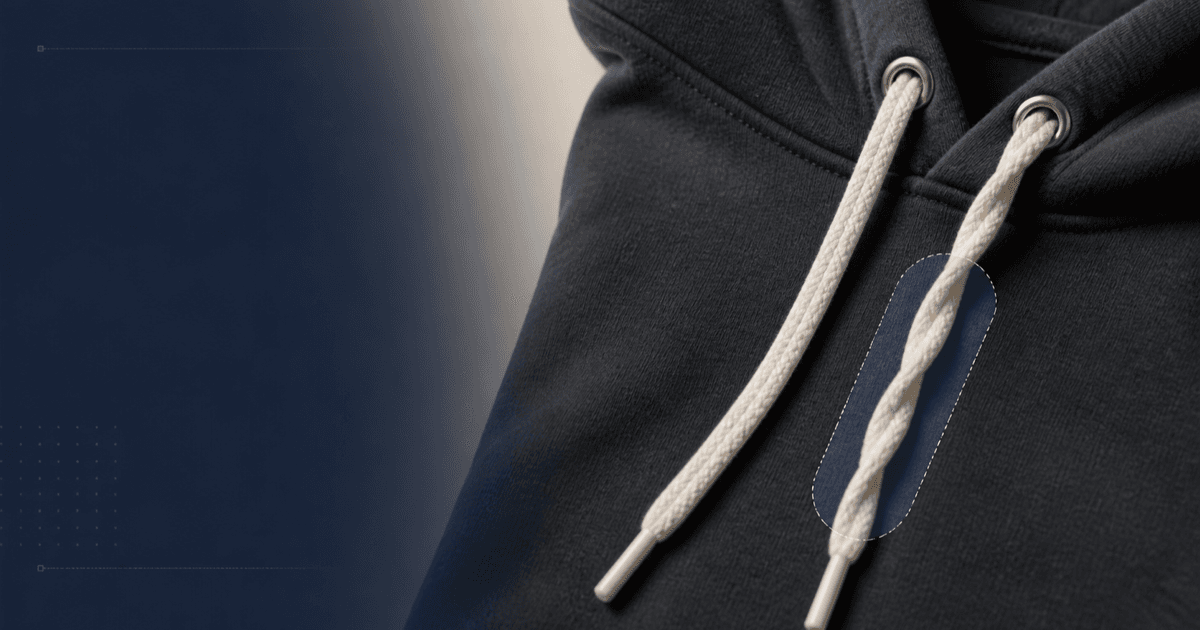
Correct one twisted hoodie or waistband drawstring while preserving garment construction, cord length, tips, eyelets, fabric texture, color, and fit.
Quick answer
Use the sharpest authorized SKU photo and mark only the twisted cord segment. Tell Nano Banana 2 to preserve the eyelet entry point, exposed length, knot or aglet, thickness, weave, shadow, garment seam, fabric folds, color, crop, and the untouched second cord. Correct the local orientation in one pass; do not ask for symmetry by duplicating the other side because real cord lengths and hardware may differ.
Who this guide is for
Apparel brands, marketplaces, retouchers, studios, and catalog teams cleaning hoodie, jogger, jacket, bag, or waistband packshots without reshooting an otherwise approved image.
Recommended model
| Use case | Recommended model | Why |
|---|---|---|
| This workflow | Nano Banana 2 image-to-image for a narrow drawstring correction | A tightly scoped reference edit can fix a small styling defect while keeping the approved garment plate and surrounding construction stable. |
AIBase is an independent creative platform. Model names are shown only to identify supported underlying technologies and workflow choices.
Prompt template
Edit the uploaded authorized [exact SKU, colorway, size, view] photo. Change only the twisted section of the [left/right] drawstring between [landmarks]. Make that existing cord lie naturally with the documented weave direction and gravity. Preserve exact garment silhouette, neckline or waistband, eyelet, grommet, channel, exposed cord length, diameter, color, weave, aglet or knot, second cord, seams, stitching, fabric grain, print and logo zones, folds, model or mannequin, shadow, background, crop, camera, and light. No cord added or removed, no mirrored hardware, no changed length, tip, knot, fit, color, texture, pocket, seam, body, text, logo, or cleanup elsewhere.
Step-by-step workflow
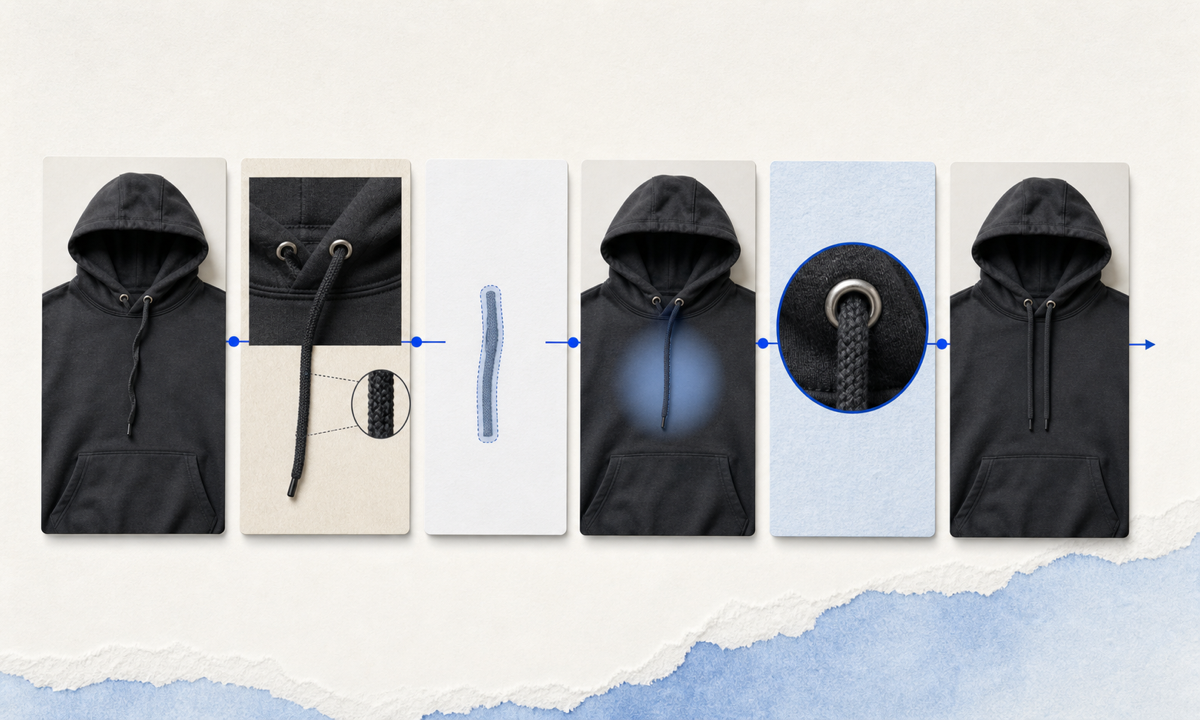
- Confirm SKU, colorway, size, view, construction sample, cord material, diameter, eyelet route, exposed lengths, tip or knot type, and whether asymmetry is intentional.
- Choose the highest-resolution approved frame and compare it with a construction reference that shows both cords, the channel, hardware, and correct resting direction.
- Mask only the twisted pixels plus a narrow feathered edge; protect the eyelet, tip, second cord, nearby seam, print, hands, and garment boundary.
- Run one correction without changing cord length or garment symmetry, then compare the edit at full frame and at 200 percent detail.
- Check cord continuity from channel to tip, weave direction, thickness, gravity, occlusion, contact shadow, grommet geometry, fabric texture, and color match.
- Export against the original crop and archive SKU reference, mask, prompt, output, retouch review, and approval.
Example prompt variants
- Hoodie flat lay: untwist only the left cotton cord between the metal eyelet and aglet, preserve exact exposed length, cream weave, right cord, rib collar, folds, seams, and overhead shadow.
- Jogger waistband: correct one half-turn in the right drawcord directly below the knot, preserve knot structure, cord diameter, waistband gathers, stitch line, black color, and mannequin-free white background.
- Jacket detail: lay the existing elastic hem cord naturally against the approved shell without moving toggle, stopper, eyelet, seam tape, fabric wrinkles, or crop.
Quality checklist
- SKU, colorway, size, garment silhouette, construction, cord material, length, diameter, tips, eyelets, seams, folds, and print zones match the source.
- The corrected cord forms one continuous plausible path with consistent weave, thickness, lighting, occlusion, gravity, and contact shadow.
- The untouched cord, hardware, fabric, model or mannequin, background, crop, and camera remain pixel-stable outside the intended region.
- The result does not imply a different included accessory, adjustable range, fit, fastening method, or construction revision.
- Source, construction reference, mask, prompt, before-after review, retouch approval, and export remain traceable.
Mistakes to avoid
- Prompting for perfectly symmetrical drawstrings and accidentally changing real length, hardware, or construction differences.
- Masking the eyelet, seam, logo, hand, neckline, or waistband along with the twisted segment.
- Letting the cord become smooth plastic, lose its weave, change diameter, detach from the channel, or cast an impossible shadow.
- Using the correction to hide a genuine manufacturing, sample, or included-parts difference instead of fixing the photographed styling state.
Related AIBase pages
Practical next step
Open the most relevant AIBase generator, run one narrow prompt first, and save the best result before adding more constraints. The fastest way to improve output quality is to compare one variable at a time: subject, camera, background, lighting, then final polish.