
Nano Banana 2 Prompts to Remove Moire from Apparel Product Photos
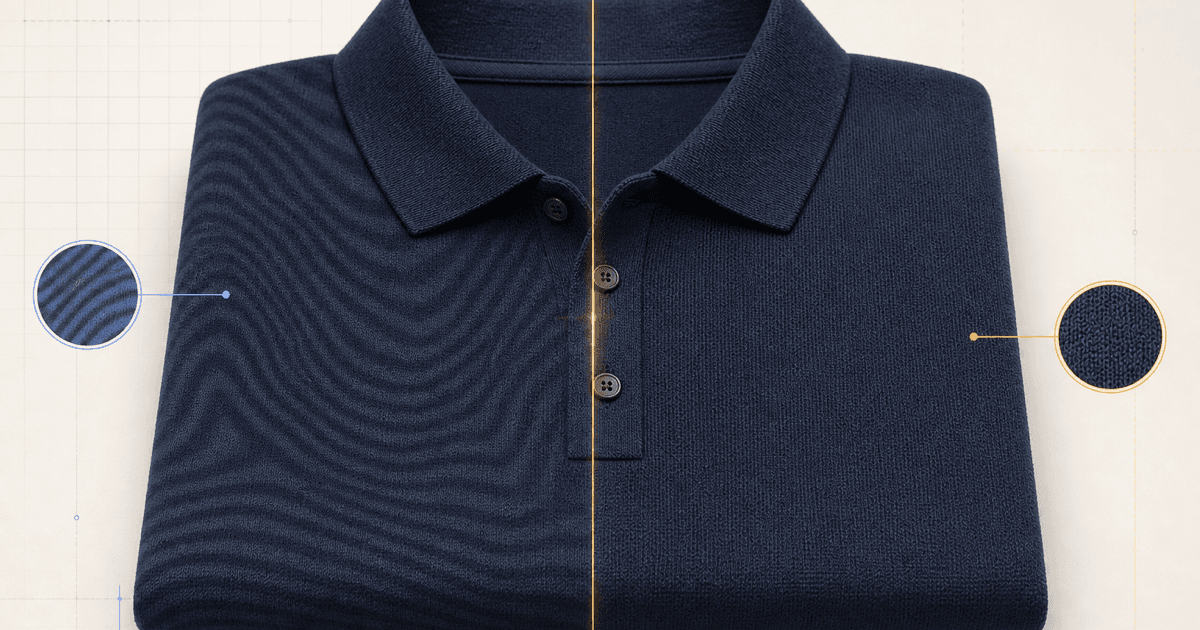
Correct camera-induced moire in authorized apparel packshots while preserving the garment's real weave, pattern scale, construction, color, folds, and sellable condition.
Quick answer
First confirm that the visible waves are camera-induced moire rather than the garment’s real weave, print, ribbing, sheen, or knit structure. Mask one affected region, ask Nano Banana 2 to reduce only the false interference bands, and protect adjacent seams, pattern repeat, texture scale, color, folds, highlights, and silhouette. Compare against the physical item or an approved close-up before publishing; a smoother fabric is not automatically a more accurate product photo.
Who this guide is for
Apparel retailers, fashion studios, marketplace sellers, retouchers, and catalog teams correcting authorized packshots of fine knits, checks, stripes, mesh, and tightly woven fabrics.
Recommended model
| Use case | Recommended model | Why |
|---|---|---|
| This workflow | Nano Banana 2 image-to-image for localized moire correction | A narrow source-led edit can target interference artifacts while the uploaded garment remains the authority for construction and textile character. |
AIBase is an independent creative platform. Model names are shown only to identify supported underlying technologies and workflow choices.
Prompt template
Use the uploaded authorized apparel photo as the exact source. Correct only the camera-induced moire bands inside [precise garment region]. Reconstruct the verified [weave / knit / print] from the adjacent source and approved detail reference at the same scale and direction. Preserve exact garment silhouette, fit, seams, darts, pleats, pockets, fasteners, ribbing, pattern repeat, color, texture, natural folds, highlights, shadows, model identity and body if present, pose, background, crop, camera, and every unmasked pixel. No global smoothing, denoising, recoloring, reshaping, dewrinkling, invented fibers, changed print, text, logo, or watermark.
Step-by-step workflow
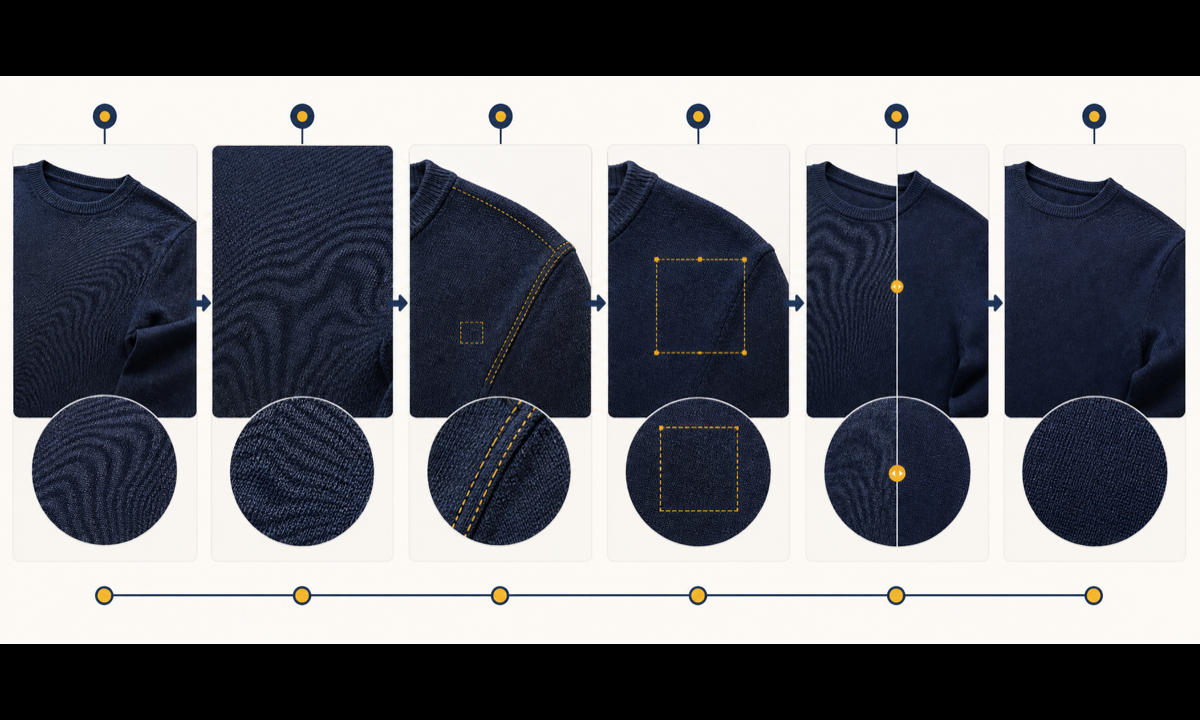
- Confirm image rights and compare the file with the physical item or approved macro reference to separate real textile detail from capture-induced interference.
- Map the affected frequency and direction at full resolution, then record protected seams, edges, pattern repeats, folds, highlights, and color anchors.
- Mask the smallest continuous moire zone and describe the verified textile structure that must replace only the false bands.
- Generate separate passes for each affected panel instead of applying one global cleanup across different fabric angles and lighting.
- Compare source, approved close-up, and result at full frame and 100 percent for texture scale, pattern alignment, construction, color, and suspicious smoothing.
- Keep an untouched master, export the smallest approved correction, document edited zones, and obtain merchandising approval before catalog replacement.
Example prompt variants
- Reduce only the diagonal interference waves on the center chest of this navy micro-knit polo; preserve collar knit, placket, buttons, seam, true weave scale, folds, color and softbox shadow.
- Correct only the false rippling inside the front panel of this fine gray check blazer; keep every real check intersection, lapel edge, dart, pocket, wool texture and body shape unchanged.
- Remove only the rainbow moire in the lower-right mesh section of this running top; preserve perforation spacing, seam tape, print boundary, fabric sheen, hem and all unmasked pixels.
Quality checklist
- The edited textile matches approved references for weave, knit, mesh, print scale, direction, color, sheen, and condition.
- Silhouette, fit, construction, seams, fasteners, pattern continuity, folds, shadows, body, and crop remain source-faithful.
- Only camera-induced interference changed; real texture, pilling, wear, translucency, or material character was not erased.
- No waxy smoothing, repeated clone texture, color patch, broken pattern, invented thread, or edge halo appears at full resolution.
- Source, detail reference, mask, prompt, comparison, reviewer, master, and final export remain traceable.
Mistakes to avoid
- Treating a real rib, mesh, check, sheen, or knit pattern as an artifact and erasing product truth.
- Applying one full-garment smoothing pass that changes texture scale across folds and camera angles.
- Masking through seams, logos, hands, hair, skin, or garment edges and forcing unnecessary reconstruction.
- Publishing a cleaner-looking fabric that materially misrepresents weave, finish, wear, or opacity.
Related AIBase pages
Practical next step
Open the most relevant AIBase generator, run one narrow prompt first, and save the best result before adding more constraints. The fastest way to improve output quality is to compare one variable at a time: subject, camera, background, lighting, then final polish.