
Nano Banana 2 Prompts to Remove Basting Stitches from Apparel Product Photos
Remove only verified temporary basting stitches from suit, coat, skirt, and tailored-garment photos while preserving permanent seams, fabric texture, shape, labels, and sellable condition.
Quick answer
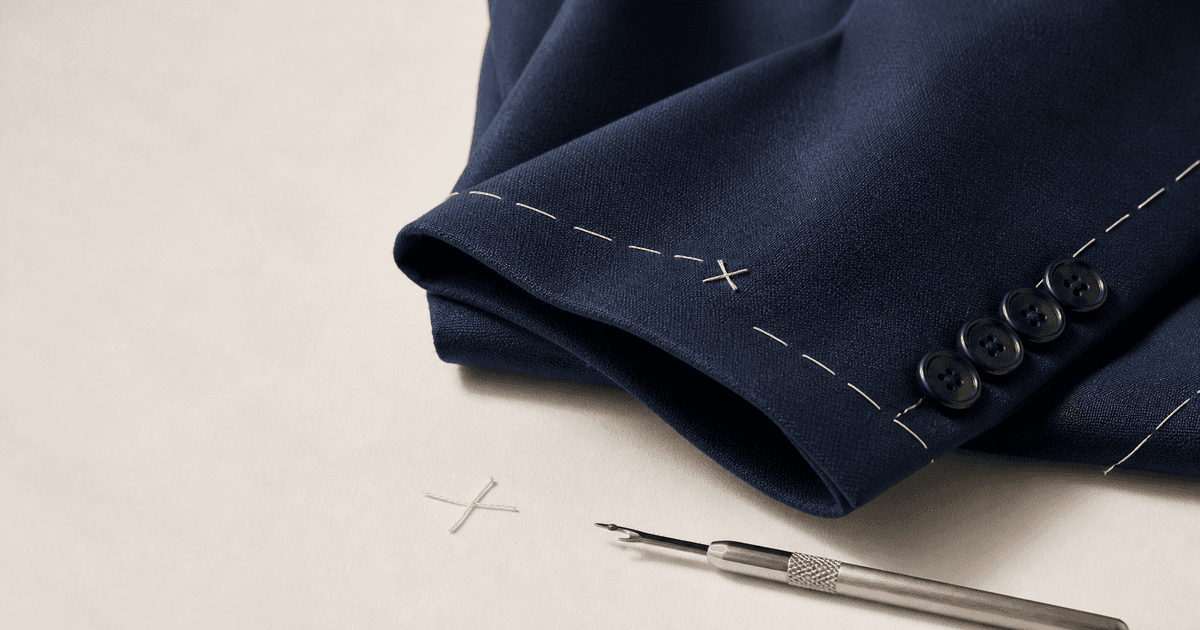
First confirm with the sample owner or production team that every marked thread is temporary basting, tack, sleeve-vent, pocket, or pleat restraint and should be removed before wear. Mask one short thread segment at a time and ask Nano Banana 2 to reconstruct only the immediately adjacent textile. Lock permanent topstitching, functional bar tacks, buttonholes, hems, darts, seams, pattern alignment, nap, garment shape, hardware, labels, shadows, and real condition. If the item is intentionally sold with the stitch, do not remove it.
Who this guide is for
Fashion brands, tailoring studios, marketplaces, resale teams, product photographers, and catalog editors preparing accurate images of suits, coats, trousers, skirts, and structured apparel.
Recommended model
| Use case | Recommended model | Why |
|---|---|---|
| This workflow | Nano Banana 2 image-to-image for narrowly masked thread cleanup | A localized reference-led edit can remove a confirmed temporary thread without redesigning the garment when masks and protected construction details are explicit. |
AIBase is an independent creative platform. Model names are shown only to identify supported underlying technologies and workflow choices.
Prompt template
Use the uploaded authorized garment photo as the exact source. Remove only the marked confirmed temporary [basting / tack / pocket / vent / pleat] thread from [precise location]. Reconstruct the smallest exposed area from immediately adjacent fabric. Preserve exact garment silhouette, tailoring, lapels, vents, pockets, pleats, darts, permanent seams, topstitching, bar tacks, buttonholes, buttons, lining, weave, knit gauge, nap, pattern repeat, color, labels, folds, fit, condition, background, shadow, crop, camera, and light. No removal of structural stitching, opening of pockets or vents, seam repair, smoothing, dewrinkling, recoloring, reshaping, relabeling, extra thread, text, logo change, or watermark.
Step-by-step workflow
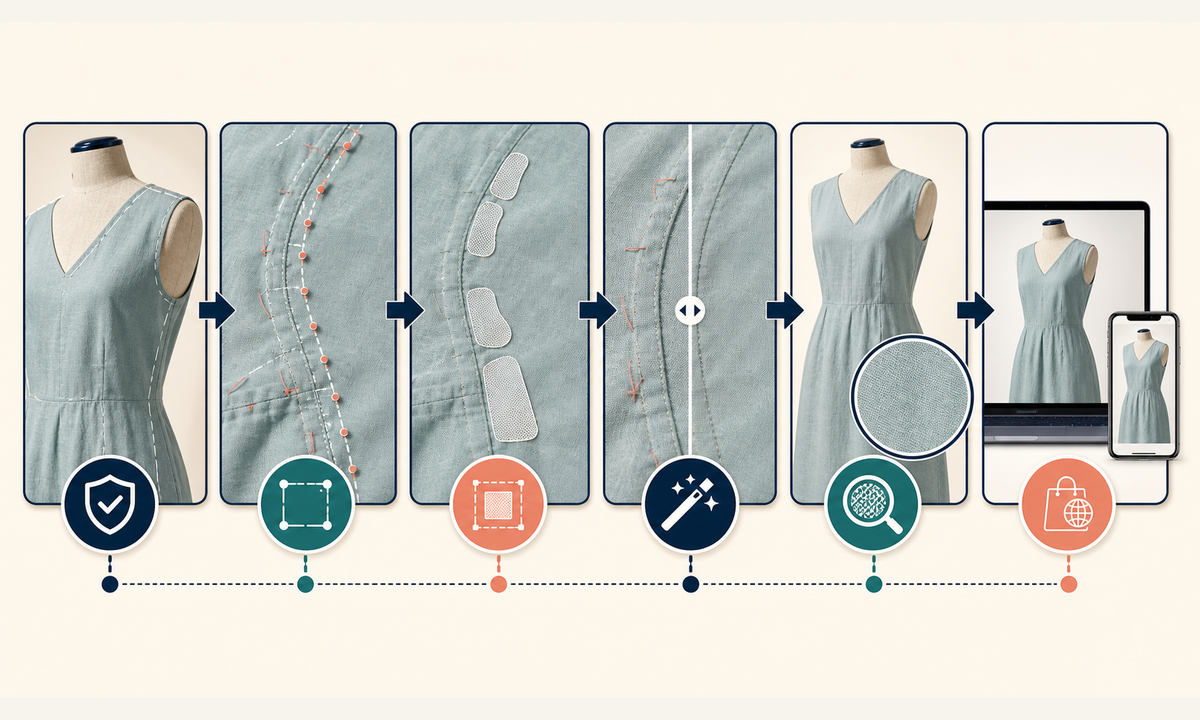
- Identify the exact SKU and garment state, then obtain written confirmation of which visible stitches are temporary and which are structural, decorative, functional, or intentionally retained.
- Mark every temporary thread endpoint and crossing while protecting seam lines, bar tacks, buttonholes, pocket edges, vents, pleats, darts, labels, pattern joins, and silhouette.
- Create separate small masks for each thread segment; include a narrow border of source textile but never span two different panels or cross an edge.
- Generate one local removal at a time with garment geometry, construction, texture, color, condition, camera, and lighting locked.
- Inspect at 100% and compare before and after for broken weave, erased permanent stitches, opened pockets, shifted plaids, smoothed nap, changed shadows, and shape drift.
- Export the approved image, keep the original and mask, record who classified the stitch, and ensure the listing accurately describes whether the delivered garment still includes temporary tacking.
Example prompt variants
- Remove only the marked white sleeve-vent basting X from the approved navy wool suit jacket, preserve vent overlap, four cuff buttons, permanent stitching, wool nap, silhouette, and shadow.
- Remove the single confirmed temporary thread closing the welt pocket on the approved camel coat, keep the pocket visually closed, preserve welt edges, topstitching, fabric grain, folds, and lighting.
- Remove two marked pleat-retaining tacks from the approved checked skirt flat lay, preserve pleat depth, plaid alignment, waistband seam, hem, label, and every unmasked pixel.
Quality checklist
- The sample owner has classified every removed thread as temporary for the exact SKU and sellable state.
- Permanent seams, topstitching, bar tacks, buttonholes, hems, darts, pleats, vents, pockets, lining, and labels are unchanged.
- Weave, knit gauge, nap, pattern repeat, color, folds, silhouette, fit, condition, shadows, and background match the source.
- No pocket, vent, pleat, cuff, hem, or lining appears opened, repaired, altered, or more finished than the real item.
- Original, stitch map, masks, prompts, comparisons, product approval, listing state, and export remain traceable.
Mistakes to avoid
- Removing every visible thread without confirming whether it is temporary, structural, decorative, or part of the delivered design.
- Drawing one large mask across a pocket, vent, lapel, plaid intersection, or garment edge and forcing the model to rebuild tailoring.
- Smoothing the surrounding wool, linen, denim, or knit until the edited patch no longer matches real texture and wear.
- Publishing the cleaned image when shipped units still contain the temporary stitch without explaining the customer removal step.
Related AIBase pages
- Open Nano Banana 2 image editing
- Remove apparel tagging fasteners
- Remove hanger loops from apparel photos
Practical next step
Open the most relevant AIBase generator, run one narrow prompt first, and save the best result before adding more constraints. The fastest way to improve output quality is to compare one variable at a time: subject, camera, background, lighting, then final polish.