
Nano Banana 2 Prompts to Remove Hanger Loops in Apparel Photos
Remove distracting hanger loops, straps, and clips from apparel photography while preserving fabric, seams, labels, and honest product condition.
Quick answer
Mask only the visible hanger loop, strap, clip, or tissue filling the garment neckline, then reconstruct the missing fabric from adjacent verified cloth, seam, shoulder, and shadow information. Preserve garment shape, grain, stitching, size label, care label, colorway, and honest wear. If the loop is a functional design feature or the photograph documents a used garment, keep it or disclose the edit instead of erasing material information.
Who this guide is for
Apparel sellers, marketplace merchants, studio retouchers, and small fashion teams cleaning catalog photos where a hanger loop or styling clip distracts from the product.
Recommended model
| Use case | Recommended model | Why |
|---|---|---|
| This workflow | Nano Banana 2 for narrowly scoped image-to-image cleanup | A tight reference-led edit can reconstruct local fabric while leaving garment geometry, stitching, and the rest of the photograph unchanged. |
AIBase is an independent creative platform. Model names are shown only to identify supported underlying technologies and workflow choices.
Prompt template
Use the uploaded apparel photo as the exact product and camera reference. Remove only the [hanger loop / strap / clip / tissue] located at [specific area]. Reconstruct that region from the surrounding verified [fabric color, weave, knit, print scale, seam direction, shoulder shape, fold, and shadow]. Preserve garment silhouette, shoulder slope, neckline, collar, placket, buttons, zipper, sleeves, hem, stitching, label content, material texture, colorway, scale, crop, perspective, lighting, contact shadow, and background outside the masked area. Do not reshape the body or garment, remove wrinkles, alter print scale, clean unrelated defects, invent hidden label text, change condition, add text, or watermark.
Step-by-step workflow
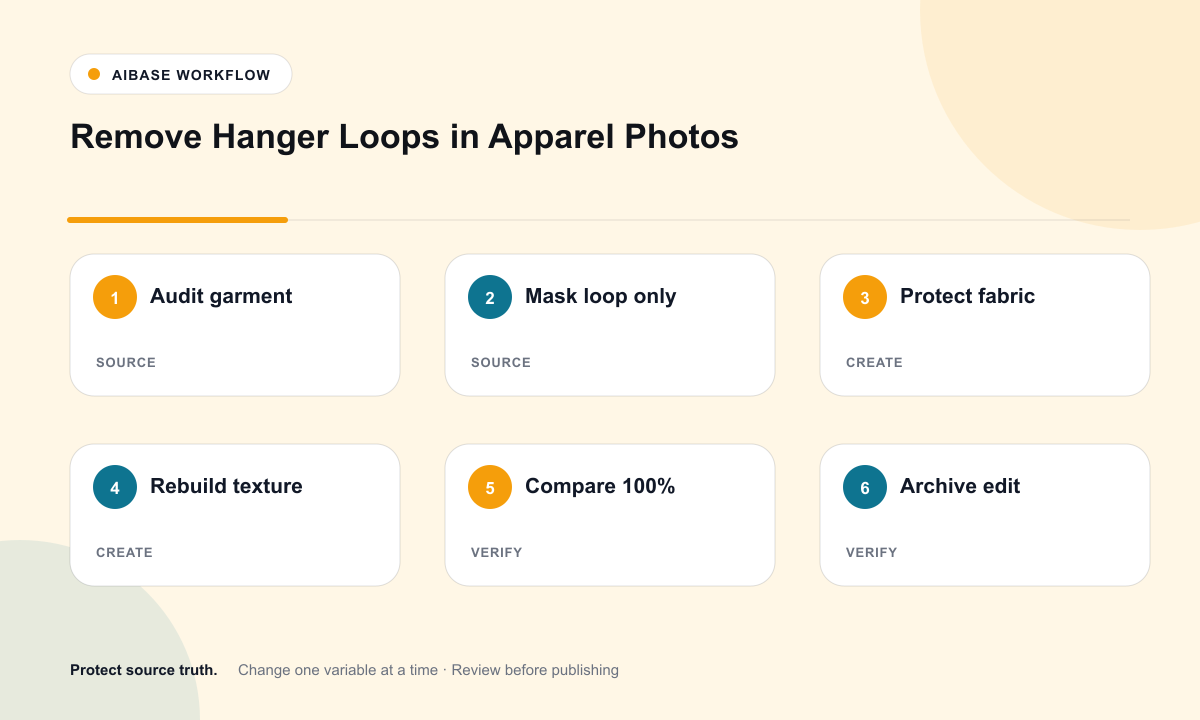
- Confirm the SKU, colorway, size, material, care label, functional loops, and whether the garment is new, used, vintage, or final sale.
- Open the highest-resolution source and mark only the distracting loop, strap, clip, pin, or tissue; note what real fabric should replace it.
- Run one narrow Nano Banana 2 edit, changing only the masked region and explicitly protecting seams, labels, print, grain, and shadows.
- Compare the result at 100% against the source for fabric continuity, seam direction, repeated texture, neckline geometry, and color matching.
- Repeat with a smaller mask or clearer reconstruction instruction if the model invents folds, doubles stitching, or smooths the cloth unnaturally.
- Export a named master, retain the original and edit log, and record disclosure requirements for marketplace, resale, or used-garment listings.
Example prompt variants
- Remove only the clear plastic clip crossing the left shoulder of the cream knit sweater; reconstruct the adjacent ribbing, stitch course, soft shadow, and natural yarn texture without flattening wrinkles or changing the neckline.
- Remove the black hanger loop inside the silk blouse collar; rebuild the missing collar stand, seam, subtle sheen, and shadow while preserving the care tag and neckline shape.
- Remove the visible tissue stuffing the tailored coat shoulder; reconstruct the lining fold, shoulder seam, and wool texture without making the coat look newly pressed or changing its measured silhouette.
Quality checklist
- The edit is limited to the requested loop, strap, clip, or tissue area.
- Fabric weave, knit, print scale, sheen, color, and grain continue naturally across the reconstruction.
- Seams, hems, collar shape, shoulder slope, closures, labels, and measured silhouette remain unchanged.
- Honest wear, pilling, pulls, staining, repairs, and used-garment condition are not disguised.
- The original source, edited master, mask notes, prompt, approval, and disclosure decision remain traceable.
Mistakes to avoid
- Asking for a general cleanup and losing fabric texture, honest wrinkles, or garment condition.
- Removing a functional hanging loop, adjustable strap, or disclosed design feature that shoppers expect.
- Letting the model redraw stitching, invent a care label, or change neckline geometry while fixing the loop.
- Using the edited image for resale or vintage listings without checking platform disclosure rules.
Related AIBase pages
Practical next step
Open the most relevant AIBase generator, run one narrow prompt first, and save the best result before adding more constraints. The fastest way to improve output quality is to compare one variable at a time: subject, camera, background, lighting, then final polish.