
Nano Banana 2 Prompts to Remove Garment Clips from Apparel Photos
Remove visible styling clips from authorized apparel packshots while preserving the garment's real silhouette, seams, drape, fabric texture, and fit.
Quick answer
Mask one visible styling clip and the smallest surrounding area, then ask Nano Banana 2 to reconstruct only the fabric hidden beneath it from nearby verified weave, color, seam, fold, and lighting cues. Preserve the garment’s actual silhouette and tension; do not use clip removal to invent a smoother fit, narrower waist, longer hem, or different construction. When the clip changes the garment’s shape, reshoot or disclose the composite instead of guessing unseen drape.
Who this guide is for
Fashion retailers, resale teams, apparel studios, catalog photographers, and retouchers cleaning authorized flat-lay, hanger, or mannequin packshots.
Recommended model
| Use case | Recommended model | Why |
|---|---|---|
| This workflow | Nano Banana 2 image-to-image for one localized clip cleanup | A small masked edit keeps the source authoritative while reconstructing a narrow patch of fabric and backdrop around the removed styling hardware. |
AIBase is an independent creative platform. Model names are shown only to identify supported underlying technologies and workflow choices.
Prompt template
Use the uploaded authorized apparel photo as the exact source. Remove only the visible [black spring clip / silver styling clamp] at [location] and reconstruct the small covered area using adjacent verified [fabric weave, color, seam direction, fold, backdrop]. Preserve exact garment SKU, size appearance, silhouette, hem, neckline, sleeves, seams, darts, pleats, pockets, closures, print repeat, texture scale, transparency, wrinkles, drape, lighting, shadow, camera, and crop. No reshaping, slimming, length change, seam invention, texture smoothing, color correction, damage repair, new label, body, hanger, text, logo, or watermark.
Step-by-step workflow
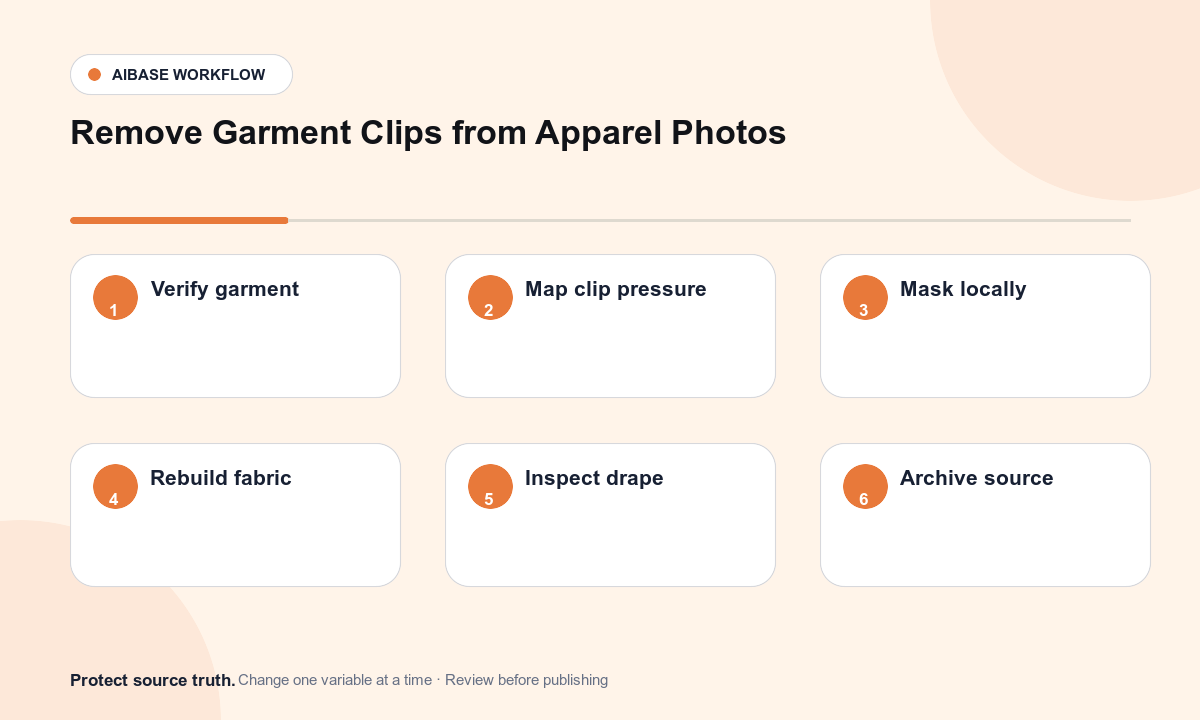
- Confirm the SKU, sample size, styling method, clip purpose, image rights, channel rules, and whether the unclipped shape is documented by another approved view.
- Inspect each clip at full zoom and map jaws, pressure marks, fabric overlap, hidden seam or print, cast shadow, and background contact.
- Create separate tight masks for hardware, shadow, and any backdrop crossing; never mask a whole side seam or large fold in one pass.
- Remove the simplest clip first and rebuild from the closest trustworthy fabric or backdrop evidence, keeping silhouette anchors locked.
- Compare source, alternate product views, and output for width, hem angle, seam continuity, print repeat, weave scale, folds, transparency, and contact shadow.
- Save the layered master, retain the original and masks, and request merchandising approval when the edit changes how fit or construction could be perceived.
Example prompt variants
- Remove only the small black clip behind the approved blouse’s left side seam; preserve blouse width, dart, sleeve, cotton weave, natural fold, white sweep, and shadow.
- Remove the two silver clamps outside the authorized trouser waistband in separate passes; preserve waist width, belt loops, fly, pleats, fabric grain, hanger, and crop.
- Remove only the clip visible below the approved dress hem; rebuild the plain backdrop and the documented hem edge, preserving length, flare, stitch line, print repeat, and floor shadow.
Quality checklist
- SKU, apparent size, silhouette, proportions, hem, seams, closures, pockets, print, color, texture, drape, and wrinkles remain faithful to approved references.
- Reconstructed weave, pattern repeat, seam direction, folds, transparency, lighting, grain, and shadows continue naturally at the repair boundary.
- No clip jaw, pressure dent, floating edge, duplicated texture, melted stitch, or repeated backdrop patch remains.
- The result does not imply a different fit, construction, included accessory, condition, or fabric performance.
- Source, alternate views, masks, prompt, before-after review, merchandising approval, and export remain traceable.
Mistakes to avoid
- Using a broad remove all clips prompt that also changes the garment outline, hanger, wrinkles, or background.
- Smoothing away real texture and folds until the fabric looks synthetic or the fit looks more flattering than the item.
- Inventing hidden print, lace, seam, or transparency where no approved reference shows it.
- Publishing an unclipped shape as documentary product evidence when the clip was structurally holding the garment.
Related AIBase pages
- Open Nano Banana 2 image editing
- Create ghost mannequin apparel images
- Remove lint from apparel photos
Practical next step
Open the most relevant AIBase generator, run one narrow prompt first, and save the best result before adding more constraints. The fastest way to improve output quality is to compare one variable at a time: subject, camera, background, lighting, then final polish.