
Nano Banana 2 Prompts to De-Wrinkle Apparel Photos Without Changing Fit
De-wrinkle apparel product photos with Nano Banana 2 while preserving fit, seams, fabric texture, color, construction, and truthful garment condition.
Quick answer
Mask only accidental storage or styling creases, then tell Nano Banana 2 which construction folds, drape lines, seams, pleats, gathers, and fabric texture must remain. Compare the edit against the approved physical sample and source image at full size. De-wrinkling should improve presentation without making the garment look stiffer, smoother, newer, or differently fitted than the item buyers receive.
Who this guide is for
Fashion ecommerce teams, apparel photographers, resale operators, catalog retouchers, and small brands refining flat-lay, mannequin, hanger, or on-model photos after the SKU and styling are approved.
Recommended model
| Use case | Recommended model | Why |
|---|---|---|
| This workflow | Nano Banana 2 image-to-image | A reference-led local edit fits this task because the source photo defines the garment truth while masks and protected-detail instructions bound the cleanup. |
AIBase is an independent creative platform. Model names are shown only to identify supported underlying technologies and workflow choices.
Prompt template
Use the uploaded authorized apparel photo as the exact source. Remove only the masked accidental [packing crease / steamable wrinkle] from [specific garment area]. Continue the verified [fabric type], weave, color, grain, drape, highlight, and shadow visible beside the mask. Preserve exact silhouette, fit, hem, collar, cuffs, seams, darts, pleats, gathers, pockets, buttons, zipper, print alignment, logo, label, model identity and body, pose, lighting, background, crop, and all unmasked pixels. Do not slim the garment or person, sharpen tailoring, erase intentional folds, change fabric weight or sheen, alter construction, recolor, invent hidden detail, or globally smooth the image.
Step-by-step workflow
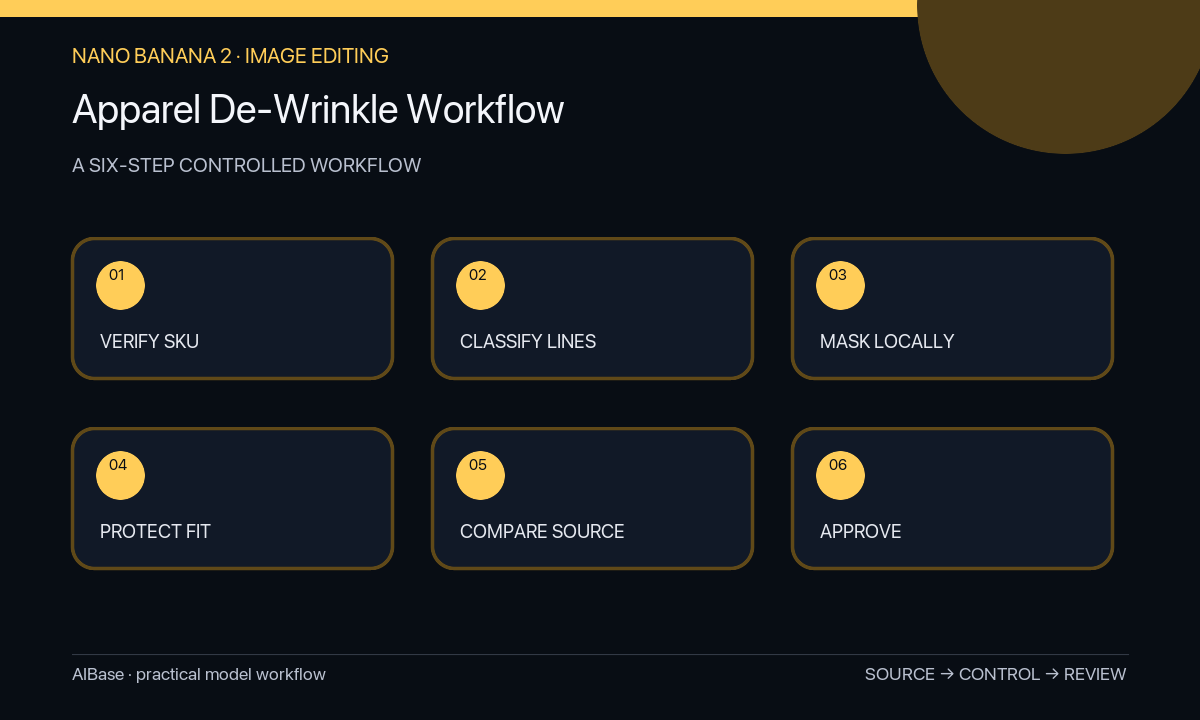
- Confirm the exact SKU, sample condition, styling intent, image rights, and whether each line is an accidental crease or a real construction, drape, fit, or material feature.
- Retain the untouched master and mark protected seams, darts, pleats, gathers, hems, fasteners, prints, labels, body contours, contact shadows, and intentional folds.
- Create small feathered masks around one crease class at a time, stopping before garment edges, graphics, stitching, hands, and high-contrast fabric boundaries.
- Name the fabric and its verified texture in the prompt, then request conservative continuity from the nearest clean area rather than generic perfect smoothness.
- Compare source and result at 100 percent using an overlay, checking silhouette, fit, anatomy, weave, print registration, seam position, drape, highlights, shadows, and mask halos.
- Export only the approved local correction and archive source, masks, prompt, output, reviewer, and any marketplace disclosure decision with the SKU record.
Example prompt variants
- Remove only the two masked packing creases across this cotton T-shirt torso, preserve the natural side drape, knit texture, screen-print edges, sleeve folds, hem, mannequin shape, color, and shadow; no global smoothing.
- Reduce only the masked steamable wrinkle on the lower linen shirt panel, keep the verified linen slub, relaxed fit, buttons, placket, pocket, seam puckering, warm white color, and every unmasked fold.
- Clean the isolated masked storage crease on this satin skirt, preserve the intentional pleats, waistband, seam lines, fabric sheen direction, model pose, body shape, highlights, and realistic movement in the source.
Quality checklist
- Every removed line was verified as an accidental wrinkle rather than a seam, pleat, gather, drape cue, texture, damage, or fit signal.
- Garment silhouette, sizing impression, construction, print, fasteners, hem, color, and on-model body remain unchanged.
- Fabric weave, grain, sheen, transparency, highlights, shadows, and natural drape continue through each mask.
- No waxy texture, repeated pattern, blurred seam, halo, invented fold, or edit outside the authorized masks appears.
- The final image remains a truthful representation of the approved SKU and sample condition.
Mistakes to avoid
- Prompting make the clothes perfectly smooth and accidentally changing material weight, fit, or silhouette.
- Erasing real darts, pleats, gathers, seam puckering, knit texture, or drape lines as if they were defects.
- Masking across a print, zipper, hand, body boundary, or garment edge and forcing factual reconstruction.
- Approving at thumbnail size without checking fabric texture, anatomy, seam alignment, and sizing impression against the source.
Related AIBase pages
- Open Nano Banana 2 image-to-image
- Create apparel ghost mannequin images
- Remove backdrop wrinkles
- Correct mixed product lighting
Practical next step
Open the most relevant AIBase generator, run one narrow prompt first, and save the best result before adding more constraints. The fastest way to improve output quality is to compare one variable at a time: subject, camera, background, lighting, then final polish.