
Nano Banana 2 Transparent Background Product Photo Prompts for Clean Cutouts
Create cleaner product cutout drafts with Nano Banana 2 using prompts that protect shape, label placement, edges, materials, and catalog-ready framing.
Quick answer
For a product cutout, upload the cleanest authorized source, tell Nano Banana 2 to preserve the exact silhouette and label placement, and request a uniform removable background with no cast shadow. Treat the result as a draft: inspect translucent edges, reflective surfaces, and small typography before exporting or compositing it into a listing.
Who this guide is for
Ecommerce operators, catalog designers, marketplace sellers, and creative teams preparing product cutout drafts, background swaps, comparison layouts, and reusable pack-shot layers from existing photography.
Recommended model
| Use case | Recommended model | Why |
|---|---|---|
| This workflow | Nano Banana 2 image-to-image | A reference-led edit is the right starting point when the photographed SKU, proportions, color, and label zones must stay recognizable while only the surrounding background changes. |
AIBase is an independent creative platform. Model names are shown only to identify supported underlying technologies and workflow choices.
Prompt template
Use the uploaded authorized product photo as the exact reference. Preserve the product silhouette, proportions, color, materials, cap or closure, label placement, and visible accessories. Change only the background to a perfectly uniform [white or high-contrast solid color] with no gradient, floor line, reflection, or cast shadow. Keep crisp natural edges around [critical edge areas]. Center the product with [padding] for a [marketplace/catalog] crop. Do not invent text, logos, claims, parts, highlights, or packaging details.
Step-by-step workflow
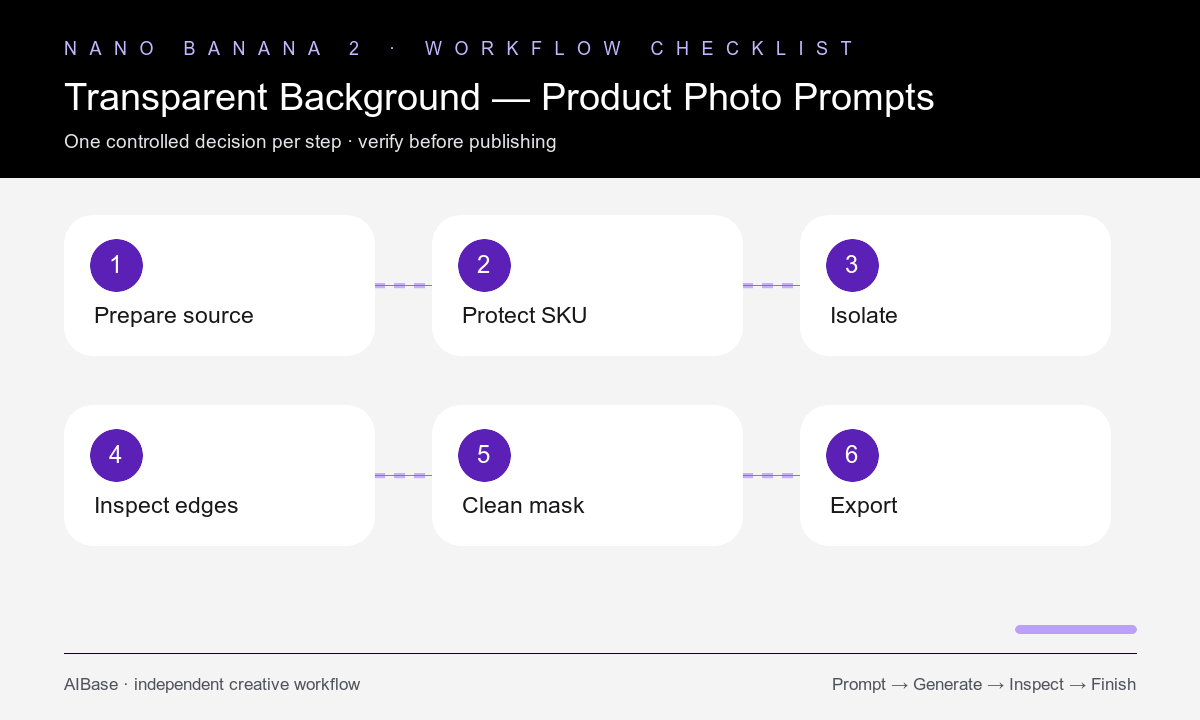
- Choose a high-resolution source with the full product visible, clear separation from the background, and minimal motion blur or compression.
- List protected SKU details before the edit: silhouette, color, closures, label zones, transparent parts, reflective trim, cords, and included accessories.
- Request one uniform background and no shadow in the first pass; do not combine cutout, relighting, retouching, and layout changes.
- Inspect the result at full size around glass, hair-like fibers, handles, gaps, glossy edges, and small printed areas.
- Run a second narrow correction only for a failed edge or changed detail, while repeating every protected product constraint.
- Use a proper masking or design tool for final alpha cleanup, then verify the composited product on both light and dark backgrounds.
Example prompt variants
- Keep the exact matte skincare tube and cap geometry; replace only the setting with uniform pure white, no floor line or shadow, centered with 12 percent padding, catalog cutout draft.
- Preserve the full sneaker shape, laces, sole pattern, colors, and stitching; isolate it on one flat contrasting background, no reflection, no added pair, three-quarter angle unchanged.
- Keep the ceramic mug profile, handle opening, printed art placement, glaze, and rim unchanged; remove only the tabletop and wall, uniform background, clean natural edge, no new highlights.
Quality checklist
- The product silhouette, proportions, color, label zones, closures, and included parts match the authorized source.
- The background is uniform and contains no floor seam, texture, gradient, reflection, residual prop, or cast shadow.
- Fine gaps and edges remain natural without halos, missing areas, or background color bleeding into the product.
- Small text and regulated packaging details were not invented, rewritten, sharpened into new content, or treated as verified.
- The final cutout has been checked on light and dark test backgrounds at the required marketplace crop.
Mistakes to avoid
- Using a cluttered, low-resolution source and expecting a production-ready mask in one generation.
- Asking for transparent output, new lighting, a different camera angle, label repair, and retouching in the same first pass.
- Ignoring translucent, reflective, fuzzy, or perforated regions that need closer masking review.
- Publishing generated label text or product details without comparing them against the approved source.
Related AIBase pages
- Open Nano Banana 2 image-to-image
- Learn controlled reference-image prompts
- Create white-background product concepts
- Plan a full ecommerce image set
Practical next step
Open the most relevant AIBase generator, run one narrow prompt first, and save the best result before adding more constraints. The fastest way to improve output quality is to compare one variable at a time: subject, camera, background, lighting, then final polish.