
Nano Banana 2 vs GPT Image 2 for Ecommerce Image Editing
Compare Nano Banana 2 and GPT Image 2 for ecommerce image editing with the same SKU reference, protected details, edit brief, crop, attempt budget, and scorecard.
Quick answer
Do not choose from model reputation alone. Run the same approved SKU image, protected-detail block, single edit, aspect ratio, output target, and attempt budget through both available workflows, then score product fidelity, edit precision, lighting, artifacts, usable crop, time, and cost. Use the winner for that SKU and edit class, not as a universal best model.
Who this guide is for
Ecommerce, marketplace, creative, and catalog teams choosing a repeatable workflow for background changes, seasonal scene concepts, crop extensions, prop variations, and product-focused ad edits.
Recommended model
| Use case | Recommended model | Why |
|---|---|---|
| This workflow | Matched test of Nano Banana 2 and GPT Image 2 | Nano Banana 2 offers a reference-led image-to-image path, while GPT Image 2 is useful for text-led product concepts; a normalized test reveals which route better serves the specific product and edit available in the current workflow. |
AIBase is an independent creative platform. Model names are shown only to identify supported underlying technologies and workflow choices.
Prompt template
Use the same approved SKU reference and normalized settings for both tests. Keep exact product silhouette, proportions, count, color, material, surface finish, controls, openings, stitching, hardware, label zones, base contact, crop priority, and verified defects unchanged. Edit only [background/prop/crop/lighting context]. Target placement: [channel and aspect ratio]. Lighting: [one setup]. No redesign, changed product color, added feature, removed defect, altered label, readable invented text, duplicate SKU, floating contact, impossible reflection, claim, certification, logo, price, watermark, or extra product.
Step-by-step workflow
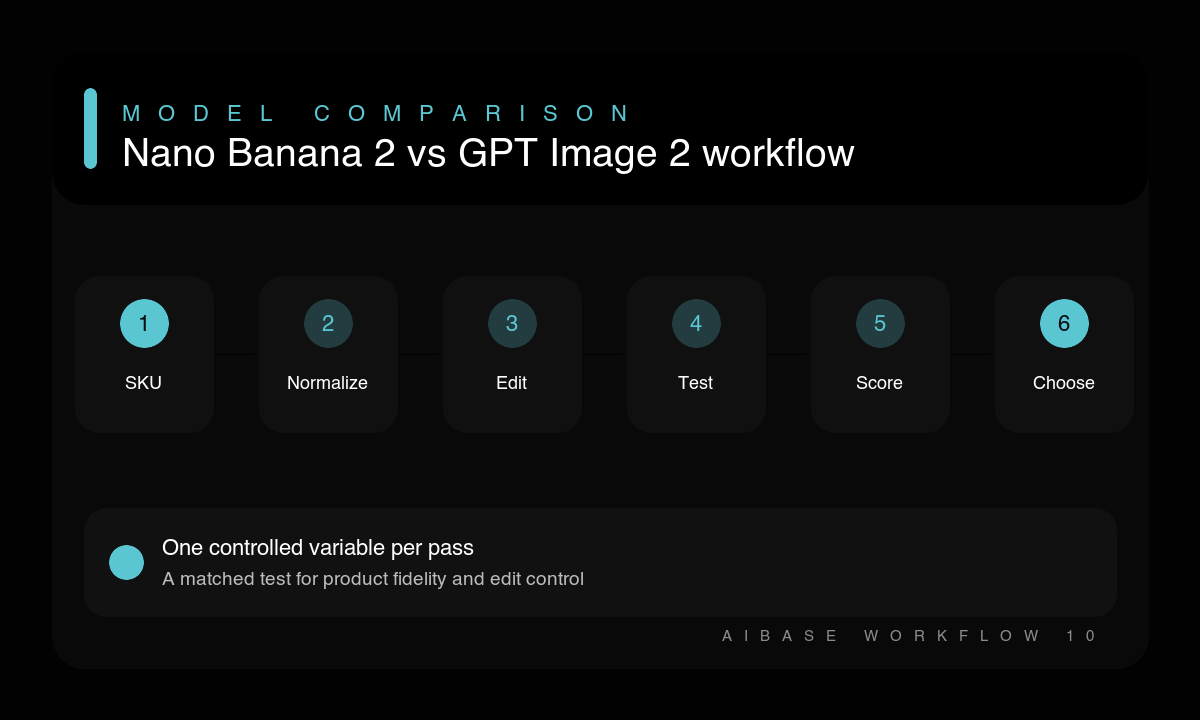
- Choose one SKU, one edit class, one placement, and a pass threshold based on truthful product representation.
- Prepare the same reference, protected product anchors, target ratio, output size, and single edit brief.
- Allocate the same number of attempts and similar refinement time to Nano Banana 2 and GPT Image 2.
- Generate matched candidates without relaxing fidelity rules or changing the concept for one model.
- Blind-score product geometry, detail preservation, edit precision, light, contact, artifacts, crop, time, and cost.
- Document the winner for this SKU and edit class, then rerun when the product, source quality, or edit complexity changes.
Example prompt variants
- Matched background test: keep the exact skincare bottle, cap, pump, tint, label zone, proportions, and base contact; replace only the background with warm limestone and soft left window light; square marketplace crop.
- Matched seasonal-context test: keep the exact canvas tote shape, handles, stitching, color, print zone, and folds; add only two autumn leaves on a neutral bench; 4:5 social crop, no product redesign.
- Matched crop-extension test: keep the exact headphone geometry, cushions, controls, materials, colors, shadows, and orientation; extend the dark studio background to 16:9 with clean left copy space; product pixels unchanged.
Quality checklist
- Both tests use the same source, protected details, edit, ratio, target size, attempts, and review threshold.
- Product geometry, materials, color, controls, hardware, labels, defects, and count remain truthful.
- The requested background, prop, crop, or light change is isolated and commercially useful.
- Artifacts, contact, reflections, whitespace, time, and cost are scored separately.
- The recommendation is limited to the tested SKU and edit class and is documented for repeatability.
Mistakes to avoid
- Comparing reference-led editing in one model with an unconstrained blank-prompt concept in the other.
- Changing prompts, ratios, attempts, or review standards until a preferred model wins.
- Rewarding dramatic scene changes while ignoring altered product geometry or features.
- Publishing one matched test as a universal ranking across all products and workflows.
Related AIBase pages
- Test the edit with Nano Banana 2
- Test the concept with GPT Image 2
- Read the reference-photo model selection guide
- Compare text-to-image and image-to-image product workflows
Practical next step
Open the most relevant AIBase generator, run one narrow prompt first, and save the best result before adding more constraints. The fastest way to improve output quality is to compare one variable at a time: subject, camera, background, lighting, then final polish.