
Nano Banana Pro Luggage Campaign Prompts That Preserve Shell and Hardware
Build luggage campaign product photos with Nano Banana Pro while preserving exact shell geometry, wheels, handles, zippers, colorways, scale, and travel claims.
Quick answer
Anchor the scene to approved multi-angle references and lock the case proportions, shell ribs, corners, wheel count, handle stages, zipper route, locks, logo position, and exact colorway. Change only the environment, surface, or lighting in each pass. Treat cabin-fit, capacity, durability, weather resistance, warranty, and sustainability language as controlled claims added outside generation.
Who this guide is for
Luggage brands, travel retailers, ecommerce teams, catalog designers, and agencies creating launch heroes, collection images, social ads, and lifestyle placements from approved suitcase references.
Recommended model
| Use case | Recommended model | Why |
|---|---|---|
| This workflow | Nano Banana Pro image-to-image for high-fidelity luggage campaign scenes | A reference-led high-fidelity workflow is useful when rigid geometry, repeated hardware, material finish, and consistent colorways must survive a polished scene change. |
AIBase is an independent creative platform. Model names are shown only to identify supported underlying technologies and workflow choices.
Prompt template
Use the approved [front / side / three-quarter / detail] references as the exact luggage SKU source. Create a [campaign format] in [verified or illustrative setting]. Preserve exact height-to-width-to-depth proportions, shell or fabric structure, rib pattern, corner guards, seams, piping, zipper route, pull count, lock, logo position, wheel count and housing, top and side handles, telescoping-handle rails and extension stage, colorway, material finish, and scale. Camera [specific], lighting [one setup], surface contact [specific], copy-safe zone [position]. Do not open the case, invent an interior, add accessories, alter hardware, change color, imply dimensions or performance, generate text, person, airline mark, destination, badge, claim, or watermark.
Step-by-step workflow
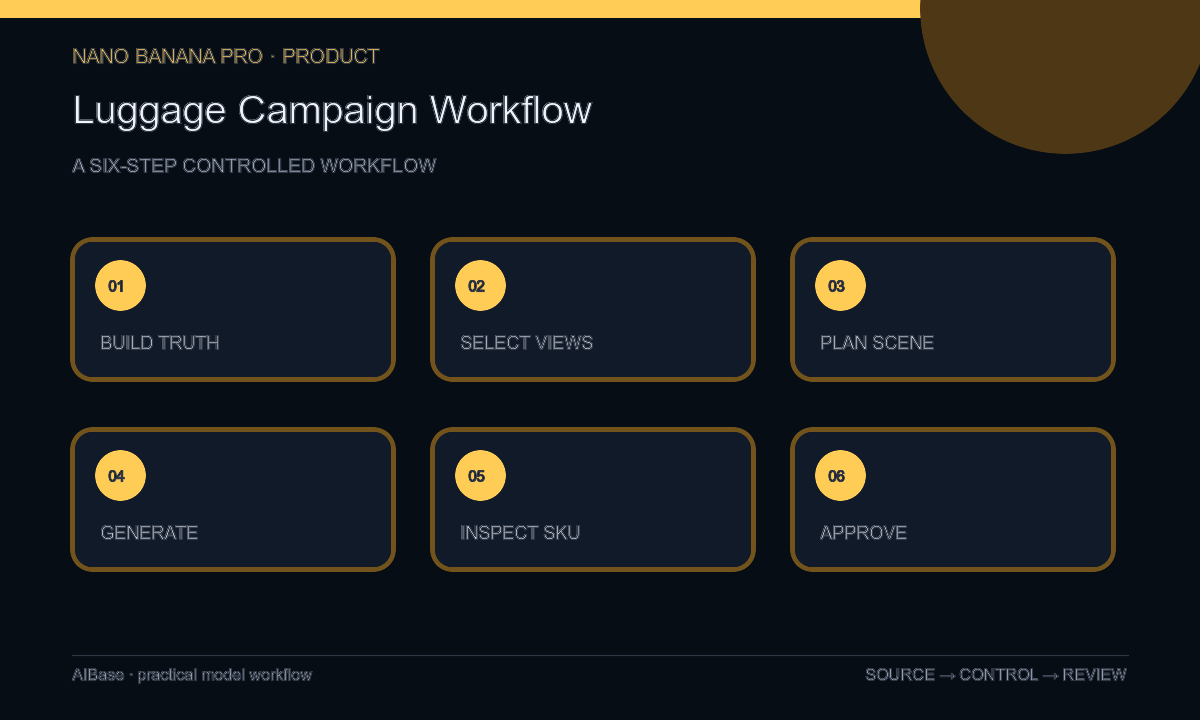
- Build a SKU truth sheet for dimensions, colorway, materials, hardware, handles, locks, wheels, zipper path, included accessories, approved claims, and image rights.
- Select multi-angle references that expose the front, side depth, wheel housings, handle stages, hardware, and surface finish instead of relying on one hero image.
- Plan one campaign scene with a verified scale cue, exact camera height, contact surface, handle state, crop family, prop limit, and editable copy-safe zone.
- Generate with product geometry protected, then vary only background, surface, or lighting; stop any output that redraws wheels, rails, locks, zippers, or shell ribs.
- Inspect full resolution for proportions, verticals, wheel count, ground contact, handle symmetry, zipper continuity, logo, color, material, reflections, shadows, and implausible travel context.
- Composite exact logo and approved copy as editable layers, review every performance implication, and retain references, prompts, source mapping, approvals, and channel exports.
Example prompt variants
- Approved carry-on suitcase in a clean studio departure concept, telescoping handle fully retracted, three-quarter view, soft side light, preserve exact shell ribs, four wheel housings, zipper, lock, handles, graphite color, logo zone, scale, and no airport mark or cabin-fit claim.
- Exact checked suitcase on a quiet hotel-lobby stone floor used only as illustrative atmosphere, low three-quarter camera, warm evening light, preserve dimensions, corner guards, eight visible wheel halves, hardware, contact shadow, colorway, and no traveler or destination text.
- Approved three-piece luggage collection in the supplied size order and spacing, seamless neutral backdrop, frontal editorial light, preserve count, proportional differences, matching rib pattern, handles, wheels, locks, colors, and empty left copy zone.
Quality checklist
- SKU, size class, proportions, shell or fabric, rib pattern, hardware, wheel count, handles, zippers, locks, logo zone, and colorway match approved references.
- Wheel contact, handle alignment, case verticals, scale cues, shadows, reflections, and material response are physically coherent.
- No interior, accessory, traveler, destination, airport, airline, damage state, or product feature was invented.
- Cabin fit, capacity, weight, durability, security, weather, warranty, recycled content, and test claims remain sourced editable copy.
- Reference views, truth sheet, prompts, outputs, composites, approvals, crops, and destinations remain traceable.
Mistakes to avoid
- Using one front image and allowing the model to guess case depth, wheel housings, zipper route, or side-handle construction.
- Requesting an airport lifestyle scene that invents airline branding, traveler identity, destination, or cabin compatibility.
- Watching the shell while wheel count, handle rails, locks, pullers, seams, and logo placement drift.
- Treating a polished scene as evidence of capacity, light weight, impact resistance, security, weather performance, or warranty coverage.
Related AIBase pages
- Open Nano Banana Pro
- Create product bundle photos
- Create travel accessory backgrounds
- Plan ecommerce product detail pages
Practical next step
Open the most relevant AIBase generator, run one narrow prompt first, and save the best result before adding more constraints. The fastest way to improve output quality is to compare one variable at a time: subject, camera, background, lighting, then final polish.