
GPT Image 2 Product Bundle Photo Prompts for Ecommerce Sets
Create ecommerce product bundle concepts with GPT Image 2 using an exact item manifest, hierarchy, spacing, copy-safe composition, and SKU-level verification.
Quick answer
Start with a numbered bundle manifest and one approved reference per item. Define the hero product, supporting items, exact count, relative scale, orientation, spacing, background, and crop; then verify every SKU before publishing. Use generation for layout exploration and composite approved product photography when exact packaging or included contents must be guaranteed.
Who this guide is for
Ecommerce operators, subscription-box teams, marketplace sellers, gift-set brands, and performance marketers preparing bundle hero images, kit flat lays, seasonal sets, and cross-sell creative.
Recommended model
| Use case | Recommended model | Why |
|---|---|---|
| This workflow | GPT Image 2 for bundle composition concepts | A text-led workflow is useful for rapidly exploring grouping, hierarchy, surface, props, lighting, and copy-safe layouts before SKU-accurate assets are assembled. |
AIBase is an independent creative platform. Model names are shown only to identify supported underlying technologies and workflow choices.
Prompt template
Create a text-free ecommerce bundle image for [use case]. Exact manifest: 1) [hero item and verified dimensions], 2) [support item], 3) [support item], 4) [included accessory]. Show exactly one of each listed item and nothing else. Composition: [flat lay/three-quarter], hero item at [position], supporting items ordered [layout], realistic relative scale, clear separation, [background], [lighting], and [aspect ratio] with empty [region] for editable copy. Preserve approved silhouettes, colors, materials, closures, packaging structure, label zones, and item count. Do not duplicate, omit, merge, resize implausibly, invent accessories, readable text, logos, claims, badges, hands, props that look included, or extra products.
Step-by-step workflow
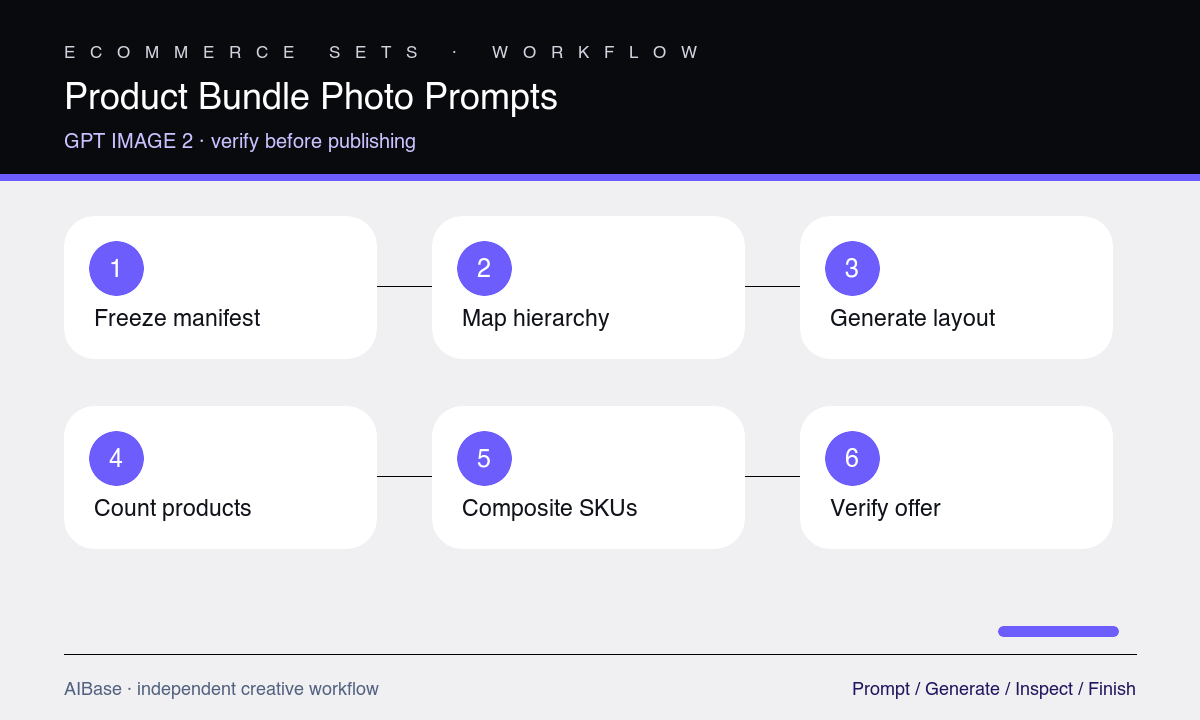
- Create a numbered source-of-truth manifest with item names, quantities, dimensions, colorways, included accessories, and an approved reference for every visible SKU.
- Choose one bundle job and crop, then sketch the hero item, supporting order, copy zone, and minimum spacing before prompting.
- Generate a text-free composition concept with simple packaging and no ambiguous props, checking the item count before evaluating styling.
- Correct one failure at a time—count, scale, orientation, spacing, or hierarchy—and reject any version that merges or redesigns a product.
- Composite approved packshots into the selected layout when the image represents a purchasable set, then add labels, price, and promotional copy outside generated pixels.
- Compare the final image with the live product manifest and destination page so every shown item, quantity, color, and included accessory is available.
Example prompt variants
- 4:5 skincare starter-set concept with exactly one cleanser bottle, one moisturizer jar, and one reusable pouch, jar as hero, warm stone surface, soft side light, open upper-right copy zone, no extra applicator or text.
- Square coffee gift bundle flat lay with exactly one sealed coffee bag, one ceramic dripper, and one paper filter pack, true relative scale, orderly diagonal layout, pale wood background, no beans, mug, spoon, logo, or price.
- Wide remote-work kit concept with exactly one keyboard, one mouse, one felt desk mat, and one cable pouch, keyboard dominant on the left, clean right copy zone, neutral studio light, no laptop or accessories.
Quality checklist
- Every manifest item appears exactly once with the correct SKU, quantity, color, silhouette, material, packaging structure, and orientation.
- Relative sizes and contact shadows are physically plausible, and no object is merged, floating, clipped, mirrored, or disguised as a prop.
- The hierarchy makes the bundle understandable at thumbnail size while the copy-safe region survives the actual marketplace or ad crop.
- Generated pixels contain no invented labels, claims, prices, badges, accessories, bonus items, or props that buyers could mistake as included.
- The final assembled image matches the live bundle manifest, inventory, offer terms, and destination page.
Mistakes to avoid
- Describing a starter kit without listing exact items and quantities, then accepting a visually attractive but incorrect bundle.
- Adding lifestyle props that look like included products or obscure the difference between the hero item and accessories.
- Letting the model render package text or logos instead of compositing approved product assets and editable typography.
- Reviewing composition but not verifying scale, colorway, pack size, accessory count, and the current checkout contents.
Related AIBase pages
- Open GPT Image 2
- Create flat-lay product photos
- Plan Amazon listing images
- Build clean ecommerce product images
Practical next step
Open the most relevant AIBase generator, run one narrow prompt first, and save the best result before adding more constraints. The fastest way to improve output quality is to compare one variable at a time: subject, camera, background, lighting, then final polish.