
Seedance 2.0 Beverage Pour Product Video Prompts from a Pack Shot
Animate beverage pack shots with Seedance 2.0 prompts that protect packaging, control one pour action, keep fluid physics plausible, and create editable ad shots.
Quick answer
Start with an approved pack shot or simple pour setup, protect the exact container and label zones, and ask for one short liquid action with a clear start and end. Keep the camera restrained, specify fluid color and viscosity, and reject clips with changing fill levels, warped packaging, impossible streams, or invented claims.
Who this guide is for
Beverage brands, restaurants, ecommerce teams, social editors, and agencies creating short reference-led shots for coffee, tea, sparkling drinks, juice, mixers, and other verified pourable products.
Recommended model
| Use case | Recommended model | Why |
|---|---|---|
| This workflow | Seedance 2.0 image-to-video | A reference-anchored workflow is useful when approved packaging, vessel placement, composition, and brand-sensitive regions should remain stable while a limited pour motion is added. |
AIBase is an independent creative platform. Model names are shown only to identify supported underlying technologies and workflow choices.
Prompt template
Use the uploaded authorized beverage image as the exact first-frame reference. Preserve container geometry, cap or opening, label zone, colors, materials, condensation, glass shape, table, background, crop, and lighting. Animate only this [duration] action: [source vessel] pours a [color, opacity, carbonation, viscosity] liquid in one continuous plausible stream into [target vessel], then settles into a clean hold. Camera: [locked or one slow move]. No warped package, changed text, new logo, extra container, impossible splash, floating droplet, leaking seal, changing fill level outside the action, hand mutation, claim, text, or watermark.
Step-by-step workflow
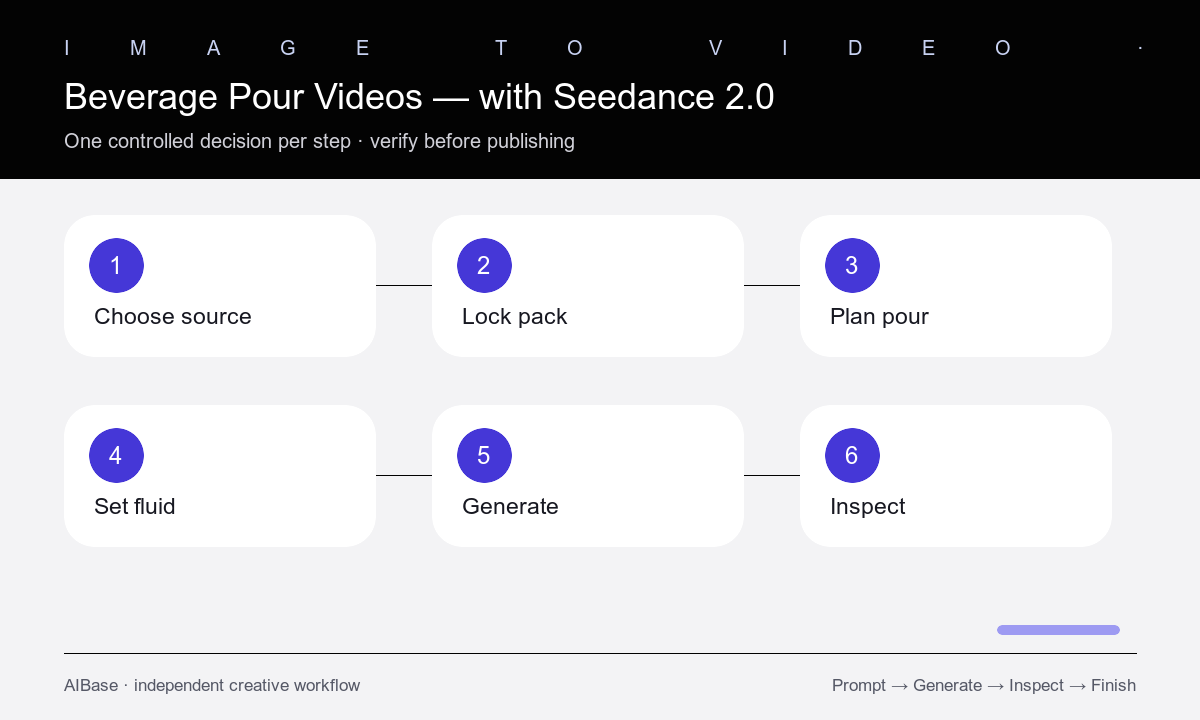
- Choose an authorized source with readable container edges, a clear opening or pour path, simple background, and room for the liquid action.
- Write a product lock for shape, closure, label zones, color, material, condensation, glassware, surface, lighting, and crop.
- Storyboard one action with start state, stream path, impact, foam or splash limit, final level, and a stable edit-ready end frame.
- Specify fluid properties that matter visually, including color, opacity, viscosity, carbonation, ice, foam, and gravity direction.
- Generate a short locked-camera test before adding a slow push or orbit, and change only one motion variable per attempt.
- Inspect packaging, hands, openings, stream continuity, contact, fill level, bubbles, reflections, spill behavior, and the final hold frame by frame.
Example prompt variants
- Keep the exact cold-brew bottle and plain glass setup; bottle tilts slightly and one dark translucent coffee stream fills the glass to one-third, minimal foam, locked camera, soft morning side light, clean two-second hold.
- Preserve the approved sparkling-water can, clear tumbler, ice count, labels, and tabletop; a hand performs one controlled pour, fine bubbles rise naturally, no overflow, slow push-in, stable ending.
- Keep the exact ceramic teapot, cup, tray, steam level, and background; one amber tea stream pours steadily into the cup, stops cleanly, small surface ripples settle, camera fixed.
Quality checklist
- Container shape, opening, closure, label zones, colors, materials, props, surface, crop, and lighting remain faithful.
- The stream begins at the opening, follows gravity, contacts the target correctly, and has plausible color, viscosity, bubbles, foam, and splash.
- Fill levels change only through the described action without leaks, duplication, disappearing liquid, or impossible vessel capacity.
- Hands, fingers, grip, glass edges, reflections, condensation, ice, camera, and background remain anatomically and physically stable.
- The final edit uses verified packaging, copy, ingredients, claims, audio, CTA, disclosures, and safe-serving context.
Mistakes to avoid
- Requesting pour, splash, ice drop, camera orbit, label reveal, and product rotation in the same short generation.
- Leaving fluid properties unspecified and accepting liquid that looks like smoke, gel, or weightless particles.
- Ignoring subtle changes to package geometry, opening position, label content, or vessel capacity.
- Using a dramatic generated pour as proof of a product property, serving size, carbonation, or performance claim.
Related AIBase pages
- Open Seedance 2.0
- Use the Seedance image-to-video guide
- Build product photo animation prompts
- Compare water-splash motion with Wan 2.7
Practical next step
Open the most relevant AIBase generator, run one narrow prompt first, and save the best result before adding more constraints. The fastest way to improve output quality is to compare one variable at a time: subject, camera, background, lighting, then final polish.