
Seedance 2.0 Travel Photo-to-Video Prompts for Natural Destination Motion
Animate travel photos with Seedance 2.0 using one motion hierarchy, stable landmarks, restrained camera moves, traveler consent, and destination-truth checks.
Quick answer
Treat the travel photo as geographic and visual truth. Lock the horizon, architecture, terrain, people, signs, and weather, then animate one believable layer—water, foliage, cloud, fabric, or a slow camera move. Short restrained motion usually feels more authentic than turning every part of the destination into a spectacle.
Who this guide is for
Travel creators, tourism teams, photographers, hotels, destination marketers, and agencies turning authorized landscape, street, property, or itinerary stills into short social transitions and mood clips.
Recommended model
| Use case | Recommended model | Why |
|---|---|---|
| This workflow | Seedance 2.0 image-to-video | A reference-led workflow can organize subject, environmental, and camera motion around an existing destination photo, provided the source remains the truth and the motion brief stays narrow. |
AIBase is an independent creative platform. Model names are shown only to identify supported underlying technologies and workflow choices.
Prompt template
Animate the uploaded authorized travel photo as the exact first-frame reference. Preserve the horizon, coastline or terrain, architecture, road layout, signs, windows, vegetation species, people and identities, clothing, vehicles, weather, light direction, color, crop, and destination character. Primary motion: [one natural layer] moves [direction and pace]. Secondary motion: [optional subtle layer]. Camera: [locked/slow push/pan] with no orbit or viewpoint invention. End on [stable composition]. Do not add, remove, rebuild, modernize, beautify, crowd, empty, relight, change season or weather, invent landmark details, animate architecture, alter faces or bodies, create readable text, or imply an event that did not occur.
Step-by-step workflow
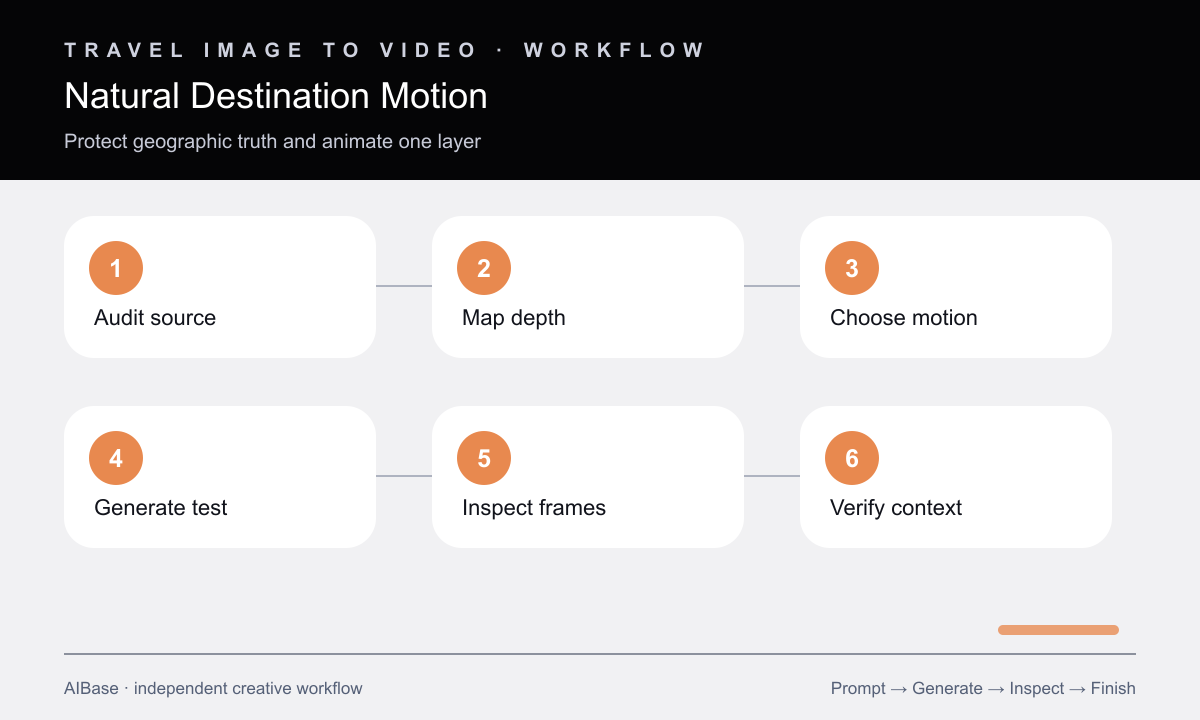
- Confirm rights and consent, identify the destination and capture date when relevant, and record which people, signs, buildings, terrain, and weather must remain factual.
- Map foreground, middle ground, background, sky, reflective surfaces, and occlusion boundaries so motion layers do not slide through each other.
- Choose one primary motion and at most one secondary motion, then select a locked camera or a very small move supported by visible depth.
- Generate a short test from the cleanest source and inspect the first, middle, and final frames before judging atmosphere.
- Check horizon, architecture, shorelines, signs, faces, limbs, vehicles, foliage edges, reflections, and newly revealed regions for drift.
- Publish with accurate location context and AI-motion disclosure where appropriate; use original footage for documentary evidence.
Example prompt variants
- Locked alpine-lake photograph, preserve exact mountains, snowline, cabins, shoreline, people, and morning light; animate only small water ripples and faint rightward cloud drift, stable ending frame.
- Slow two-percent push into an authorized old-town street photo, preserve facades, signs, paving, parked bicycles, pedestrians, identities, shadows, and perspective; animate only one hanging flag and subtle distant walking.
- Locked coastal overlook image, preserve cliff geometry, trail, railings, vegetation, horizon, boats, and sunset exposure; animate restrained grass movement and one slow wave cycle without changing sea level or adding birds.
Quality checklist
- Landmarks, terrain, horizon, architecture, signs, people, vehicles, weather, season, and light remain consistent with the source.
- Foreground and background motion obey depth and occlusion, with no rubbery buildings, sliding land, bending horizon, or liquid shadows.
- Faces, bodies, clothing, railings, windows, text zones, and reflections remain stable across first, middle, and final frames.
- The camera move is small enough for the source depth and does not invent a side view, hidden room, or unseen landscape.
- Caption, location, source rights, consent, and AI-motion disclosure are accurate for the publication context.
Mistakes to avoid
- Combining drone rise, orbit, zoom, cloud timelapse, moving crowds, waves, and wildlife in one still-image shot.
- Letting architecture breathe, signs rewrite, shorelines shift, or mountains deform because the mood looks cinematic.
- Animating strangers or children in a travel photo without checking consent and intended audience.
- Presenting generated motion as documentary footage of weather, crowd levels, wildlife, or an event.
Related AIBase pages
- Open Seedance 2.0 image-to-video
- Learn Seedance camera movement prompts
- Create a Veo Fast travel Reel
- Plan a Veo Pro destination brand film
Practical next step
Open the most relevant AIBase generator, run one narrow prompt first, and save the best result before adding more constraints. The fastest way to improve output quality is to compare one variable at a time: subject, camera, background, lighting, then final polish.