
Veo 3.1 Fast Travel Reel Prompts for Short Vertical Videos
Write Veo 3.1 Fast prompts for short vertical travel reel concepts with one location beat, camera move, subject action, ambience, and clean edit point.
Quick answer
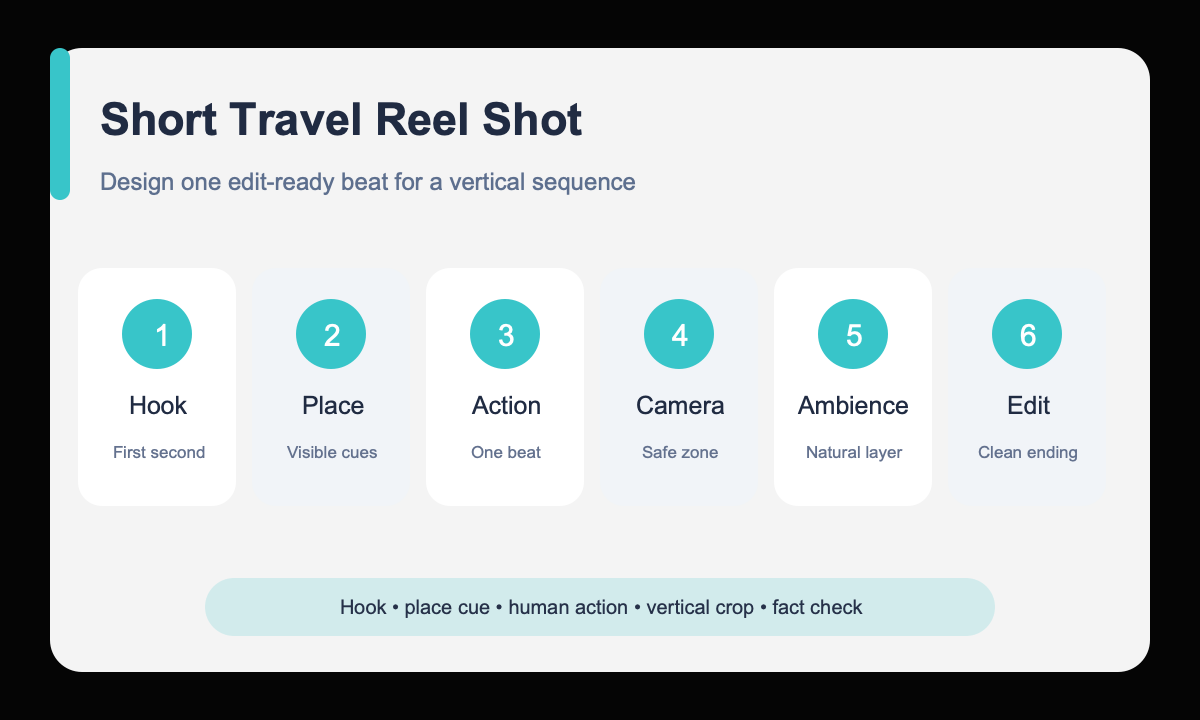
Build each reel shot around one place cue, one human-scale action, one camera move, and one natural ambience layer. Veo 3.1 Fast is most useful for testing short hooks and transitions, while location facts, access rules, signage, and travel claims still require verification.
Who this guide is for
Travel creators, destination marketers, hospitality teams, and editors drafting short vertical establishing shots, transition ideas, mood inserts, and itinerary hooks before assembling a reel.
Recommended model
| Use case | Recommended model | Why |
|---|---|---|
| This workflow | Veo 3.1 Fast for rapid short-shot exploration | Its short text- and image-to-video workflow suits testing several vertical shot concepts quickly before investing in a polished sequence or combining them with verified footage. |
AIBase is an independent creative platform. Model names are shown only to identify supported underlying technologies and workflow choices.
Prompt template
Create a [4/6/8]-second vertical 9:16 travel reel shot set in [specific but non-claiming environment]. Opening hook: [visual event in first second]. Subject action: [one simple action]. Camera: [one movement, direction, and speed]. Time and weather: [conditions]. Composition: keep [subject or landmark cue] inside the center safe zone and leave [top/bottom] overlay space. End on [clean edit frame]. Audio: [natural ambience], no speech. No readable generated signage, logo, itinerary claim, impossible access, transition, cut, or camera shake.
Step-by-step workflow
- Choose one reel function: hook, establishing view, human moment, detail insert, or transition endpoint.
- Describe the environment through visible features without inventing factual location details.
- Give the subject one action that can complete inside the chosen short duration.
- Use one camera move and protect the vertical center safe zone for mobile crops.
- Specify a clean opening or ending composition that an editor can connect to the next verified shot.
- Review geography, signage, cultural details, access, safety, and ambience before using the clip publicly.
Example prompt variants
- Six-second 9:16 coastal-town hook, first light catches wet stone steps as a traveler enters from lower frame and pauses at the overlook, slow forward gimbal move, soft wind and distant gulls, clean horizon end frame.
- Four-second 9:16 market detail insert, close view of hands choosing ripe citrus from a wooden stall, slow side slide, warm morning shade, natural crowd ambience without speech, finish on a full basket with upper overlay space.
- Eight-second 9:16 mountain-lodge establishing shot, guest opens a balcony door and steps into cool dawn air, gentle pullback from room to view, quiet wind and fabric movement, end centered on the doorway silhouette.
Quality checklist
- The visual hook appears immediately and the action can finish inside the clip.
- Camera movement is singular, stable, and readable in a vertical crop.
- People, architecture, weather, shadows, and ambient motion remain coherent.
- The ending frame offers a clean editorial cut and usable overlay space.
- Location facts, signs, customs, access, and claims have been checked or excluded.
Mistakes to avoid
- Trying to cover an entire itinerary in one short generation.
- Stacking drone, orbit, zoom, whip-pan, and rack-focus directions together.
- Treating generated landmarks, signs, or local behavior as factual travel documentation.
- Ignoring the top and bottom interface zones of a vertical social crop.
Related AIBase pages
- Draft a travel reel with Veo 3.1 Fast
- Build fast product demo shots
- Compare Veo Fast and Pro workflows
Practical next step
Open the most relevant AIBase generator, run one narrow prompt first, and save the best result before adding more constraints. The fastest way to improve output quality is to compare one variable at a time: subject, camera, background, lighting, then final polish.