
Wan 2.7 Camera Lens Zoom Ring Turning Product Video Prompts
Animate one documented zoom-ring turn while preserving lens geometry, focus ring, barrel extension, focal marks, mount, camera support, reflections, and honest mechanism behavior.
Quick answer
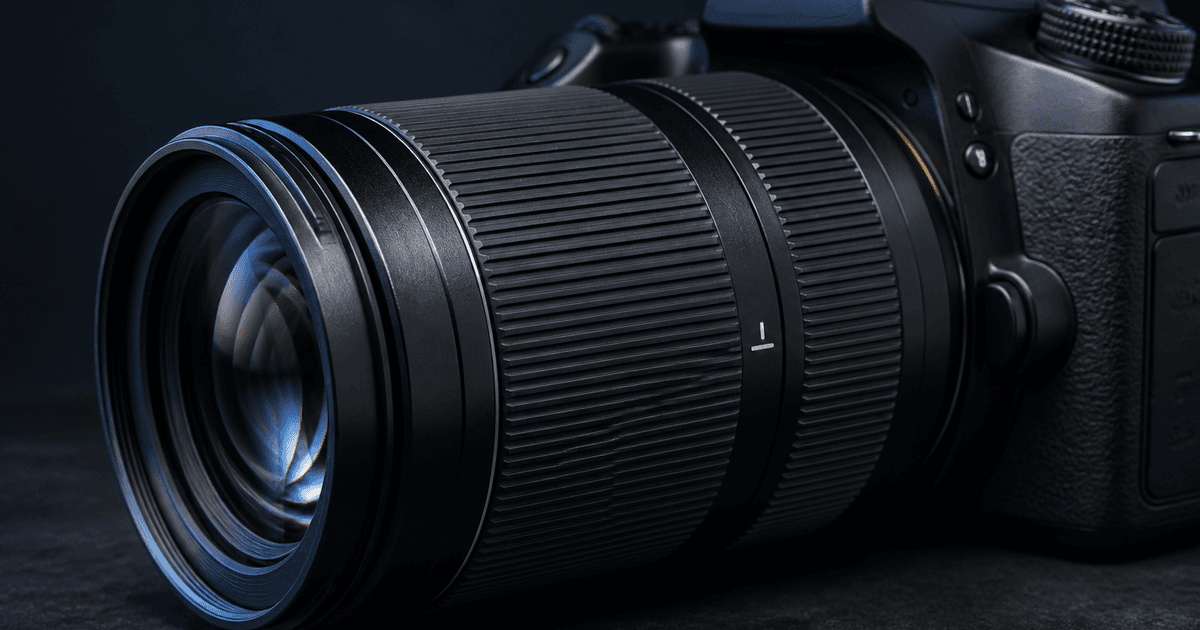
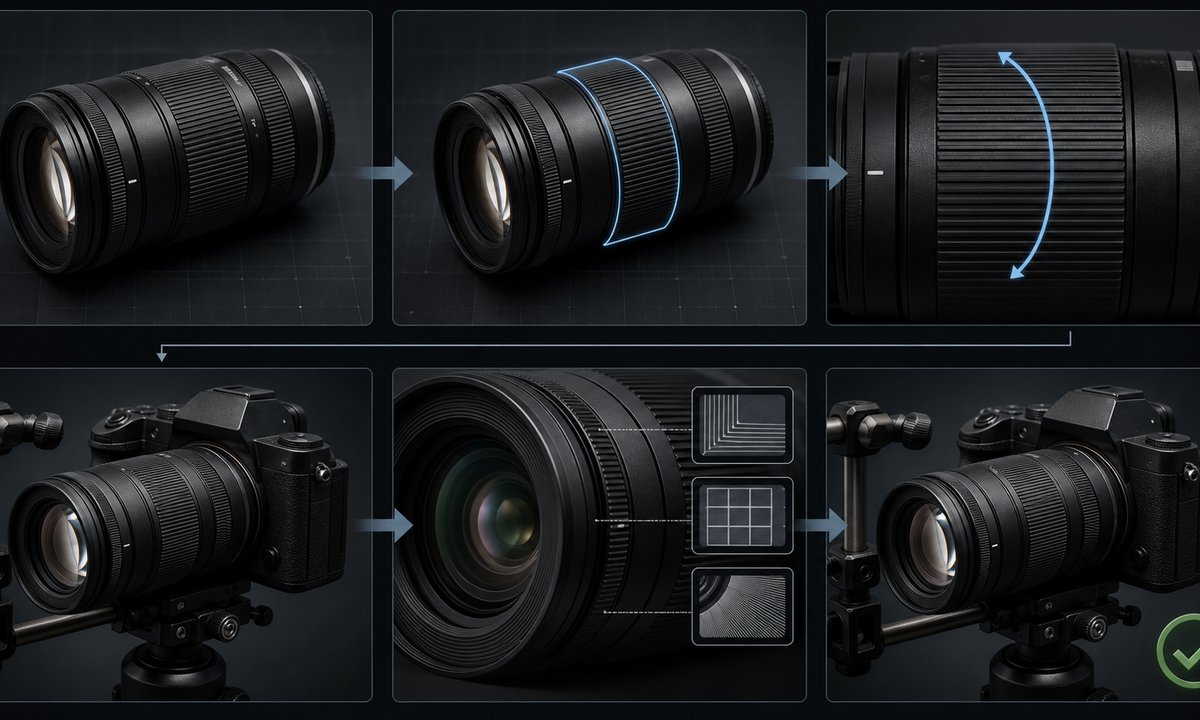
Identify the exact zoom lens, mount, revision, zoom-ring location, rotation direction, focal endpoints, throw, lock switch, internal or external zoom behavior, and whether the barrel changes length or the front element rotates. Capture fixed-camera before, middle, and after references on a secure support. Ask Wan 2.7 for a small documented ring turn and stop at a known mark. Lock the focus ring, aperture ring, switches, hood, caps, mount, camera body, tripod, markings zones, glass, reflections, and background. A visually smooth clip is still wrong if the model rotates the focus ring, invents barrel travel, changes lens length, duplicates controls, or implies optical performance.
Who this guide is for
Camera and lens brands, rental houses, used-equipment sellers, retailers, reviewers, product photographers, and social teams creating precise mechanism clips from authorized product references.
Recommended model
| Use case | Recommended model | Why |
|---|---|---|
| This workflow | Wan 2.7 image-to-video for one bounded zoom-ring movement | Short controlled product motion is a useful fit when the exact ring, direction, rotation, barrel response, and stopping state are explicitly documented and inspected frame by frame. |
AIBase is an independent creative platform. Model names are shown only to identify supported underlying technologies and workflow choices.
Prompt template
Use the uploaded authorized [exact lens, mount, and revision] image as the first frame. Preserve lens and camera geometry, mount, barrel length at start, front element, filter thread, hood or cap state, zoom ring location and rib spacing, focus and aperture rings, switches, lock, collars, seams, markings zones, glass, finish, wear, tripod support, camera body, background, crop, light, reflections, and shadows. Motion only: zoom ring rotates [direction] by [documented degrees or from one focal mark to another]; barrel [remains fixed / extends documented distance] and stops at [endpoint]. Focus ring, aperture ring, switches, camera, support, and viewpoint remain still. No hand, autofocus, image preview, lens breathing claim, extra ring, altered marking, text, logo change, sound, or watermark.
Step-by-step workflow
- Freeze lens truth: full model, mount, revision, zoom range, ring order, direction, throw, lock, extension, front rotation, weather sealing claims, included parts, condition, and rights.
- Capture front, side, top, mount, switch, ring, mark, fully wide, midpoint, fully telephoto, and barrel-response references from a fixed secured camera setup.
- Map fixed focus and aperture rings, moving zoom ring, rib pattern, rotation arc, focal-mark zones, extension boundary, hood, support, reflections, shadows, and endpoint.
- Generate one small turn without a hand first; if a hand is essential, use a separate controlled pass with documented grip and keep every ring and support visible.
- Inspect every frame for wrong ring, wrong direction, changing rib count, duplicated switches, melted marks, impossible barrel length, rotating front, camera movement, and reflection jumps.
- Add verified focal range, compatibility, mechanism, condition, included parts, price, disclosure, caption, and CTA separately; retain source sequence, prompt, review, and export.
Example prompt variants
- Four-second macro of the approved internal-zoom lens: ribbed zoom ring turns clockwise fifteen documented degrees and holds, preserve barrel length, focus ring, switches, glass, markings zones and locked camera.
- Five-second external-zoom reference: zoom ring moves from the approved wide mark toward midpoint while the barrel extends exactly the documented distance, preserve hood, focus ring, support, reflections and no hand.
- Three-second used-lens listing clip: existing zoom ring makes one small counterclockwise turn, preserve every scratch, rubber wear, switch, collar, mount state, body support and no condition cleanup.
Quality checklist
- Lens, mount, revision, zoom range, ring order, rotation, throw, lock, barrel response, front rotation, parts, condition, and claims match approved sources.
- Focus, zoom and aperture rings, rib spacing, switches, collars, barrel, hood, glass, mount, body, support, reflections, shadows, and endpoint stay coherent.
- No extra ring, switch, marking, hood, cap, tripod part, extension, autofocus movement, optical preview, hand, accessory, or repaired condition appears.
- The motion does not prove sharpness, stabilization, parfocal behavior, focus breathing, weather sealing, smoothness, durability, or compatibility without evidence.
- Truth sheet, source sequence, motion map, prompt, frame review, product approval, listing state, edit, disclosure, and export remain traceable.
Mistakes to avoid
- Prompting ‘turn the lens ring’ without identifying zoom versus focus or aperture, direction, travel, barrel response, and endpoint.
- Assuming every zoom is internal or making the barrel extend, retract, or rotate in a way the exact lens does not.
- Adding a hand while also moving multiple rings, switches, camera support, markings, reflections, and viewpoint.
- Using the generated motion as proof of optical or mechanical performance instead of a clearly scoped product visualization.
Related AIBase pages
Practical next step
Open the most relevant AIBase generator, run one narrow prompt first, and save the best result before adding more constraints. The fastest way to improve output quality is to compare one variable at a time: subject, camera, background, lighting, then final polish.