
Best AI Model Workflow for a Marketplace Catalog Refresh
Route catalog audit, product-photo cleanup, background systems, campaign images, and listing videos across AIBase-supported models without losing SKU truth or channel compliance.

Quick answer
Begin with a versioned SKU truth sheet and classify every asset as factual product evidence, bounded cleanup, reusable background, high-fidelity campaign scene, or illustrative motion. Use Nano Banana 2 for local corrections, GPT Image 2 or Seedream 5.0 Lite for text-free background systems, Nano Banana Pro for selected high-fidelity reference scenes, Seedance 2 for subtle source-led product motion, Wan 2.7 for one controlled physical effect, and Veo 3.1 Fast for generic listing-video transitions. Composite exact products, copy, price, ratings, badges, and disclosures in controlled layers.
Who this guide is for
Marketplace sellers, ecommerce brands, catalog operations teams, agencies, and retailers refreshing many product detail pages across Amazon, Shopify, social shops, retail media, or regional marketplaces.
Recommended model
| Use case | Recommended model | Why |
|---|---|---|
| This workflow | A routed AIBase-supported stack selected by asset job and SKU risk | Catalog refreshes combine repetitive production, exact product evidence, format variation, and a few creative hero assets, so model routing is safer and more efficient than one-model generation. |
AIBase is an independent creative platform. Model names are shown only to identify supported underlying technologies and workflow choices.
Prompt template
Catalog asset job: [bounded cleanup / text-free background / high-fidelity campaign scene / source-led motion / single physical effect / generic transition]. Channel, placement, ratio, and objective: [specific]. Approved SKU sources: [front, side, detail, package, current artwork]. Preserve or reserve for exact compositing: [geometry, colorway, label, included items, material, scale, claims, copy zone]. Generate or animate only: [one change]. Camera, surface, light, and protected zones: [specific]. Do not invent or alter product, variant, package, label, included item, feature, use, result, person, hand, price, offer, rating, review, badge, certification, logo, text, marketplace interface, sound, or watermark.
Step-by-step workflow
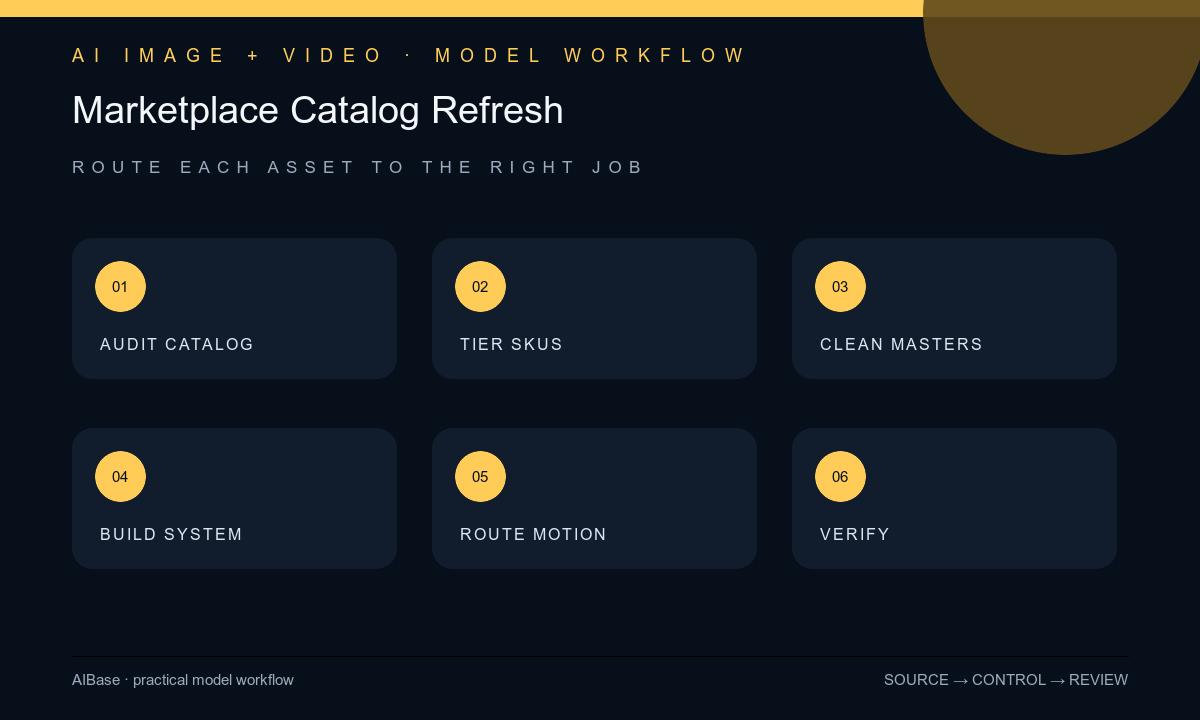
- Export the current catalog and build a versioned truth sheet for each SKU: status, variant, identifiers, dimensions, materials, included items, package, labels, claims, price, inventory, destinations, source rights, and channel rules.
- Score assets by revenue, traffic, error severity, source quality, seasonality, and compliance risk, then define a gold-standard image set and acceptance checklist for each product class.
- Use Nano Banana 2 only for approved local cleanup; build reusable text-free background families with GPT Image 2 or Seedream 5.0 Lite; reserve Nano Banana Pro for selected reference-led campaign scenes.
- Route subtle product-photo motion to Seedance 2, one bounded material effect to Wan 2.7, and generic non-evidentiary hooks or listing transitions to Veo 3.1 Fast.
- Composite exact product cutouts, labels, logos, copy, price, offer, ratings, badges, certifications, disclosures, and marketplace-required elements from controlled sources.
- Run automated file and metadata checks plus human SKU, claims, accessibility, crop, destination, and channel review; publish in measured batches with rollback, monitoring, and retirement rules.
Example prompt variants
- Nano Banana 2 cleanup job: remove only the masked dust specks from the approved front packshot, preserve exact SKU shape, color, label, print, material, reflections, shadow, white point, crop, and every unmasked pixel.
- GPT Image 2 background job: text-free square marketplace lifestyle background with a protected center product zone and quiet upper-right feature zone, soft kitchen daylight and two generic props, no product, package, logo, word, price, badge, person, or claim.
- Seedance 2 motion job: animate the approved closed product photo for four seconds with one slow camera push only, preserve exact SKU, label, parts, material, surface, reflection, shadow, background, crop, and no opening, hand, effect, text, or product change.
Quality checklist
- Every factual asset matches the current SKU, variant, geometry, color, package, label, included items, material, scale, source rights, and destination record.
- Each generated output has one classified job and cannot be mistaken for unsupported product evidence, included items, use, performance, customer result, or marketplace endorsement.
- Background, crop, negative space, light, shadow, reflection, color management, resolution, naming, compression, alt text, and channel format meet the product-class standard.
- Logo, copy, price, offer, ratings, reviews, badges, certifications, claims, disclosures, and required marketplace elements are exact editable sources.
- Catalog version, truth sheet, inputs, prompts, outputs, composites, approvals, publication batch, metrics, rollback, and retirement remain traceable.
Mistakes to avoid
- Refreshing the entire catalog with one prompt and allowing SKU details, colorways, labels, backgrounds, crops, and claims to drift silently.
- Using generated packshots, open-package views, accessories, hands, results, ratings, badges, or lifestyle use as factual listing evidence.
- Choosing models by popularity instead of routing cleanup, backgrounds, campaign scenes, source motion, effects, and transitions to separate jobs.
- Publishing thousands of assets without a gold-standard sample, staged rollout, product-owner approval, error log, rollback plan, and expiration process.
Related AIBase pages
- Open all AI image models
- Open all AI video models
- Plan product detail page images
- Turn product photos into social video ads
Practical next step
Open the most relevant AIBase generator, run one narrow prompt first, and save the best result before adding more constraints. The fastest way to improve output quality is to compare one variable at a time: subject, camera, background, lighting, then final polish.