
Best AI Workflow to Turn Product Photos into Social Video Ads
Route product-photo cleanup, campaign plates, source-led motion, fast social variants, and controlled effects across AIBase-supported image and video models.

Quick answer
Start from an approved product truth sheet and clean master photo. Use Nano Banana 2 for bounded corrections, Nano Banana Pro only when a polished campaign plate needs high-fidelity reference work, Seedance 2 for subtle source-led motion, Wan 2.7 for one controlled material or particle effect, Veo 3.1 Fast for generic social hooks and transition testing, and Veo 3.1 Pro for a few cinematic non-evidentiary shots. Composite the exact SKU, copy, offer, CTA, audio, and disclosures in post.
Who this guide is for
Ecommerce brands, performance marketers, agencies, founders, and social teams repurposing approved packshots or lifestyle product photos into modular 9:16, 1:1, and 16:9 video ads.
Recommended model
| Use case | Recommended model | Why |
|---|---|---|
| This workflow | A routed stack chosen by shot job, with source-led models for product proof and generative models for illustrative support | A social ad mixes factual product representation, low-risk motion, fast hook testing, and occasional cinematic atmosphere; no single model should own every layer. |
AIBase is an independent creative platform. Model names are shown only to identify supported underlying technologies and workflow choices.
Prompt template
Social video shot job: [bounded photo cleanup / high-fidelity master plate / source-led product motion / one material effect / generic fast hook / cinematic atmosphere]. Placement, crop, duration, audience, and objective: [specific]. Approved input: [exact packshot or lifestyle photo]. Preserve exactly or reserve for compositing: [SKU geometry, color, label, included items, person identity, contact shadow, copy zone]. Generate or animate only: [one edit or one motion]. Camera and light: [specific]. Stable edit handles: [start/end]. Do not change or invent product, package, variant, feature, use, result, person, hand, interface, price, offer, rating, certification, claim, logo, text, sound, or watermark.
Step-by-step workflow
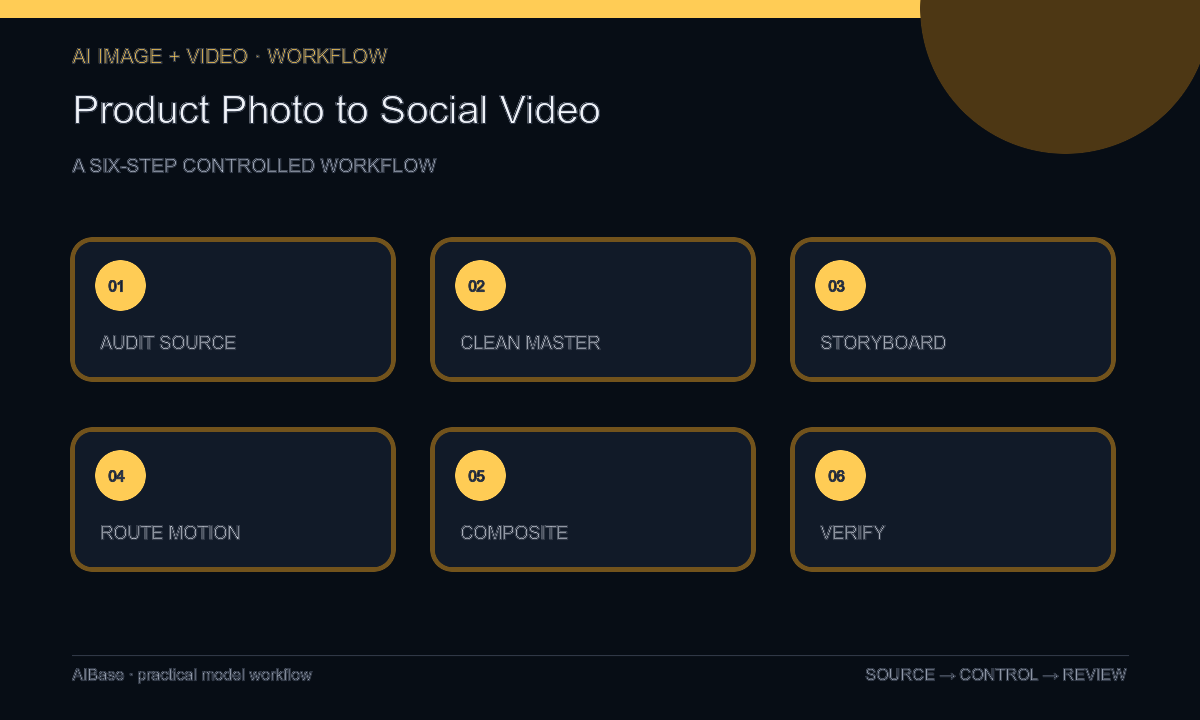
- Audit the product truth sheet: SKU, variant, dimensions, materials, included items, labels, use limits, claims, packshots, people rights, offer, destination, and required disclosures.
- Prepare one clean product master with Nano Banana 2 only for approved local corrections; use Nano Banana Pro when a selected scene needs higher-fidelity reference compositing and detail review.
- Storyboard the ad as modular hook, product proof, benefit context, motion detail, offer, and CTA, then label each shot as factual source, source-led motion, or illustrative generation.
- Route subtle source motion to Seedance 2, a single controlled material effect to Wan 2.7, generic hook and transition tests to Veo 3.1 Fast, and only selected cinematic atmosphere to Veo 3.1 Pro.
- Composite exact product pixels, logo, approved copy, price, terms, CTA, captions, disclosure, and licensed audio in post; never ask generation to render factual overlays.
- Review frame by frame and in platform previews for product drift, claim implications, crop safety, caption and audio accuracy, destination, accessibility, experiment naming, and expiration.
Example prompt variants
- Seedance 2 source-led shot: animate the approved skincare bottle photo for four seconds with one slow camera push only, preserve exact bottle, cap, label, liquid, reflection, shadow, background, and no mist, hand, text, or product change.
- Wan 2.7 effect shot: animate one existing condensation droplet moving five millimeters on the approved beverage can, camera locked, preserve exact can, logo, color, droplets, surface, crop, and no new moisture or coldness claim.
- Veo 3.1 Fast illustrative hook: four-second vertical abstract light sweep across an empty neutral pedestal with a protected center product zone for later compositing, no product replica, person, feature, word, logo, price, or claim.
Quality checklist
- Every factual product frame matches the approved SKU, variant, geometry, color, package, label, included items, material, scale, use, and source rights.
- Each shot has one job and is clearly classified as real source, bounded edit, source-led motion, controlled effect, or illustrative generation.
- Motion preserves product volume, contact, reflections, shadows, people, hands, background, camera continuity, and stable edit handles.
- Logo, copy, offer, price, terms, CTA, captions, disclosure, audio, tracking, and destination are exact editable elements reviewed in platform context.
- Truth sheet, sources, prompts, model routing, outputs, composites, approvals, experiment results, publication window, and retirement remain traceable.
Mistakes to avoid
- Sending the same product photo and overloaded prompt to one model for cleanup, scene change, motion, effects, copy, and final ad assembly.
- Using a generated product, hand, interface, result, testimonial, or lifestyle scene as factual evidence when an approved source was required.
- Combining camera orbit, package opening, liquid motion, particles, lighting change, and offer reveal in one unstable clip.
- Testing hook variants without locking the SKU, claim, CTA, audience, destination, measurement window, and retirement rules.
Related AIBase pages
- Open all AI video models
- Compare image-to-video and text-to-video
- Compare Veo Fast and Wan for ecommerce
- Animate product photos with Seedance 2
Practical next step
Open the most relevant AIBase generator, run one narrow prompt first, and save the best result before adding more constraints. The fastest way to improve output quality is to compare one variable at a time: subject, camera, background, lighting, then final polish.