
Best AI Workflow for Multi-City Conference Campaign Creative
Route conference branding, speaker assets, city pages, social clips, and signage across AIBase image and video models while keeping venue and program facts authoritative.
Quick answer
Freeze the event truth first: cities, dates, venues, entrances, accessibility, agenda, speakers, tickets, prices, time zones, and policies. Use GPT Image 2 for text-free concept directions, Nano Banana Pro for authorized speaker or venue-reference scenes, Seedream 5.0 Lite for ratio backgrounds, Seedance 2 or Wan 2.7 for bounded source-led motion, and Veo 3.1 Fast for generic hook tests. Keep every city fact, speaker claim, ticket rule, and accessibility detail in editable layers.
Who this guide is for
Conference producers, field-marketing teams, associations, community organizers, and agencies coordinating a multi-city event across web, email, social, ads, screens, and onsite signage.
Recommended model
| Use case | Recommended model | Why |
|---|---|---|
| This workflow | A routed AIBase-supported image and video stack | Concept exploration, reference fidelity, ratio families, source-led motion, and fast hook tests need different controls; routing keeps quality and speed without letting AI invent event facts. |
AIBase is an independent creative platform. Model names are shown only to identify supported underlying technologies and workflow choices.
Prompt template
Conference asset job: [concept direction / speaker-reference scene / city background family / source-led motion / generic hook]. City and channel: [specific]. Protected zones: [city / date / venue / agenda / speaker / accessibility / price / CTA]. When references are used, preserve exact venue features, speaker identity, event branding, room setup, and approved hand gestures. Visual system: [palette, texture, mood]. No invented venue, landmark, city, date, time zone, speaker, headshot, attendee, sponsor, sold-out cue, price, accessibility feature, claim, readable text, number, logo, or watermark.
Step-by-step workflow
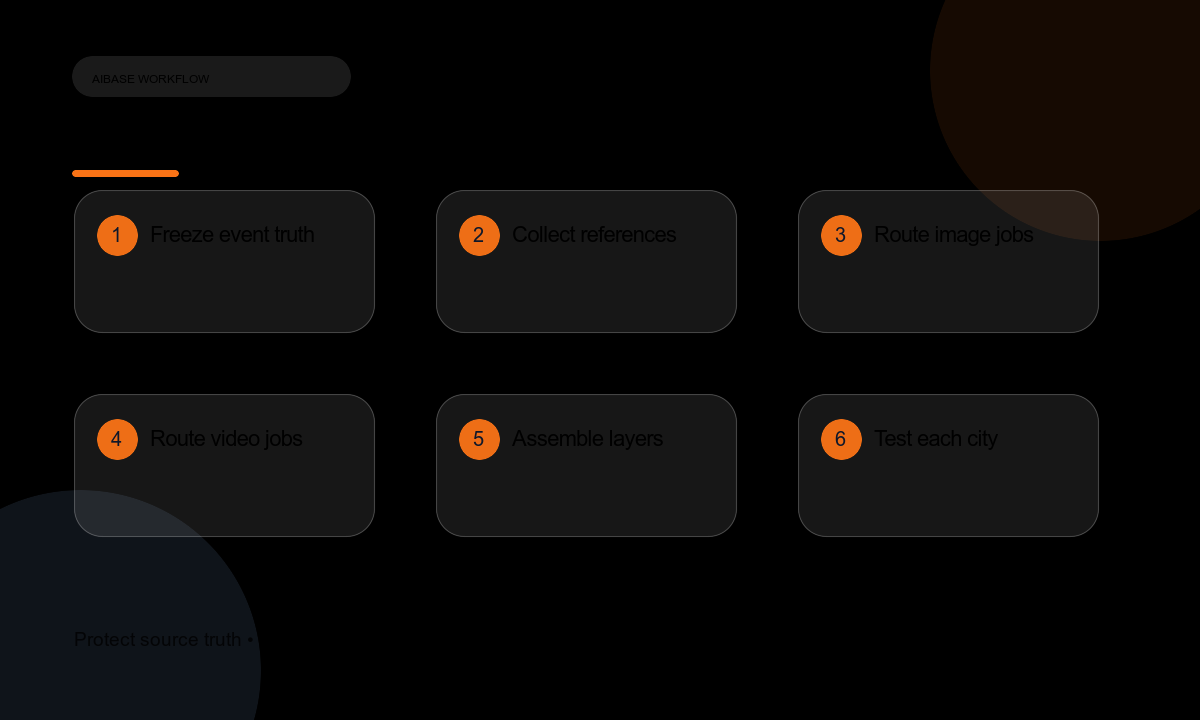
- Build an event truth sheet for every city: official name, date, time zone, venue, entrance, transit, accessibility, capacity, agenda, speakers, sponsors, tickets, refunds, and cancellation terms.
- Collect authorized venue photography, speaker portraits, logos, brand rules, room diagrams, and accessibility documentation.
- Route concept directions to GPT Image 2 and exact speaker or venue-reference scenes to Nano Banana Pro.
- Generate crop-safe city and session background families for web, email, feed, story, poster, and screen ratios with Seedream 5.0 Lite.
- Use Seedance 2 or Wan 2.7 for one bounded action in an authorized venue, badge, signage, or speaker still; use Veo 3.1 Fast only for generic transition or attention tests.
- Composite real city facts, venue photos, speaker names, agenda, accessibility notes, tickets, terms, captions, and CTA as editable layers.
- Test localization, time zones, mobile crops, screen readability, ticket links, refunds, accessibility, playback, tracking, and city-specific rollback before launch.
Example prompt variants
- GPT Image 2 concept: text-free modular conference identity with layered city cards and a clear center date-and-city zone; no landmark, venue, word, or logo.
- Nano Banana Pro scene: use the authorized speaker portrait as exact identity reference on the verified stage; preserve face, posture, lanyard, mic, screen proportion, and empty lower agenda zone.
- Seedream city family: three-color geometric background with top city zone, middle session title zone, and bottom accessibility strip; no text or landmark.
- Wan 2.7 motion: animate only the existing registration desk sign sliding into place in the authorized venue photo; preserve architecture, staff, badge design, camera, and light.
Quality checklist
- Every city, date, time zone, venue, entrance, agenda, speaker, sponsor, ticket, price, and policy matches the live event system.
- Speaker identity, permissions, titles, organizations, and headshots use only approved references and current bio facts.
- No generated venue, landmark, attendee, sponsor, sold-out cue, accessibility feature, or ticket state appears as fact.
- Channel masters preserve safe zones, readable contrast, captioning, playback, screen calibration, and accessibility.
- Changes, refunds, cancellations, city swaps, and correction workflows are ready before promotion starts.
Mistakes to avoid
- Generating attractive landmarks or venues that are not the actual conference location.
- Adding speakers, sponsors, sessions, accessibility features, or sold-out signals that are not confirmed.
- Copying one city campaign without checking local time, venue entrance, language, transit, and accessibility details.
- Embedding dates, prices, room names, or ticket rules into generated pixels where they cannot be corrected.
Related AIBase pages
Practical next step
Open the most relevant AIBase generator, run one narrow prompt first, and save the best result before adding more constraints. The fastest way to improve output quality is to compare one variable at a time: subject, camera, background, lighting, then final polish.