
Best AI Workflow for B2B Webinar Campaign Creative
Route text-free hero backgrounds, social variants, speaker-safe layouts, short video hooks, and editable campaign facts across AIBase-supported models.
Quick answer
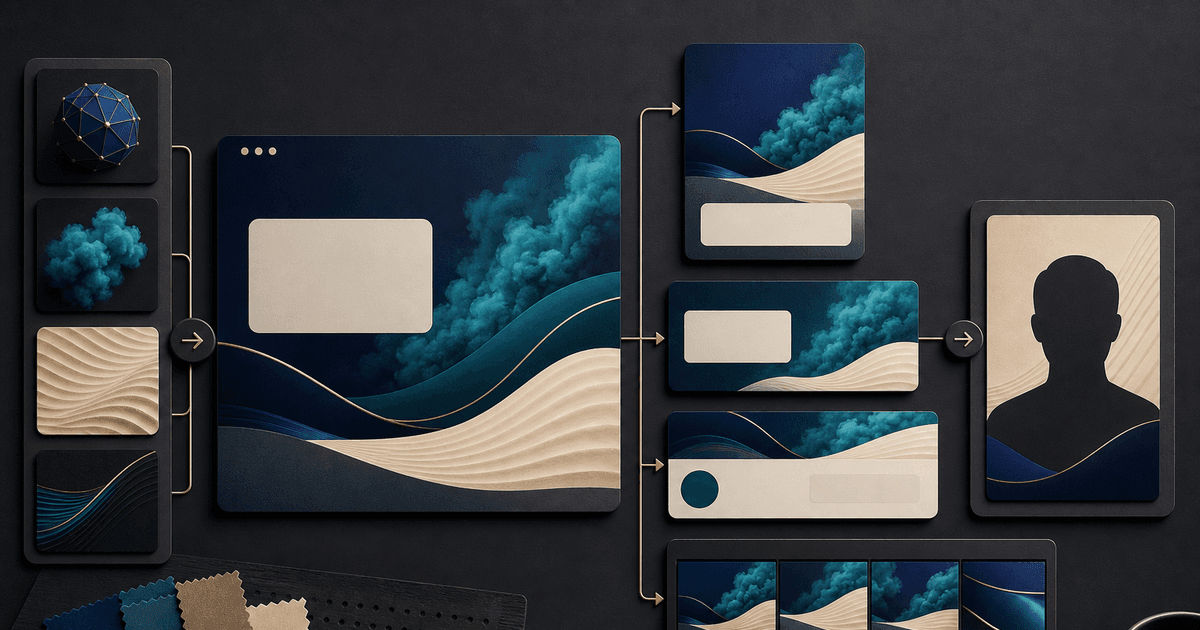
Start from one approved webinar fact sheet and one text-free visual system. Use GPT Image 2 for a polished master hero background, Seedream 5.0 Lite for fast ratio and channel variants, Nano Banana 2 only for bounded cleanup of permissioned speaker portraits, Veo 3.1 Fast for generic short social hooks, and Veo 3.1 Pro only when one selected cinematic atmosphere shot earns its cost. Composite exact title, speakers, employers, credentials, date, time zone, agenda, claims, sponsor marks, disclosures, captions, and registration CTA in editable layers.
Who this guide is for
B2B demand-generation teams, SaaS marketers, agencies, event producers, and founders coordinating landing pages, email, LinkedIn, paid social, partner kits, and reminder videos for one webinar.
Recommended model
| Use case | Recommended model | Why |
|---|---|---|
| This workflow | A routed AIBase-supported stack selected by campaign asset job | A webinar campaign combines factual event information, permissioned speaker identity, reusable background production, rapid channel variation, and a few non-evidentiary motion hooks. |
AIBase is an independent creative platform. Model names are shown only to identify supported underlying technologies and workflow choices.
Prompt template
Webinar campaign asset job: [master text-free hero / ratio variant / bounded speaker-photo cleanup / generic short hook / selected cinematic atmosphere]. Channel, ratio, duration, audience, funnel stage, and CTA zone: [specific]. Approved visual system: [palette, geometry, material, light]. Preserve or reserve for compositing: [speaker portrait, title, employer, role, credential, date, time zone, agenda, sponsor, claim, disclosure, registration destination]. Generate only [one background or motion job]. No invented person, speaker, customer, employer, credential, product interface, feature, result, statistic, sponsor, partner, logo, word, number, calendar, countdown, sound, or watermark.
Step-by-step workflow
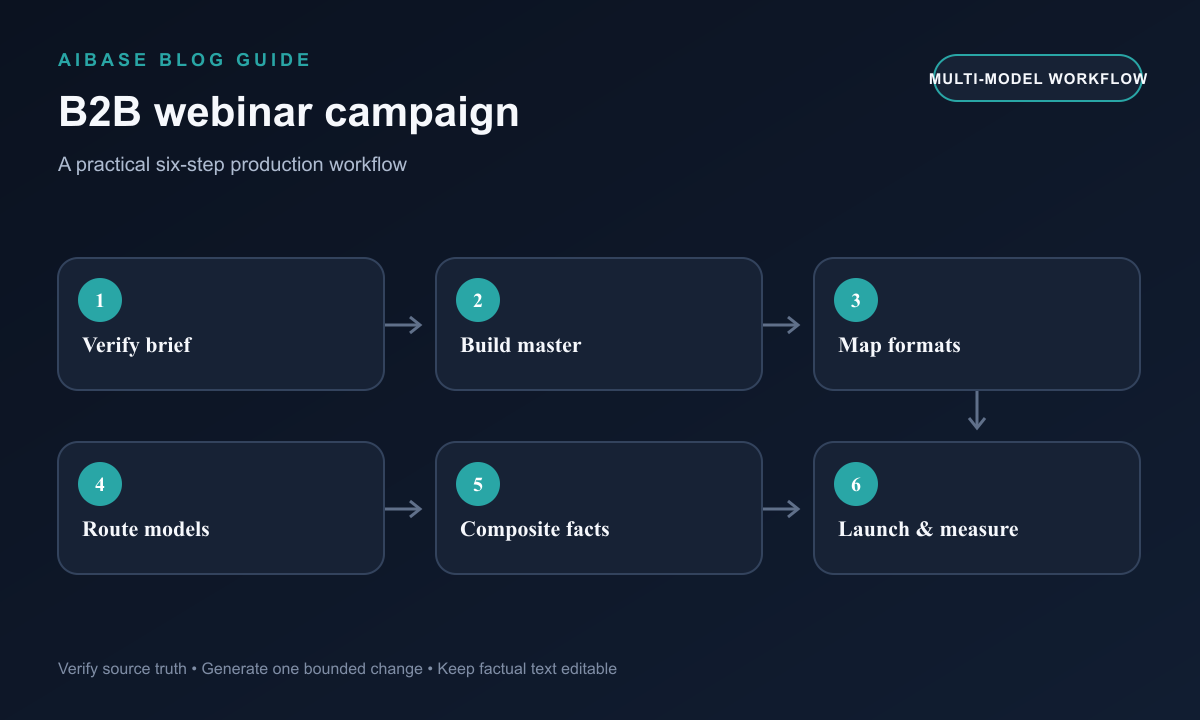
- Create a versioned webinar fact sheet covering title, abstract, audience, speakers, portraits, pronunciation, employers, roles, credentials, consent, date, time zones, agenda, claims, sponsors, offer, registration URL, accessibility, recording, and cancellation owner.
- Design one text-free master background and map title, speaker, date, sponsor, CTA, caption, disclosure, and crop-safe zones for landing page, email, LinkedIn, paid social, partner, story, and video formats.
- Use GPT Image 2 for selected master directions, Seedream 5.0 Lite for controlled background variants, and Nano Banana 2 only for approved local speaker-photo cleanup that preserves identity.
- Route generic short hook and transition tests to Veo 3.1 Fast; reserve Veo 3.1 Pro for one or two cinematic atmosphere shots that do not depict speakers, customers, product behavior, or outcomes.
- Composite exact speaker portraits, logo, event facts, claims, sponsor marks, disclosures, captions, licensed audio, CTA, tracking, and registration destination from controlled sources.
- Test every format and reminder stage, run speaker, legal, brand, accessibility, partner, and destination review, then measure registration quality and retire stale assets after schedule or lineup changes.
Example prompt variants
- GPT Image 2 master hero: text-free wide B2B webinar background with layered cobalt and teal planes, quiet left title zone and two portrait-safe circles, no person, interface, employer, credential, logo, word, number, graph, or result cue.
- Seedream 5.0 Lite social variant: vertical text-free campaign background derived from the approved geometric system, protected upper title zone, two speaker-safe frames and footer disclosure zone, no generated face, text, badge, logo, or calendar.
- Veo 3.1 Fast hook: four-second vertical abstract light travels across empty modular cards with stable title and portrait composite zones, one slow push, no speaker, product screen, statistic, word, logo, countdown, sound, or claim.
Quality checklist
- Title, abstract, audience, speaker identity, portrait, employer, role, credential, date, time zone, agenda, sponsor, claim, offer, disclosure, registration URL, recording status, and cancellation plan match the current fact sheet.
- Generated pixels contain no invented speaker, customer, employer, credential, product behavior, interface, statistic, partner, sponsor, endorsement, word, number, logo, or result evidence.
- Master and variants preserve hierarchy, portrait zones, crop safety, contrast, captions, disclosures, CTA, tracking, accessibility, and destination across each channel and reminder stage.
- Motion has one job, stable geometry, clean edit handles, safe zones, no flashing risk, and exact licensed audio and captions added in post.
- Fact sheet, permissions, prompts, sources, outputs, layered assets, approvals, versions, metrics, lineup changes, publication windows, and retirement remain traceable.
Mistakes to avoid
- Generating a complete event graphic or video with speaker names, portraits, credentials, date, sponsor marks, countdown, and registration URL burned into pixels.
- Using an AI-generated speaker, customer, product screen, statistic, testimonial, or audience scene as factual campaign evidence.
- Building separate visual concepts for every channel so recognition, hierarchy, speaker framing, disclosures, and updates drift across the funnel.
- Leaving scheduled posts and partner assets live after a speaker, time, sponsor, agenda, claim, offer, or registration destination changes.
Related AIBase pages
- Open all AI image models
- Create webinar promotion backgrounds
- Create LinkedIn ad creative
- Create SaaS feature announcement videos
Practical next step
Open the most relevant AIBase generator, run one narrow prompt first, and save the best result before adding more constraints. The fastest way to improve output quality is to compare one variable at a time: subject, camera, background, lighting, then final polish.