
Best AI Workflow for Pop-Up Shop Launch Images and Video
Route pop-up launch concepts, product scenes, crop-safe backgrounds, build-out motion, and social hooks across AIBase-supported models while keeping venue and offer facts current.
Quick answer
Freeze the real venue, address, entrance, dates, hours, accessibility, capacity, product assortment, inventory, prices, offers, age limits, partners, permits, photography rules, and ticket or RSVP flow. Capture the actual storefront, route, products, staff, and build-out. Use GPT Image 2 for text-free campaign concepts, Nano Banana Pro for authorized product-reference scenes, Seedream 5.0 Lite for ratio backgrounds, Seedance 2 for one source-led setup motion, and Veo 3.1 Fast for generic social hooks. Keep maps, venue imagery, dates, stock, prices, scarcity, reviews, partner marks, and CTA authoritative and editable.
Who this guide is for
Retail brands, independent makers, venue teams, event producers, agencies, and growth teams launching a temporary physical shop across web, email, social, ads, and onsite screens.
Recommended model
| Use case | Recommended model | Why |
|---|---|---|
| This workflow | A routed AIBase-supported stack chosen by pop-up asset job | Concept exploration, product-reference fidelity, ratio speed, source-led motion, and generic short hooks serve different jobs while real venue and operational facts remain the source of truth. |
AIBase is an independent creative platform. Model names are shown only to identify supported underlying technologies and workflow choices.
Prompt template
Pop-up launch asset job: [text-free campaign concept / authorized product scene / crop-safe background / source-led setup motion / generic short hook]. Channel, ratio, duration, audience, venue-photo zone, product zone, headline zone, date-and-hours zone, accessibility zone, terms zone, map-link zone, and CTA zone: [specific]. When references are used, preserve exact product SKU, package, quantity, color, scale, fixture, storefront, entry, route, staff, and source-supported build stage. No invented venue, address, landmark, product, inventory, price, offer, scarcity, queue, crowd, review, partner, permit, accessibility feature, date, hours, ticket, word, number, logo, sound, or watermark.
Step-by-step workflow
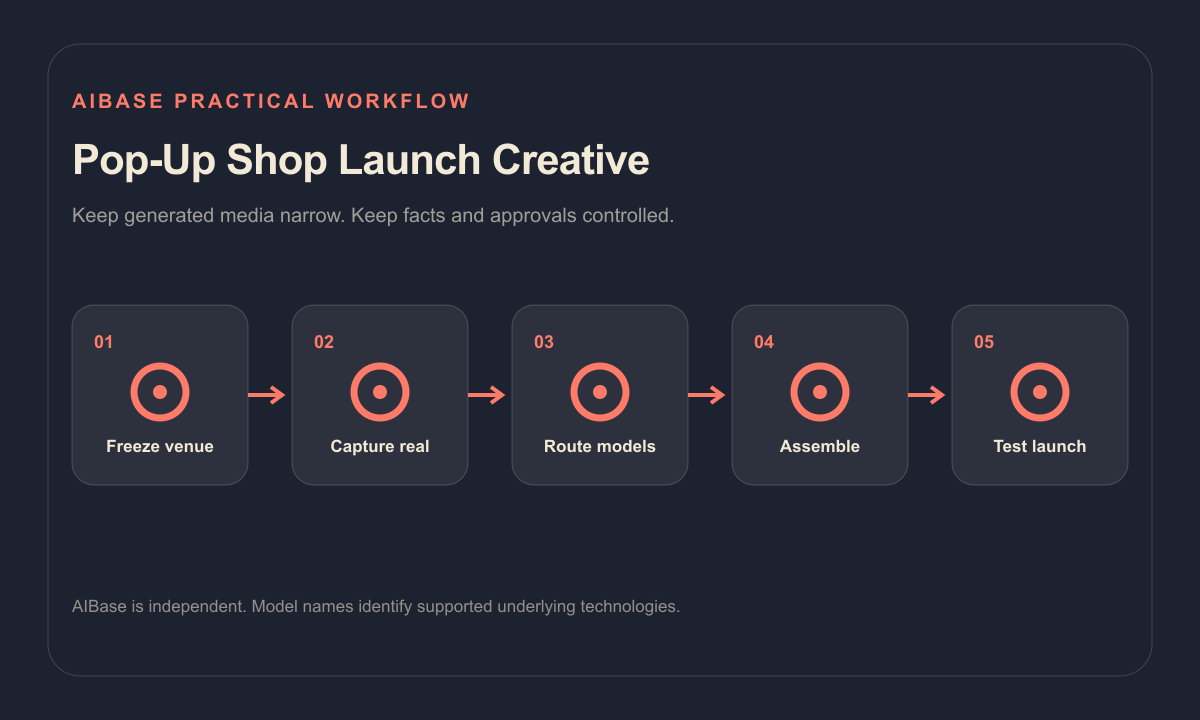
- Freeze venue contract, address, entrance, transit, dates, hours, capacity, accessibility, age rules, permits, assortment, inventory, prices, offers, partners, staffing, returns, photography, RSVP, and cancellation plan.
- Capture authorized real storefront, approach, entrance, accessible route, interior, fixtures, products, staff, setup stages, and contingency locations.
- Route text-free campaign concepts to GPT Image 2, exact product-reference scenes to Nano Banana Pro, and coordinated web, email, poster, and story backgrounds to Seedream 5.0 Lite.
- Use Seedance 2 for one bounded source-led fixture or display setup action; use Veo 3.1 Fast only for generic atmosphere, materials, or transitions without a fake venue or crowd.
- Composite real venue and product plates, address, map, dates, hours, accessibility, inventory, prices, terms, partner marks, disclosures, captions, tracking, and CTA in editable masters.
- Test the physical route, mobile maps, RSVP or checkout, capacity and inventory changes, accessibility, localization, weather contingency, crops, links, playback, analytics, expiry, and rollback.
Example prompt variants
- GPT Image 2 concept: text-free wide pop-up launch background with modular coral display blocks, quiet left headline zone and bottom date-accessibility strip, no storefront, product, crowd, word or badge.
- Nano Banana Pro scene: arrange only the three approved ceramic SKUs on the authorized modular shelf reference, preserve product geometry, glaze, quantity, scale and fixture, no invented store, price, stock or text.
- Seedance 2 motion: animate only the existing staff hand sliding one approved shelf card into its visible holder over four seconds, preserve fixture, products, fingers, build stage, camera and light; no crowd or hidden reveal.
Quality checklist
- Venue, address, entrance, transit, dates, hours, capacity, accessibility, rules, permits, assortment, inventory, prices, offers, partners, staffing, RSVP, and cancellation facts are current.
- Every reference-led product, fixture, storefront, route, staff member, setup stage, quantity, color, scale, and shadow matches authorized source media.
- Generated pixels contain no fake venue, landmark, crowd, queue, stock, scarcity, offer, review, partner, permit, accessibility feature, date, hours, or ticket state.
- Real imagery, copy, address, map, accessibility, price, terms, disclosure, captions, links, tracking, RSVP, and CTA remain editable and tested.
- Contracts, sources, releases, prompts, outputs, approvals, operational updates, contingency, expiry, corrections, and rollback remain traceable.
Mistakes to avoid
- Using an attractive generated storefront or interior as if it were the real pop-up venue.
- Generating crowds, queues, sold-out cues, reviews, partner logos, permits, accessibility features, products, or stock that do not exist.
- Embedding address, date, hours, price, offer, map, ticket, scarcity, or accessibility information in generated pixels.
- Launching without walking the route and testing maps, entry, RSVP, checkout, capacity, inventory, weather contingency, mobile crops, links, and expiry.
Related AIBase pages
- Open all AI image models
- Open all AI video models
- Create retail window reels
- Create event poster backgrounds
Practical next step
Open the most relevant AIBase generator, run one narrow prompt first, and save the best result before adding more constraints. The fastest way to improve output quality is to compare one variable at a time: subject, camera, background, lighting, then final polish.