
Seedream 5.0 Lite Event Poster Background Prompts with Copy Space
Draft event poster backgrounds with Seedream 5.0 Lite using deliberate copy space, contrast, hierarchy, bleed, and reusable aspect-ratio variants.
Quick answer
Generate the visual layer without final typography. Define the poster ratio, event mood, one focal motif, a deliberately quiet copy zone, contrast behind type, edge bleed, and areas that must stay uncluttered; then set the real event name, date, location, sponsor marks, and accessibility details in a design tool.
Who this guide is for
Event marketers, community teams, venues, creators, and designers producing fast visual directions for conferences, concerts, workshops, markets, launches, and social announcement variants.
Recommended model
| Use case | Recommended model | Why |
|---|---|---|
| This workflow | Seedream 5.0 Lite | A fast text-to-image pass is useful for exploring several poster background directions before typography, sponsor assets, and production details are finalized. |
AIBase is an independent creative platform. Model names are shown only to identify supported underlying technologies and workflow choices.
Prompt template
Create a [ratio] background only for a [event type] poster aimed at [audience]. Visual motif: [one motif]. Mood: [mood]. Palette: [colors]. Composition: strongest detail in [area], calm high-contrast copy zone in [area] covering about [percentage], continuous bleed to all edges, readable depth at thumbnail size. Keep the copy zone free of faces and detailed objects. No words, letters, numbers, logo, sponsor mark, ticket symbol, QR code, border, mockup, watermark, or essential detail inside the trim margin.
Step-by-step workflow
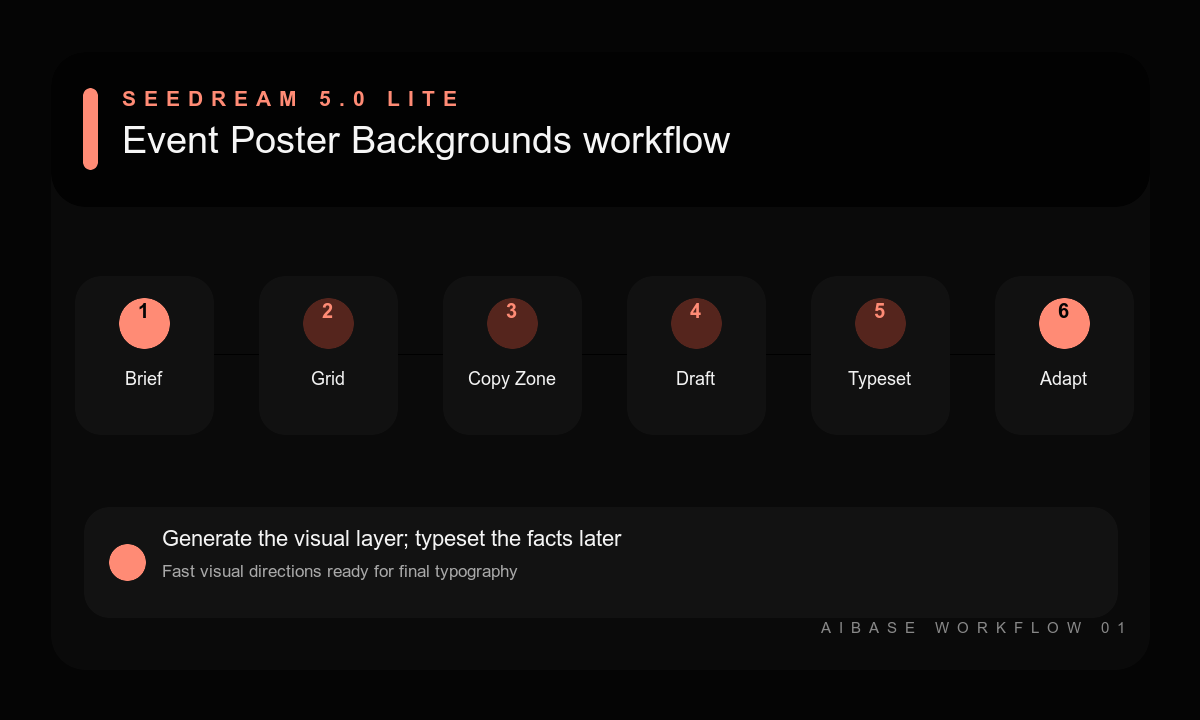
- Write the event hierarchy first: title, promise, date, location, call to action, access details, and sponsor requirements.
- Choose the final aspect ratio, bleed, trim, and a grid that reserves space for every real text block.
- Generate three background directions with one motif each and a named quiet zone.
- Test the background beneath actual placeholder type at small screen size before refining detail.
- Add verified copy, logos, QR codes, and accessibility information in a design tool with sufficient contrast.
- Adapt the approved direction to print and social ratios by regenerating composition, not merely stretching the background.
Example prompt variants
- Vertical 4:5 background for an independent design conference, layered translucent cobalt and warm orange paper planes, energetic but precise, detailed lower-right motif, calm cream upper-left copy zone, full bleed, no text.
- Square background for an evening jazz event, deep indigo stage haze with one soft amber light arc, subtle grain, open dark center for type, no instrument silhouette, performer, letter, or logo.
- A3 portrait background for a neighborhood food market, abstract cut-paper produce shapes around the outer edges, fresh green and tomato red palette, quiet pale center column for schedule and location, print-safe bleed.
Quality checklist
- The copy zone is large, quiet, and high-contrast enough for the complete real hierarchy.
- The focal motif supports the event mood without competing with title or call to action.
- No accidental letters, dates, logos, QR-like patterns, or misleading symbols appear.
- Bleed, trim, mobile thumbnail readability, and alternate aspect ratios are accounted for.
- Final copy, sponsor marks, access information, and links come from verified sources.
Mistakes to avoid
- Asking the image model to render the final event name, date, schedule, and sponsor row.
- Using detailed imagery across the entire canvas and discovering there is nowhere readable for type.
- Generating only one ratio and stretching it into print, story, feed, and banner placements.
- Choosing a beautiful background before testing contrast with the actual content hierarchy.
Related AIBase pages
- Draft a poster background with Seedream 5.0 Lite
- Start from fast Seedream prompt examples
- Create sale-banner background variants
- Reuse the social media prompt template
Practical next step
Open the most relevant AIBase generator, run one narrow prompt first, and save the best result before adding more constraints. The fastest way to improve output quality is to compare one variable at a time: subject, camera, background, lighting, then final polish.