
Best AI Workflow for Product Assembly Guide Images and Videos
Route cleanup, reference-led state images, text-free layouts, and bounded motion while keeping parts, tools, fasteners, sequence, torque, hazards, revisions, and support accurate.
Quick answer
Start from the approved assembly manual and an exact SKU-and-revision bill of materials, not from a generic generation. Photograph every part, fastener, tool, orientation, connection point, intermediate state, hand position, clearance, and finished state. Use Nano Banana 2 only for narrow cleanup, Nano Banana Pro for source-led state concepts when all visible geometry is documented, GPT Image 2 or Seedream 5.0 Lite for text-free layout backgrounds, Seedance or Wan for one verified movement, Veo 3.1 Fast for generic transitions, and HappyHorse only for consented presenter portrait micro-motion. Keep step numbers, quantities, dimensions, torque, warnings, troubleshooting, warranty, and support editable and owned by the manual.
Who this guide is for
Furniture, hardware, appliance, fitness-equipment, electronics, toy, lighting, home-goods, industrial-product, support, and technical-content teams creating print, web, QR, app, retailer, and social assembly guidance.
Recommended model
| Use case | Recommended model | Why |
|---|---|---|
| This workflow | A routed AIBase-supported stack selected by assembly asset truth requirements | Localized cleanup, exact state depiction, decorative layouts, mechanical motion, generic transitions, and identity-led presentation carry different risks; routing keeps the approved manual and physical product authoritative. |
AIBase is an independent creative platform. Model names are shown only to identify supported underlying technologies and workflow choices.
Prompt template
Product assembly guide asset job [narrow cleanup / exact reference-led state / text-free layout background / one documented assembly motion / generic transition / consented presenter micro-motion]. Product [exact SKU, region, and revision], approved manual step [specific], source state before and after [specific], channel and ratio [specific], protected part, quantity, orientation, fastener, tool, contact point, clearance, hand-safety, torque, warning, step-number, support, and CTA zones [specific]. When references are used, preserve exact part geometry, holes, tabs, slots, hinges, threads, connectors, labels, surface finish, fastener type and count, tool, hand position, gravity, support, sequence, camera, and light. No invented part, hole, fastener, tool, step, shortcut, force, torque, wiring, internal mechanism, completed state, performance claim, word, number, logo, sound, or watermark.
Step-by-step workflow
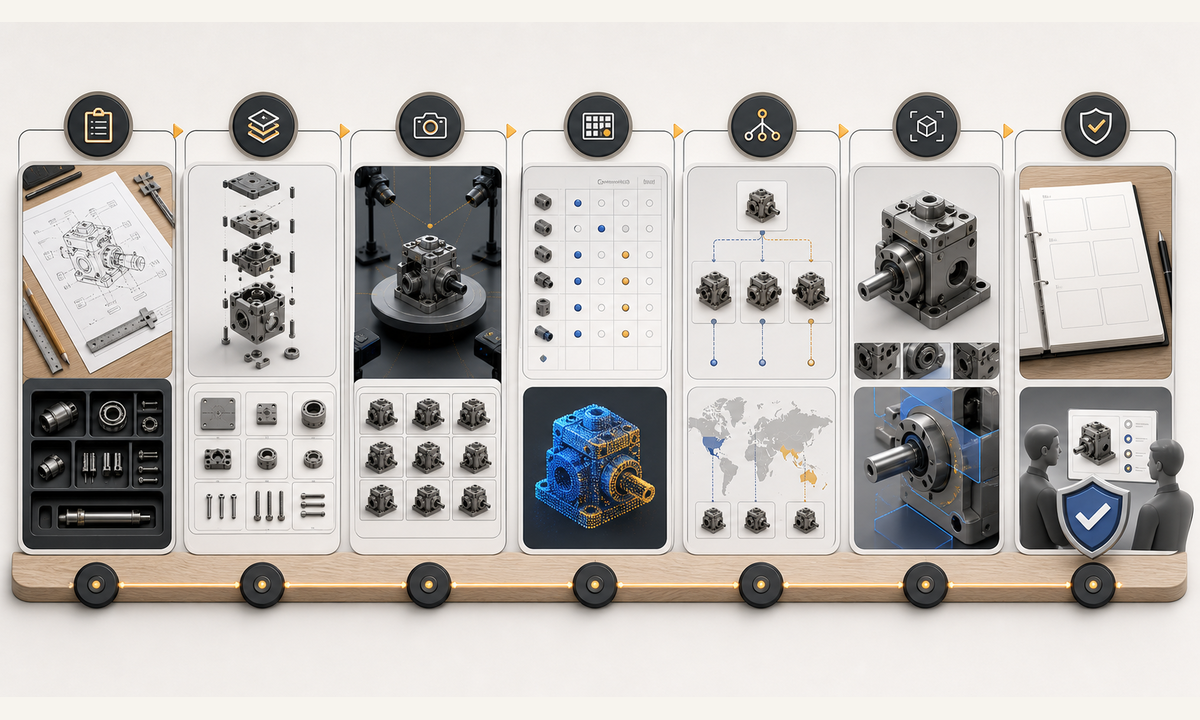
- Freeze the approved manual by SKU, region, and revision: bill of materials, optional parts, fastener types and counts, tools, dimensions, orientation, sequence, torque, clearances, power state, hazards, PPE, lifting limits, wall or floor requirements, tests, warranty, and support.
- Capture authorized parts inventory, labels, holes, tabs, slots, hinges, threads, connectors, fasteners, tools, hands, supports, before, intermediate, after, error, and finished states from fixed repeatable views.
- Build a step-state matrix that names what is fixed, moving, newly connected, hidden, still loose, tightened, tested, prohibited, and handed off to the next step.
- Route dust or backdrop cleanup to Nano Banana 2 and fully documented reference-led state concepts to Nano Banana Pro; stop whenever a hidden surface, internal part, fastener path, or final fit would need invention.
- Use GPT Image 2 or Seedream 5.0 Lite for text-free print and screen backgrounds, Seedance 2 or Wan 2.7 for one documented motion, Veo 3.1 Fast for generic transitions, and HappyHorse only for authorized presenter micro-motion.
- Assemble real product plates, editable step numbers, part IDs, quantities, arrows, torque, warnings, captions, audio description, disclosure, troubleshooting, revision, support, QR, and CTA in governed masters.
- Test the guide with product engineering, safety, technical writing, localization, accessibility, customer support, novice users, print, mobile, low bandwidth, QR and link failure, revision changes, corrections, withdrawal, and rollback owners.
Example prompt variants
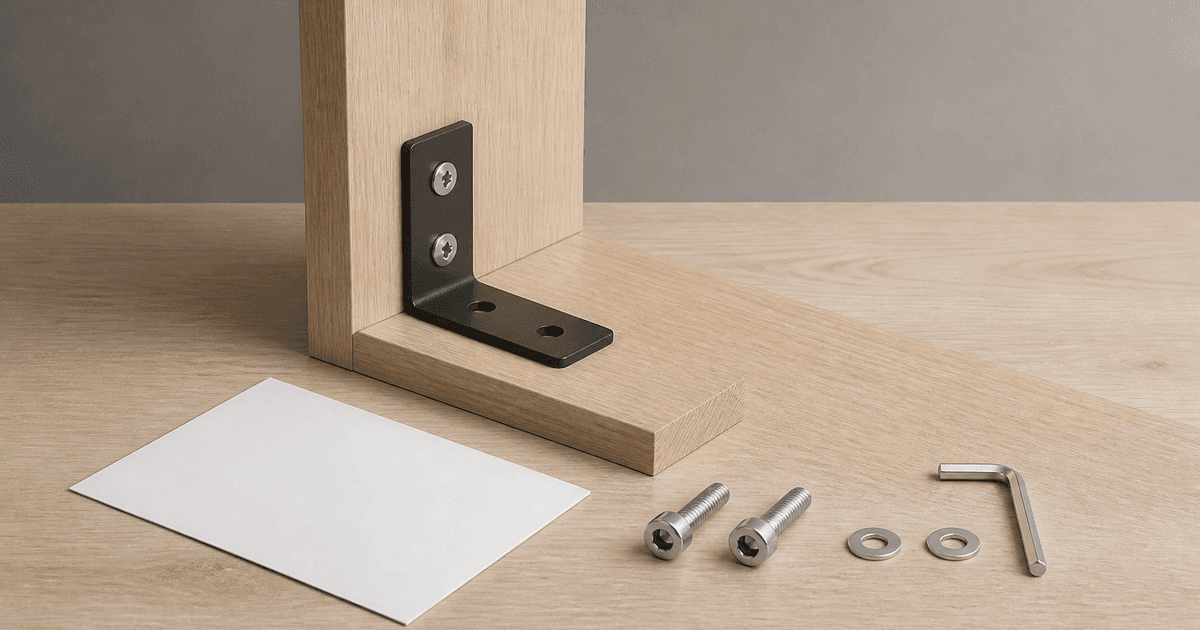
- Nano Banana 2 cleanup: remove only marked studio dust around the approved chair leg and fastener, preserve holes, insert, screw head, finish, contact shadow, hand-free state and every product detail.
- Nano Banana Pro state concept: use approved before and after references for attaching one exact crossbar, preserve hole alignment, left-right orientation, two named bolts, washers, tool clearance, surrounding frame and no hidden fastener.
- Seedream 5.0 Lite layout family: coordinated text-free A4 step page, mobile card and 16:9 support slide with protected diagram, parts, warning, step, caption and QR zones, no product, tool, arrow, icon, number or text.
- Wan 2.7 motion: animate the approved hex key turning one documented quarter-turn on the exact visible bolt, preserve tool seating, hand, fastener, bracket, frame, gravity, camera and stop before torque is implied.
Quality checklist
- SKU, region, revision, bill of materials, part and fastener counts, tools, dimensions, orientation, sequence, torque, clearances, power state, hazards, PPE, tests, warranty, and support match the approved manual.
- Parts, holes, tabs, slots, hinges, threads, connectors, labels, fasteners, tools, hands, supports, intermediate states, gravity, clearances, and final fit remain source-faithful and safe.
- Generated content contains no invented part, fastener, tool, hole, hidden mechanism, wiring, force, torque, shortcut, completed state, fit, performance, or safety implication.
- Steps, IDs, quantities, arrows, warnings, torque, captions, audio description, disclosure, troubleshooting, revision, support, QR, links, and locale remain editable and accessible.
- Manual source, revision matrix, references, prompts, outputs, engineering and safety reviews, user test, publication, correction, withdrawal, and rollback remain traceable.
Mistakes to avoid
- Using a generic product category prompt instead of the exact manual, SKU, region, revision, parts, fasteners, tools, and hazards.
- Generating hidden holes, tabs, connectors, fasteners, wiring, tool paths, hand positions, or completed fits that the references do not document.
- Making a smooth motion that skips a washer, support, alignment check, torque requirement, power isolation, lifting step, wall anchor, or safety warning.
- Publishing attractive instructions without engineering review, novice user testing, accessible text, localization, revision control, support, correction, and withdrawal paths.
Related AIBase pages
- Open all AI image models
- Open all AI video models
- Build product care guide creative
- Compare text-to-image and image-to-image for product photos
Practical next step
Open the most relevant AIBase generator, run one narrow prompt first, and save the best result before adding more constraints. The fastest way to improve output quality is to compare one variable at a time: subject, camera, background, lighting, then final polish.