
GPT Image 2 Flat Lay Product Photo Prompts for Ecommerce
Build cleaner flat lay ecommerce concepts with GPT Image 2 by controlling product hierarchy, overhead geometry, prop count, surface, lighting, crop, and copy space.
Quick answer
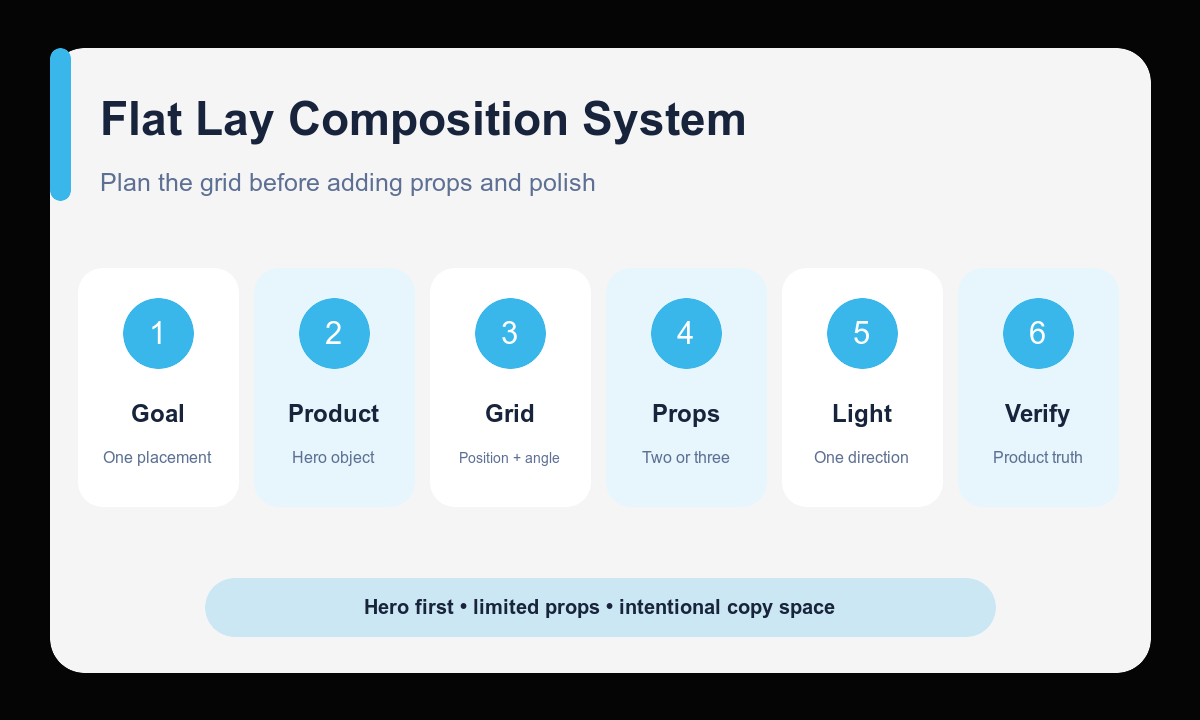
A useful flat lay prompt defines one hero product, the overhead camera, a simple placement grid, no more than two or three supporting props, one surface, one light direction, and the final crop. Treat text-to-image output as a concept unless every sellable product detail has been verified.
Who this guide is for
Ecommerce teams, content creators, and campaign designers planning bundle layouts, gift-guide compositions, ingredient stories, desk setups, beauty routines, and seasonal social ads.
Recommended model
| Use case | Recommended model | Why |
|---|---|---|
| This workflow | GPT Image 2 for text-led flat lay concepts | The text-to-image route is useful for quickly exploring overhead composition, color, prop hierarchy, and whitespace before recreating an approved layout with verified product photography. |
AIBase is an independent creative platform. Model names are shown only to identify supported underlying technologies and workflow choices.
Prompt template
Create a true overhead flat lay concept for [product category] aimed at [buyer or campaign]. Hero product: [shape, material, color, and approximate size]. Place it at [grid position and rotation]. Supporting props: only [prop one] and [prop two], smaller and clearly secondary. Surface: [single surface]. Lighting: [direction and softness], with consistent short shadows. Palette: [colors]. Output [aspect ratio] with clean [copy-safe area]. No perspective tilt, clutter, duplicate product, cropped hero item, readable label, invented logo, claim, certification, price, or watermark.
Step-by-step workflow
- Choose the single commercial goal: listing support, bundle concept, gift guide, ingredient story, or social advertisement.
- Describe the hero product using only verified category-level features when no exact reference is available.
- Map the composition on a simple grid and set the rotation and relative size of each item.
- Limit the surface, palette, props, and light direction so the image reads at thumbnail size.
- Generate separate crops for each placement instead of expecting one image to fit every channel.
- Verify represented product details, then recreate or correct the selected concept with approved source imagery before publication.
Example prompt variants
- True overhead square flat lay concept for a morning skincare routine, one amber pump bottle centered slightly left, folded cream towel and small ceramic dish as the only props, pale limestone surface, soft light from upper left, clean upper-right copy space.
- True overhead 4:5 flat lay concept for a travel tech pouch, compact charger as hero at center, coiled cable and slim notebook as smaller props, charcoal felt surface, diffused side light, restrained graphite and cobalt palette.
- True overhead 16:9 gift-guide concept for a specialty tea category, matte tin as hero on the right third, one cup and two loose leaves as supporting elements, warm oak surface, gentle window light, broad clean left headline area.
Quality checklist
- The camera reads as genuinely overhead with parallel, stable product geometry.
- The hero product is visually dominant and every prop has a clear role.
- Shadows share one direction, softness, and plausible object contact.
- The crop protects the hero item and reserves intentional copy space.
- No unverified label, brand, claim, certification, price, or product feature appears.
Mistakes to avoid
- Adding many props until the product becomes difficult to find.
- Mixing overhead and three-quarter camera instructions in one prompt.
- Leaving object placement vague and accepting accidental tangencies or awkward cropping.
- Publishing a concept as an exact SKU image without product-detail verification.
Related AIBase pages
- Create a flat lay concept with GPT Image 2
- Read the GPT Image 2 product photo guide
- Plan lifestyle product images
Practical next step
Open the most relevant AIBase generator, run one narrow prompt first, and save the best result before adding more constraints. The fastest way to improve output quality is to compare one variable at a time: subject, camera, background, lighting, then final polish.