
GPT Image 2 Marketplace Secondary Image Infographic Prompts
Design text-free secondary-image layouts with safe zones for dimensions, materials, included items, use cases, and compliant marketplace copy.
Quick answer
Let GPT Image 2 create the text-free structure of a secondary marketplace image: product-safe center, icon zones, measurement zones, comparison zones, and quiet copy panels. Add every word, number, dimension, material claim, certification, warning, and price in your marketplace template so they can be corrected and reviewed. Generated pixels should support the layout, not become the source of product truth.
Who this guide is for
Marketplace sellers, ecommerce designers, and listing teams who need repeatable secondary-image layouts for dimensions, included items, compatibility, care, setup, or use cases.
Recommended model
| Use case | Recommended model | Why |
|---|---|---|
| This workflow | GPT Image 2 for text-free secondary-image layout concepts | It is useful for exploring clean layout systems and visual hierarchy while keeping factual listing copy out of generated pixels. |
AIBase is an independent creative platform. Model names are shown only to identify supported underlying technologies and workflow choices.
Prompt template
Create a text-free [square] marketplace secondary-image layout for [product category]. Purpose: [size and fit / included items / setup steps / compatibility / care / use case]. Use a [light neutral] background with [modular panels], quiet zones for [number] editable labels, a protected central product area, and a consistent [accent color] system. Reserve clear space for icons, measurements, arrows, warnings, and one CTA without rendering them. No readable or distorted text, numbers, logo, certification mark, brand, claim, price, watermark, or invented product.
Step-by-step workflow
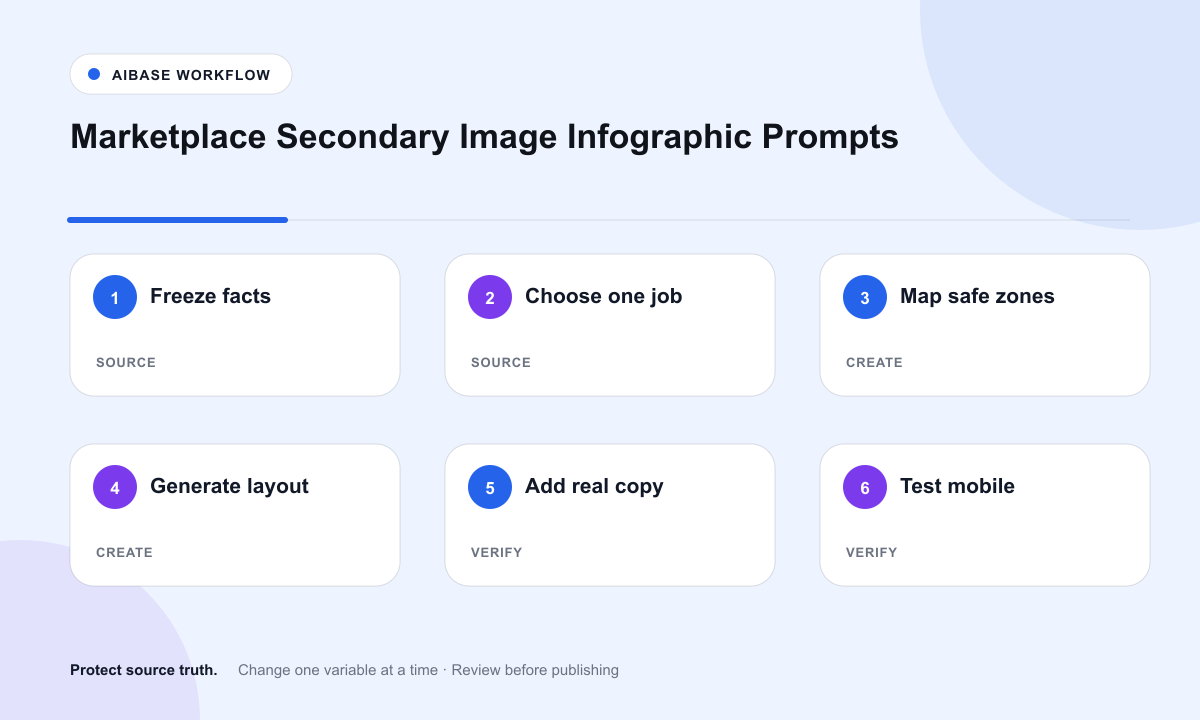
- Build a listing fact sheet: SKU, dimensions, tolerance, materials, included parts, compatibility, care, safety, certifications, restrictions, and approved claims.
- Choose one secondary-image job; do not combine size, compatibility, setup, and claims into a crowded frame.
- Generate a text-free layout with protected product space and named zones for measurements, icons, warnings, and copy.
- Place the approved product photography or silhouette, then add dimensions, arrows, labels, icons, legal copy, and CTA in an editable marketplace template.
- Check icon logic, measurement units, tolerance, localization, contrast, mobile legibility, and marketplace rules.
- Save the layout system and copy layer separately so a specification or claim change does not require a new generated background.
Example prompt variants
- Square desk-organization secondary layout: soft white background, six rounded icon zones around a protected central product area, thin editable measurement tracks, no text or numbers.
- Setup-step secondary layout: three horizontal panels with quiet numbered circles and a bottom warning strip, all labels left blank for the listing template.
- Compatibility secondary layout: centered protected product silhouette, left and right quiet comparison panels, dashed editable callout paths, no brand marks or claims.
Quality checklist
- Every dimension, material, compatibility fact, warning, certification, and included item comes from the approved listing record.
- The generated background contains no readable text, pseudo-text, numbers, logos, badges, or certification marks.
- Product photography, silhouette, arrows, labels, legal copy, and CTA remain editable and correctly localized.
- The hierarchy communicates one secondary-image job before the mobile thumbnail scale.
- Marketplace rules, claim approvals, accessibility contrast, units, tolerances, and update history are recorded.
Mistakes to avoid
- Asking the image model to render dimensions, certifications, guarantees, or legal warnings it cannot verify.
- Crowding six messages into one secondary image until none survives mobile cropping.
- Using a generated product in place of the exact SKU photograph or approved silhouette.
- Baking copy into pixels so a material change, compatibility update, or marketplace correction requires a full remake.
Related AIBase pages
Practical next step
Open the most relevant AIBase generator, run one narrow prompt first, and save the best result before adding more constraints. The fastest way to improve output quality is to compare one variable at a time: subject, camera, background, lighting, then final polish.