
GPT Image 2 Podcast Cover Background Prompts for Editable Show Art
Create text-free podcast cover backgrounds with recognizable visual concepts, protected title and portrait zones, small-size readability, and editable show metadata.
Quick answer
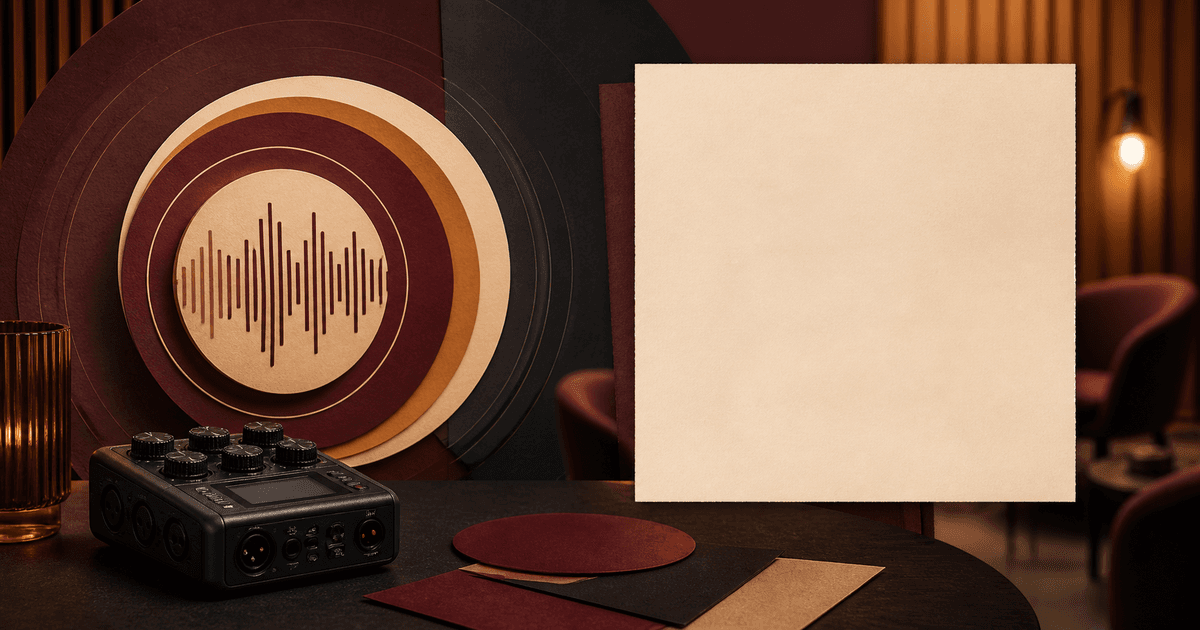
Generate the visual world, not the final cover. Give GPT Image 2 one concrete show signal—a tabletop interview, field recorder, story object, or abstract sound system—then reserve a quiet region for the title, host name, network mark, season, and accessibility-conscious contrast. Add every word, portrait, logo, explicit content marker, sponsor credit, and platform-specific requirement in editable design software. Judge the concept at tiny thumbnail size before polishing details that listeners will never see.
Who this guide is for
Independent podcasters, networks, producers, designers, agencies, and internal communications teams preparing a new show, season refresh, limited series, or episode-family system. The method works best when the title, category, audience, tone, and rights-cleared identity assets are already known.
Recommended model
| Use case | Recommended model | Why |
|---|---|---|
| This workflow | GPT Image 2 for a focused batch of text-free square cover directions | A bounded text-to-image brief can explore distinctive objects, lighting, and composition while leaving volatile words and identity assets under editorial control. |
AIBase is an independent creative platform. Model names are shown only to identify supported underlying technologies and workflow choices.
Prompt template
Create a text-free square podcast cover background for a show about [specific subject] for [audience]. Visual signal: [one concrete object/scene/metaphor]. Composition: bold focal shape in [region], calm high-contrast title zone in [region], protected portrait or network-mark zone in [region]. Palette: [three colors]. Style: [photographic/editorial/illustrated]. Must remain recognizable at 64 pixels. No text, letters, numbers, waveform labels, platform icon, microphone brand, logo, host likeness, guest likeness, sponsor product, rating, award, quote, explicit-content badge, border, or watermark.
Step-by-step workflow
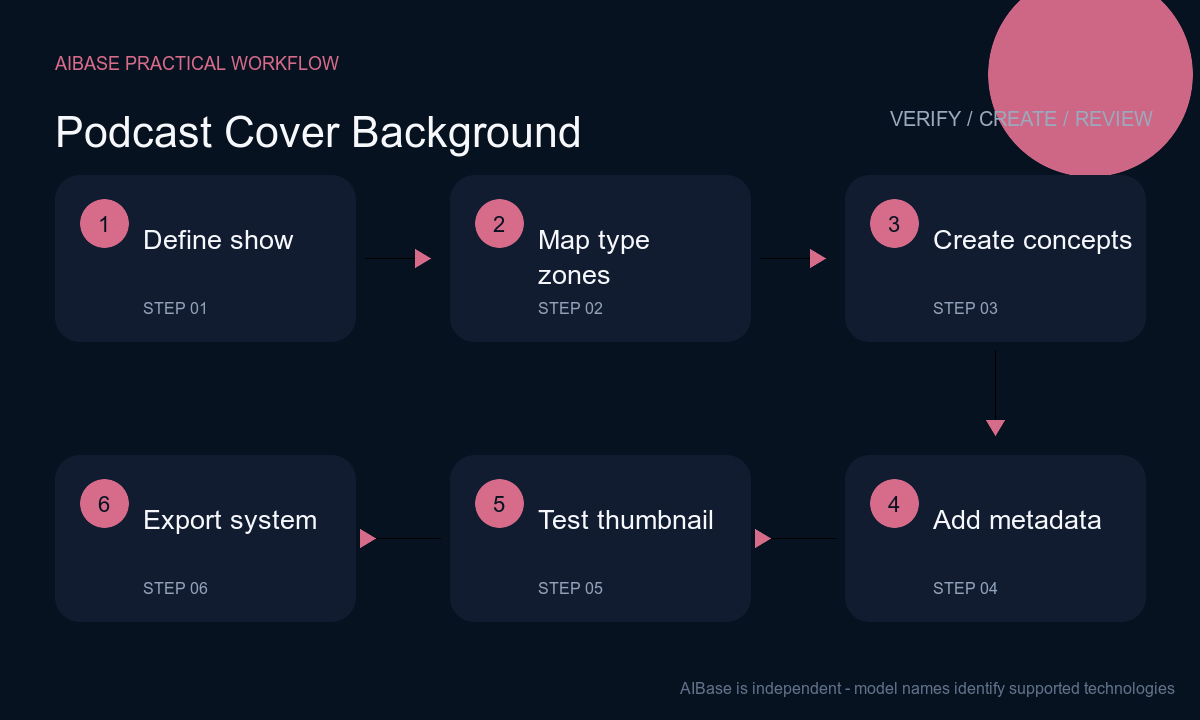
- Write a one-sentence show promise, primary listener, category, emotional temperature, and one visual cue competitors do not already own. Avoid treating a generic microphone as the entire concept.
- Build a square grid with protected zones for show title, host or network, season marker, portrait if licensed, and any required advisory. Check how the same system could support episode variants without replacing the core mark.
- Generate three concept families that change the central metaphor rather than merely recoloring one picture. Keep each background text-free and limit objects so the focal read survives a phone-sized thumbnail.
- Composite the exact title, subtitle, host names, network logo, season, artwork credit, portrait, sponsor relationship, and advisory from controlled sources. Confirm name spelling and rights with the designated owner.
- Test the cover at 3000, 1400, 300, 128, and 64 pixels, in light and dark interfaces, and beside similar shows in the category. Check edge crops, contrast, title hierarchy, face legibility, and accidental pseudo-text.
- Export a master and platform variants, preserve editable type and identity layers, document licenses and approvals, and schedule a review when show naming, hosts, sponsors, season, or platform specifications change.
Example prompt variants
- Square text-free background for a practical climate adaptation podcast: one weathered field notebook beside a compact unbranded recorder under directional daylight, moss green, storm blue and warm paper, bold diagonal composition, quiet upper-left title zone, no globe, disaster spectacle, words, chart, logo or person.
- Square editorial illustration for a workplace negotiation show: two simple chairs angled toward one small round table, one narrow beam connecting the empty space between them, rust, cream and charcoal palette, strong silhouette at thumbnail size, open lower-third type zone, no people, currency, handshake, text or corporate mark.
- Square photographic background for a neighborhood food-history series: one worn recipe box and unlabeled cassette on a kitchen table, late-afternoon side light, burgundy and amber accents, central object cluster with calm top band for editable title, no readable recipe, restaurant logo, host, dish claim or invented archive label.
Quality checklist
- The cover communicates the show’s subject and tone before the listener reads the title, without depending on a generic microphone, headset, waveform, or neon studio cliché.
- Focal shape, title zone, portrait zone, logo zone, border margin, and episode-system anchor remain clear at 64 pixels and under common circular or square previews.
- Title, host, guest, network, season, sponsor, award, quote, advisory, and platform marks are accurate, rights-cleared, editable, and not generated into the background.
- Contrast, color distinction, type scale, portrait treatment, and compressed output remain legible across light and dark interfaces and for color-vision differences.
- Prompt, generation, selected background, font license, image and likeness rights, copy approval, exports, platforms, version, and retirement plan are documented.
Mistakes to avoid
- Asking the model for a finished cover with exact title and host names, then publishing distorted characters, misspellings, unstable metadata, or unlicensed lookalike portraits.
- Adding microphones, headphones, waveforms, neon, sound bars, and studio foam together until the show is indistinguishable from thousands of other podcast thumbnails.
- Reviewing only on a large monitor, where fine props look meaningful but collapse into noise and make the editable title unreadable in listening apps.
- Changing the entire artwork for each episode so subscribers lose the show signal, instead of keeping a stable system and varying one controlled episode element.
Related AIBase pages
Practical next step
Open the most relevant AIBase generator, run one narrow prompt first, and save the best result before adding more constraints. The fastest way to improve output quality is to compare one variable at a time: subject, camera, background, lighting, then final polish.