
Veo 3.1 Fast Podcast Promo Video Prompts for Short Social Teasers
Draft podcast promo video concepts with Veo 3.1 Fast prompts for one hook, simple motion, vertical framing, clean caption space, and editable episode details.
Quick answer
Use Veo 3.1 Fast to explore short visual hooks around an episode theme, not to fabricate a host or guest performance. Prompt one simple scene with one camera move and clean caption space, then edit in the real audio excerpt, approved portraits, episode title, captions, logo, and CTA.
Who this guide is for
Podcast producers, creators, networks, social editors, and marketing teams building teaser concepts, episode launch clips, quote-card motion, guest announcements, and recurring vertical promo templates.
Recommended model
| Use case | Recommended model | Why |
|---|---|---|
| This workflow | Veo 3.1 Fast | Its fast video workflow is useful for testing several concise visual directions and motion hooks before final editorial elements and verified episode assets are assembled. |
AIBase is an independent creative platform. Model names are shown only to identify supported underlying technologies and workflow choices.
Prompt template
Create a [duration] [9:16 or 16:9] podcast promo background concept for an episode about [verified topic]. Visual hook: [one symbolic object or environment]. Action: [one simple motion]. Camera: [locked, slow push, or short lateral move]. Lighting/palette: [direction]. Leave a stable low-detail caption zone in [region] and a clean final hold. No host or guest likeness, lip-sync, quotation, episode title, logo, platform mark, waveform text, metric, claim, button, subtitle, or watermark.
Step-by-step workflow
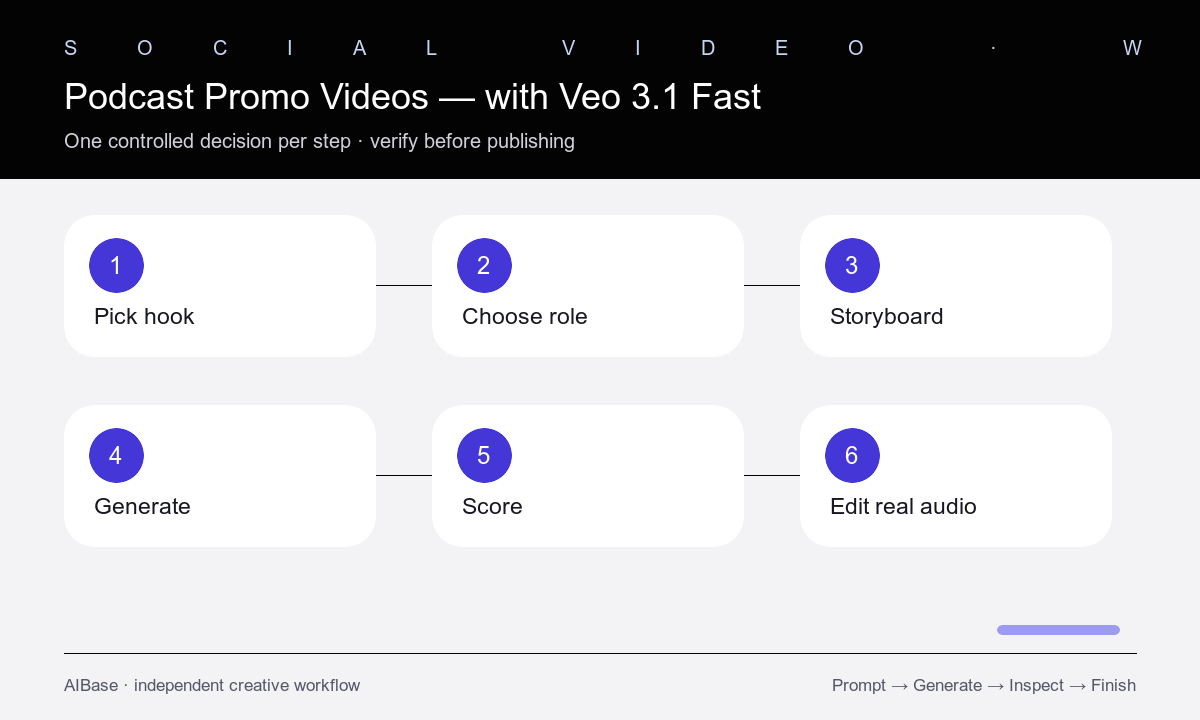
- Select one real episode hook, approved audio excerpt, target audience, placement, duration, and CTA before generating visuals.
- Choose a visual role: thematic opener, abstract transition, guest-announcement background, quote backdrop, or end-card motion.
- Storyboard one action and one camera move while reserving safe zones for captions, speaker label, episode art, logo, and CTA.
- Generate three matched concepts that change only the metaphor, object, or palette while keeping duration, ratio, motion budget, and final hold fixed.
- Score hook relevance, mobile clarity, motion stability, caption safety, edit points, brand fit, and risk of implying fabricated people or speech.
- Edit in the real audio, approved host or guest imagery, accurate title, captions, logo, music rights, CTA, and accessibility details.
Example prompt variants
- Six-second 9:16 background for a leadership podcast episode, one paper maze folds into a clear path on a dark desk, slow overhead push, warm edge light, calm upper caption zone, clean final hold, no text.
- Eight-second vertical technology-podcast teaser, abstract glass nodes connect one by one across a charcoal studio surface, restrained cobalt light, locked camera, open center band for captions, no interface or logo.
- Six-second square founder-interview promo background, empty studio microphone silhouette beside a gradually brightening window, one slow lateral move, muted neutral palette, safe left copy zone, no person or words.
Quality checklist
- The visual clearly supports the real episode topic without inventing a quotation, guest action, endorsement, or outcome.
- One action and one camera rule remain stable, with a clean opening, usable edit point, and readable final hold.
- Caption, title, speaker, logo, episode art, CTA, and platform-safe zones remain uncluttered across the chosen crop.
- Real audio, identities, quotations, titles, dates, platform marks, music, and claims are accurate, approved, and edited separately.
- The final clip includes readable captions, appropriate disclosure, descriptive posting text, and licensed media.
Mistakes to avoid
- Asking the model to depict a recognizable host or guest speaking words they did not record.
- Packing an episode summary, waveform, title, quotation, logo, captions, and CTA into generated pixels.
- Using unrelated cinematic imagery that attracts attention but misrepresents the episode subject.
- Generating multiple actions and camera moves that leave no stable space for mobile captions or editing.
Related AIBase pages
- Open Veo 3.1 Fast
- Build a fast social ad storyboard
- Create a mobile promo workflow
- Draft podcast cover art
Practical next step
Open the most relevant AIBase generator, run one narrow prompt first, and save the best result before adding more constraints. The fastest way to improve output quality is to compare one variable at a time: subject, camera, background, lighting, then final polish.