
HappyHorse Birthday Photo Animation Prompts for Gentle Memory Clips
Animate authorized birthday photos with HappyHorse using gentle motion, protected identity, stable decorations, simple shot planning, and respectful review.
Quick answer
Choose a clear photo with consent, protect every person’s face, age, pose, clothing, cake, decorations, and framing, then request only one gentle motion such as a natural blink, small smile, or slight camera push. Keep the clip short and reject exaggerated expressions, identity drift, candle changes, or invented guests.
Who this guide is for
Families, friends, event editors, and creators making private birthday messages, digital albums, invitation teasers, reunion reels, or short memory clips from photos they are allowed to use.
Recommended model
| Use case | Recommended model | Why |
|---|---|---|
| This workflow | HappyHorse image-to-video | A photo-led animation workflow is a sensible choice when the original birthday image should remain the emotional and visual anchor while motion stays subtle. |
AIBase is an independent creative platform. Model names are shown only to identify supported underlying technologies and workflow choices.
Prompt template
Use the uploaded authorized birthday photo as the exact reference. Preserve every person's identity, age, face, expression, body, pose, gaze, clothing, hands, accessories, relative position, and the original cake, candles, decorations, room, lighting, and crop. Create a [duration]-second [ratio] memory clip with only [one gentle blink, tiny smile, slight head movement, candle flicker, or slow camera push]. Keep motion natural and respectful. Do not add or remove people, change age or appearance, alter candle count, rewrite decorations, move hands, invent gifts, create speech, add text, logo, or watermark.
Step-by-step workflow
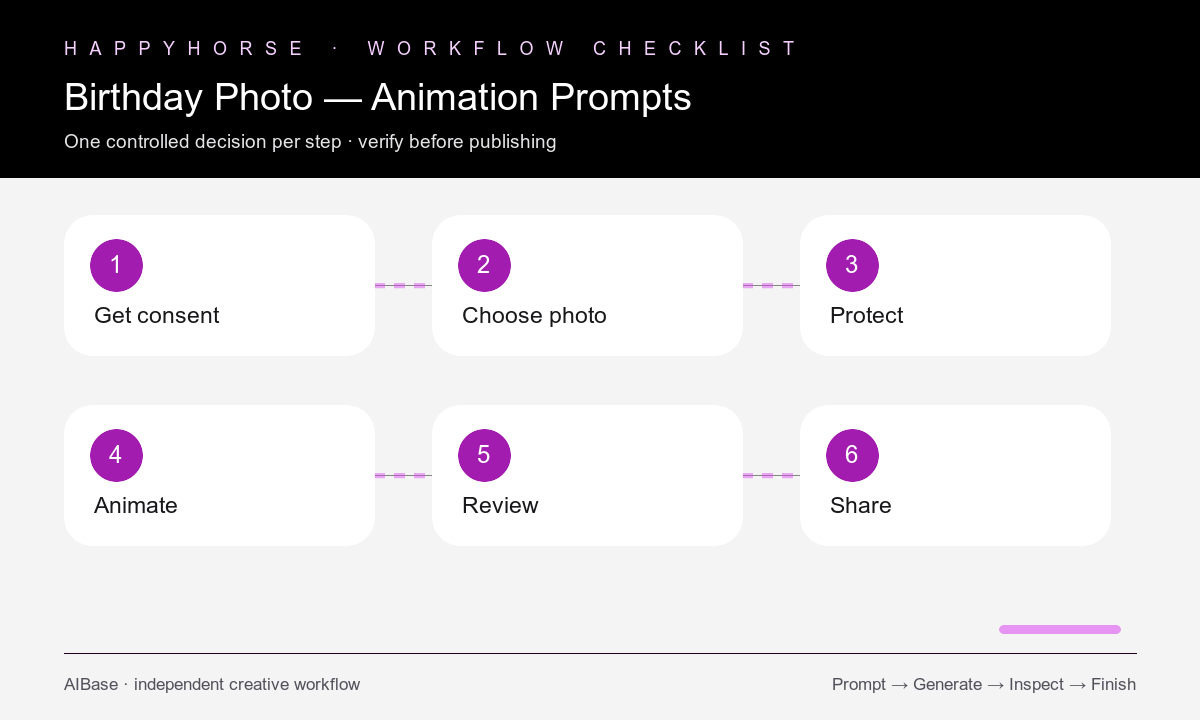
- Confirm consent, privacy, and sharing boundaries for everyone pictured, especially children and people who cannot approve public use themselves.
- Choose one sharp image with visible faces, natural expressions, clear hands, uncluttered framing, and enough edge room for a small move.
- List protected identities, positions, clothing, cake details, candle count, decorations, text zones, and background objects.
- Request one gentle human or environmental motion plus a short duration; keep the camera locked if facial fidelity is the priority.
- Review every face, eye, mouth, hand, age cue, candle, decoration, reflection, and background edge frame by frame.
- Add real names, dates, music, captions, and greetings in an editor, then share only through the consented channel and audience.
Example prompt variants
- Four-second portrait birthday clip, preserve the person’s exact face, age, seated pose, clothing, cake, and candles; one natural blink and tiny smile only, camera locked.
- Five-second family birthday photo, preserve every identity, relative position, hands, decorations, and candle count; subtle shared breathing and very slow push-in, no speaking.
- Four-second cake-table memory clip, people remain completely still while only existing candle flames flicker gently, preserve frosting design, decorations, lighting, and framing.
Quality checklist
- Consent, privacy, child-safety, audience, and sharing boundaries are appropriate for the planned use.
- Every person’s identity, age, facial features, expression, body, pose, clothing, hands, and relative position remain stable.
- Cake design, candle count, decorations, text zones, room, reflections, and background objects match the source.
- Motion is gentle, short, plausible, and free of uncanny eyes, mouths, hands, or unintended speech.
- Names, dates, greetings, music, and captions are added accurately in post and the final clip is reviewed before sharing.
Mistakes to avoid
- Animating a private or childhood image publicly without clear consent and an appropriate audience.
- Asking several people to speak, wave, turn, and interact in a single short generation.
- Ignoring small but meaningful changes to age, candle count, decorations, hands, or family positions.
- Embedding important names or dates in generated pixels instead of adding verified editable text later.
Related AIBase pages
- Open HappyHorse
- Read the HappyHorse image-to-video guide
- Use portrait animation prompts
- Plan family photo animation
Practical next step
Open the most relevant AIBase generator, run one narrow prompt first, and save the best result before adding more constraints. The fastest way to improve output quality is to compare one variable at a time: subject, camera, background, lighting, then final polish.