
HappyHorse Travel Portrait Animation Prompts for Subtle Motion
Animate an authorized travel portrait with HappyHorse using identity-safe facial motion, stable landmarks, restrained environment movement, consent checks, and loop review.
Quick answer
Use a high-quality authorized portrait, preserve the person’s exact identity, pose, clothing, accessories, and location, and add only one or two subtle motions such as a natural blink, breathing, slight fabric response, or distant environmental movement. Keep the camera locked and the loop short; travel context should remain recognizable and factual.
Who this guide is for
Travelers, families, photographers, destination creators, and memory-archive teams animating authorized vacation portraits for private albums, short social posts, slideshows, and personal keepsakes.
Recommended model
| Use case | Recommended model | Why |
|---|---|---|
| This workflow | HappyHorse image-to-video | Portrait-centered animation is best approached as a restrained identity-preservation task, with the source image controlling the person and place throughout the clip. |
AIBase is an independent creative platform. Model names are shown only to identify supported underlying technologies and workflow choices.
Prompt template
Animate the uploaded authorized travel portrait as the exact first frame. Preserve the person's identity, apparent age, facial structure, skin texture, expression, gaze, hair, body proportions, pose, hands, fingers, clothing, pattern, accessories, luggage, crop, camera angle, landmark, signs, architecture, terrain, horizon, weather, lighting, shadows, and color. Person motion: [one natural blink and subtle breathing/tiny head adjustment]. Environment motion: [optional one distant layer such as water, foliage, cloud, or fabric]. Camera locked. Duration [3-5 seconds]. Return to a stable loop frame. Do not speak, lip-sync, smile broadly, wave, walk, turn, change face or body, beautify, change clothing, animate architecture, invent landmark details, add crowds, vehicles, birds, text, or new weather.
Step-by-step workflow
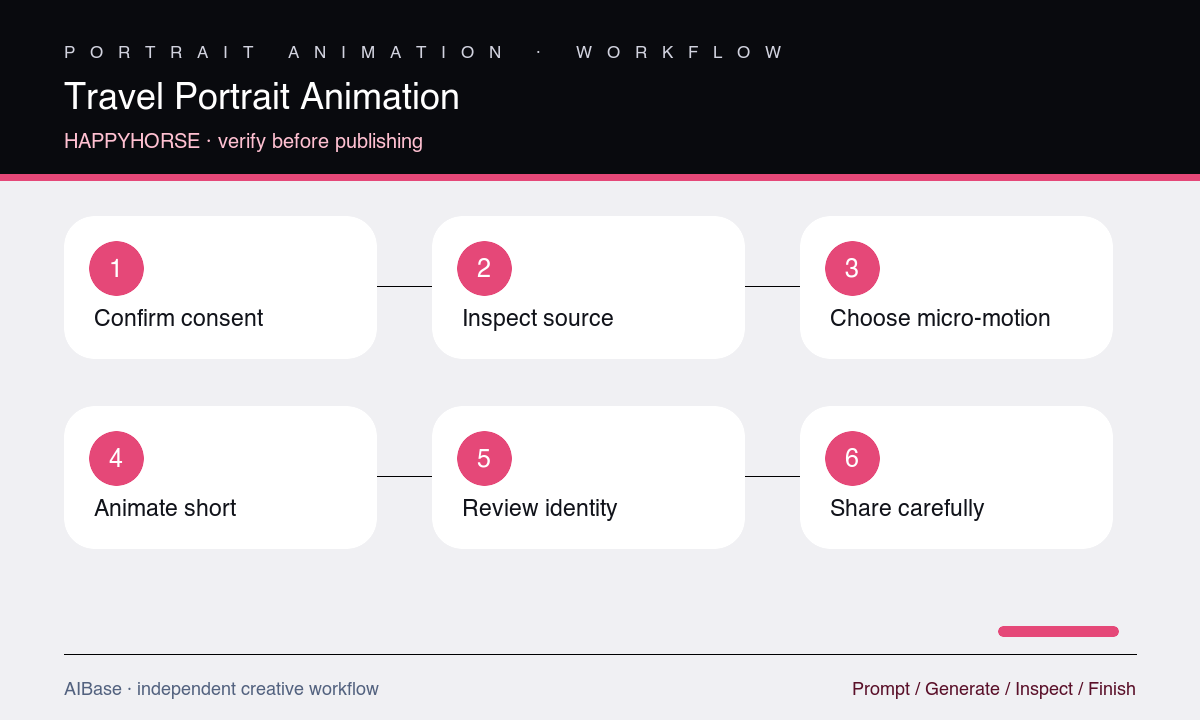
- Confirm consent from every identifiable person and the photographer, define the approved audience and reuse period, and avoid sensitive location or identity exposure.
- Inspect the source for face clarity, hands, glasses, hair, clothing patterns, accessories, horizon, landmark edges, signs, reflections, and compression damage.
- Choose one subtle person motion and at most one distant environmental motion, keeping the camera locked and avoiding movements unsupported by the pose.
- Write identity, styling, place, and background invariants before motion, then generate a three-to-five-second test.
- Review the clip frame by frame and as a loop for face, eyes, mouth, hands, clothing, accessories, landmark, horizon, signs, shadows, and background drift.
- Publish only within the approved context, preserve the original file, and add AI-motion disclosure when the animation could be mistaken for captured video.
Example prompt variants
- Four-second locked seaside portrait, one natural blink and subtle breathing, slight distant water ripple only, preserve exact face, smile, hat, sunglasses, shirt pattern, railing, coastline, horizon, sunlight, and crop.
- Three-second mountain-view portrait with tiny jacket-fabric response and one blink, camera locked, preserve identity, hair, hands, backpack straps, snowline, trail sign, clouds, shadows, and stable loop ending.
- Five-second city-trip portrait with subtle breathing and a very small head adjustment then return, preserve expression, glasses, scarf, building facade, street signs, perspective, pedestrians, lighting, and no background motion.
Quality checklist
- Identity, apparent age, facial structure, skin texture, expression, gaze, hair, body, pose, hands, clothing, and accessories remain stable.
- Blink, breathing, head, hair, fabric, water, foliage, or cloud motion is subtle, plausible, temporally separated, and loop-safe.
- Landmarks, architecture, signs, horizons, terrain, vehicles, people, reflections, weather, light, and shadows remain factual and undistorted.
- Eyes, mouth, glasses, teeth, fingers, patterns, jewelry, edges, and background details do not flicker, duplicate, melt, or drift.
- Consent, privacy, location sensitivity, reuse scope, disclosure, crop, captions, and platform context are documented before sharing.
Mistakes to avoid
- Asking a still vacation portrait to wave, walk, turn, speak, and interact with the landmark in one clip.
- Using beautify, younger, slimmer, happier, or more glamorous language that changes identity or the memory represented by the source.
- Letting a dramatic sky, moving architecture, added crowds, removed obstructions, or invented scenery change the truth of the destination.
- Sharing a synthetic likeness or precise travel location beyond the person’s consent, privacy expectations, or approved audience.
Related AIBase pages
- Open HappyHorse image-to-video
- Learn the HappyHorse prompt workflow
- Animate a family photo
- Animate destination scenery with Seedance
Practical next step
Open the most relevant AIBase generator, run one narrow prompt first, and save the best result before adding more constraints. The fastest way to improve output quality is to compare one variable at a time: subject, camera, background, lighting, then final polish.