
Nano Banana 2 Prompts to Fix Blown Highlights in Jewelry Product Photos
Recover distracting jewelry highlights without inventing gemstones, metal brilliance, or product details that the original photograph cannot support.

Quick answer
Use Nano Banana 2 only for localized highlight recovery on an authorized jewelry photo. Mask each blown reflection separately, recover tone from neighboring verified metal or gem detail, and make silhouette, stone count, setting, scale, color, and label information non-editable. If an area is completely clipped with no recoverable structure, reshoot or blend a real exposure instead of asking AI to invent sparkle or facets.
Who this guide is for
Jewelry sellers, studio retouchers, marketplace photographers, and small brands correcting approved ring, earring, necklace, or bracelet photos without changing the item itself.
Recommended model
| Use case | Recommended model | Why |
|---|---|---|
| This workflow | Nano Banana 2 image-to-image | A masked edit can extend nearby verified highlight structure while the source photo remains the authority for metal tone, stone geometry, setting details, and scale. |
AIBase is an independent creative platform. Model names are shown only to identify supported underlying technologies and workflow choices.
Prompt template
Use the uploaded authorized jewelry photo as the exact source. Repair only the masked blown-highlight area at [precise location]. Recover a believable transition from the adjacent verified [polished gold / silver / platinum / gemstone] surface using its real tone, micro-reflection direction, edge sharpness, and falloff. Preserve exact item type, stone count and positions, setting shape, prongs, clasp, chain links, engraving, dimensions, color, symmetry, tarnish or intentional finish, shadows, background, camera, and crop. Do not add facets, sparkle, brilliance, clarity, color enhancement, new reflections, gemstones, metal, text, or watermark. If source detail is absent, preserve a clean neutral tone rather than inventing structure.
Step-by-step workflow
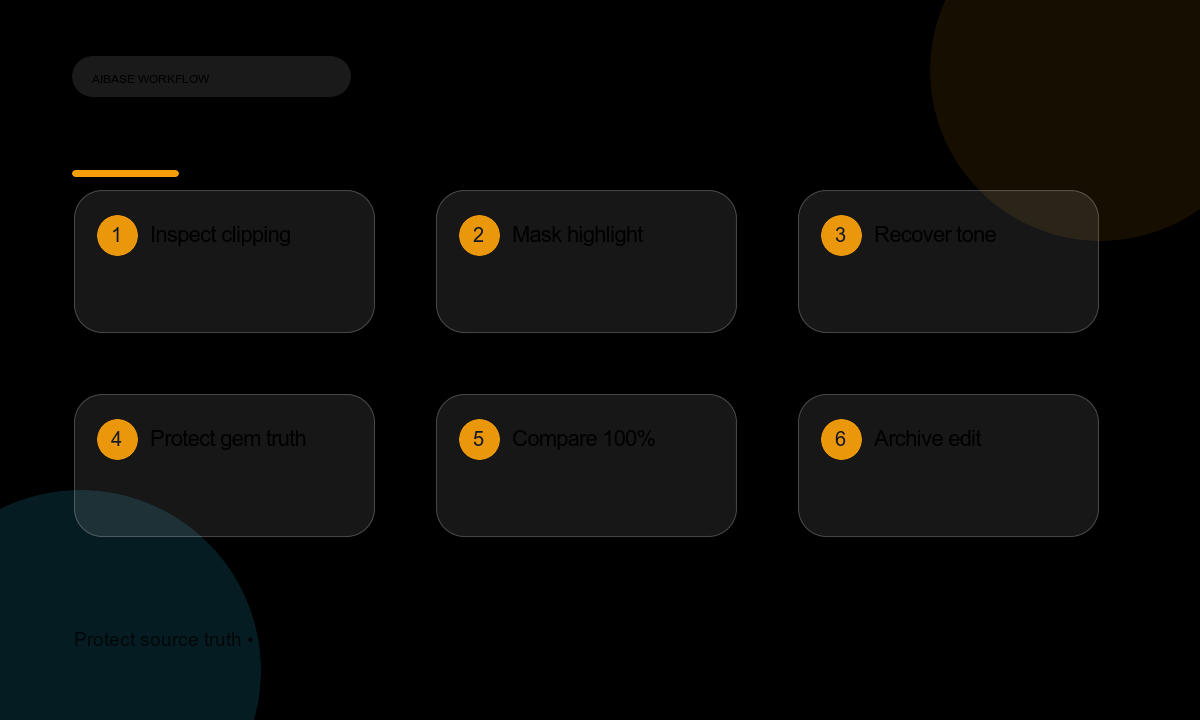
- Archive the RAW or original JPEG, then confirm product ownership, retouch scope, and marketplace rules.
- View the image at 100% and separate recoverable bright highlights from fully clipped areas lacking tone or structure.
- Mask one highlight zone at a time with clearance around prongs, chain edges, engraving, and gem boundaries.
- Run a conservative recovery prompt, then compare before/after at full resolution and from typical thumbnail size.
- Check metal hue, stone geometry, symmetry, edge density, contact shadow, and reflections against the source.
- Keep separate versions for web, marketplace zoom, and social crops; never overwrite the original capture.
- Record source, mask, prompt, model, reviewer, and export settings so the correction can be reversed or audited.
Example prompt variants
- Recover only the clipped band across the polished gold ring shank; preserve stone, prongs, engraving, symmetry, warm metal tone, edge sharpness, and the existing shadow.
- Reduce only the two blown spots on the silver chain links while retaining real link geometry, depth, and separation; no added sparkle or global brightness change.
- Soften the blown edge on the pearl earring without changing nacre texture, roundness, drill hole, post, or delicate gray-green reflections.
Quality checklist
- Item silhouette, stone count, settings, fasteners, engraving, scale, color, and finish match the source product.
- Recovered highlights retain believable direction, falloff, and material behavior rather than synthetic glow.
- No new facets, gemstones, prongs, chain links, dust, reflections, text, or watermark appeared.
- Edges remain clean at 100% zoom and the product still reads accurately as a small marketplace thumbnail.
- The original capture, mask, prompt, and approval trail remain retrievable.
Mistakes to avoid
- Asking AI to invent detail inside a completely white highlight with no recoverable neighboring data.
- Turning a production correction into global beauty retouching that changes stone clarity or metal color.
- Removing every highlight and leaving jewelry looking flat, dull, or synthetic.
- Generating labels, certifications, brand marks, or sparkle effects that cannot be verified for the item.
Related AIBase pages
Practical next step
Open the most relevant AIBase generator, run one narrow prompt first, and save the best result before adding more constraints. The fastest way to improve output quality is to compare one variable at a time: subject, camera, background, lighting, then final polish.