
Nano Banana 2 Prompts to Add a Realistic Shadow to Product Photos
Add believable contact and cast shadows to product photos with Nano Banana 2 while preserving product geometry, labels, materials, exposure, and ecommerce consistency.
Quick answer
Use a clean authorized product photo and describe the shadow as a lighting consequence, not a decorative blur. Lock the product, camera, background, exposure, and label first; then define the light direction, contact point, cast direction, edge softness, density, and maximum shadow length.
Who this guide is for
Ecommerce operators, catalog designers, retouchers, marketplaces, and performance marketers who have an approved pack shot but need grounded thumbnails, consistent shadow families, or a more natural composite.
Recommended model
| Use case | Recommended model | Why |
|---|---|---|
| This workflow | Nano Banana 2 image-to-image | A bounded reference-led edit fits this task because the approved product pixels should stay stable while only the floor contact and shadow behavior change. |
AIBase is an independent creative platform. Model names are shown only to identify supported underlying technologies and workflow choices.
Prompt template
Use the uploaded authorized product photo as the exact reference. Keep the product silhouette, dimensions, position, camera, crop, color, material texture, highlights, reflections, label, typography, background color, and exposure unchanged. Add only a realistic [contact/cast] shadow caused by a [size] light from [direction and height]. The shadow begins exactly at [contact area], extends [direction and relative length], has [softness] edges and [density] opacity, and follows the object's real footprint. Do not move, relight, redraw, recolor, resize, float, duplicate, or distort the product; do not invent text, props, reflections, a horizon, or a second shadow.
Step-by-step workflow
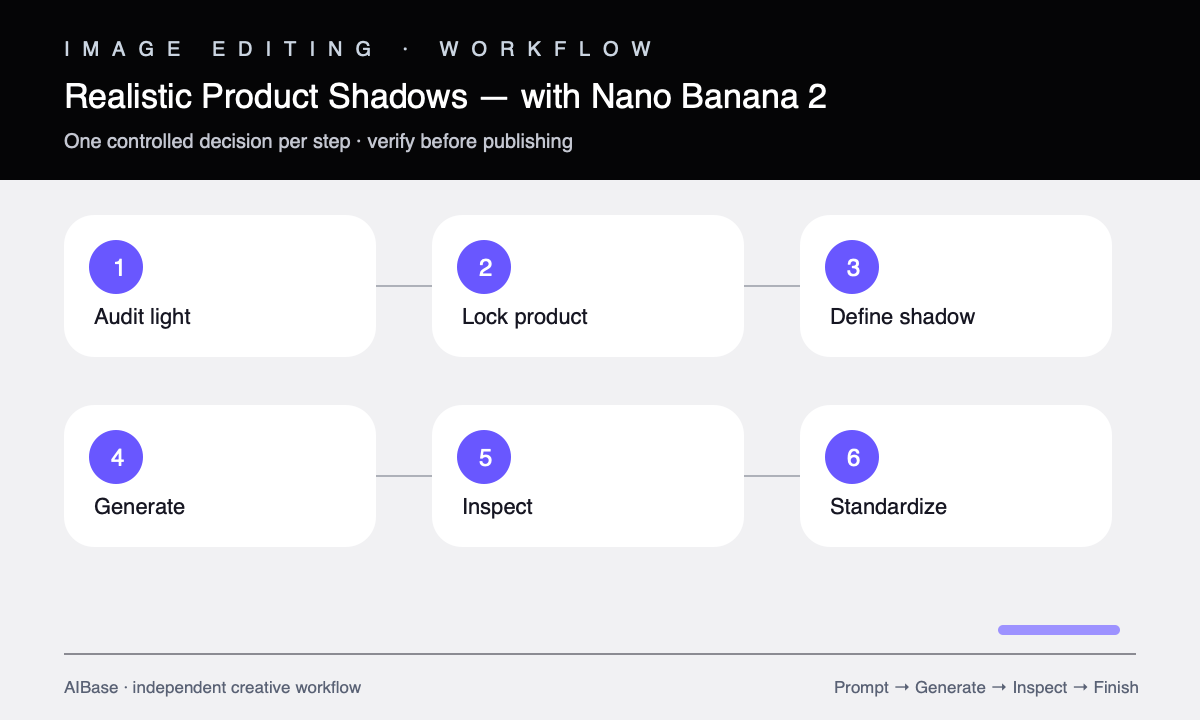
- Inspect the source for existing highlights and reflections; infer one plausible key-light direction before writing the prompt.
- List the protected product details, including silhouette, openings, accessories, label zones, transparent parts, metallic edges, and existing floor contact.
- Choose one shadow family: tight contact shadow, short soft catalog cast shadow, or longer directional lifestyle shadow.
- Generate one shadow treatment at a time while keeping source, crop, product scale, background, and prompt lock identical.
- Overlay the result with the source at full size to catch product drift, duplicated edges, false transparency, label changes, and altered exposure.
- Export a consistent shadow specification for the whole catalog and retain the original approved pack shot as the source of truth.
Example prompt variants
- White-background ceramic mug pack shot, add only a soft contact shadow directly beneath the base, broad overhead-left studio light, shadow no wider than the mug, preserve handle opening, glaze highlights, shape, and crop.
- Three-quarter sneaker catalog photo, add one short cast shadow toward lower right from a large upper-left softbox, soft edge and low density, keep sole geometry, laces, stitching, color, logo zone, and white background unchanged.
- Transparent skincare bottle on pale gray, add a subtle grounded shadow matching the bottle footprint and existing right-side highlight, preserve glass transparency, liquid level, cap, label, reflections, and exposure.
Quality checklist
- The shadow direction agrees with visible highlights and every part of the object shares one coherent light source.
- Contact is darkest at the true support points, with no halo, floating gap, or shadow crossing transparent openings incorrectly.
- Product geometry, scale, color, texture, label, typography, highlights, reflections, crop, and background match the source.
- The shadow remains plausible at thumbnail size and does not become a gray platform or compete with the product.
- A matched set uses the same shadow angle, softness, density, length rule, canvas, and product baseline.
Mistakes to avoid
- Asking for a realistic shadow without stating the light direction, contact point, edge softness, or protected product details.
- Adding a long dramatic cast shadow to a catalog image whose highlights imply broad frontal lighting.
- Accepting a grounded result when the model also changed the label, product proportions, reflections, or background tone.
- Using different shadow rules across variants so a category page looks assembled from unrelated shoots.
Related AIBase pages
- Open Nano Banana 2 image-to-image
- Create white-background product photos
- Change a background while keeping the subject
- Make product color variants
Practical next step
Open the most relevant AIBase generator, run one narrow prompt first, and save the best result before adding more constraints. The fastest way to improve output quality is to compare one variable at a time: subject, camera, background, lighting, then final polish.