
Nano Banana 2 Warped Bottle Label Product Photo Prompts
Use reference-led Nano Banana 2 prompts to reduce label warping, glare, and perspective drift in bottle product photos without redesigning packaging or claims.
Quick answer
Start with the sharpest authorized bottle photo, not a generic package mockup. Use Nano Banana 2 to correct only the label plane: perspective, curvature, edge alignment, reflection, and small creases. Protect the bottle silhouette, closure, liquid color, label artwork, legal text, batch zone, and SKU. If the label copy is unreadable or the change would alter a required claim, use a real reshoot or composite the approved packaging art instead.
Who this guide is for
Beverage, skincare, supplement, sauce, and fragrance sellers who already have usable bottle photography but need consistent marketplace crops, cleaner label geometry, or controlled background variants.
Recommended model
| Use case | Recommended model | Why |
|---|---|---|
| This workflow | Nano Banana 2 | The image-to-image workflow can follow an uploaded product photo while narrowing the edit to label plane and reflection repair, which is faster than rebuilding the package from a text-only prompt. |
AIBase is an independent creative platform. Model names are shown only to identify supported underlying technologies and workflow choices.
Prompt template
Use the uploaded authorized bottle photo as the exact product source. Preserve bottle silhouette, height, diameter, shoulder, closure, pump or cap, neck, liquid color, transparency, label artwork, logo position, required text, batch zone, and barcode. Correct only the warped label plane: align horizontal and vertical label edges to the bottle curvature, smooth [crease or bubble], reduce [highlight], and keep type evenly wrapped. Keep [background] unchanged. Do not redesign packaging, change wording, add claims, alter contents, add text, or invent a new SKU.
Step-by-step workflow
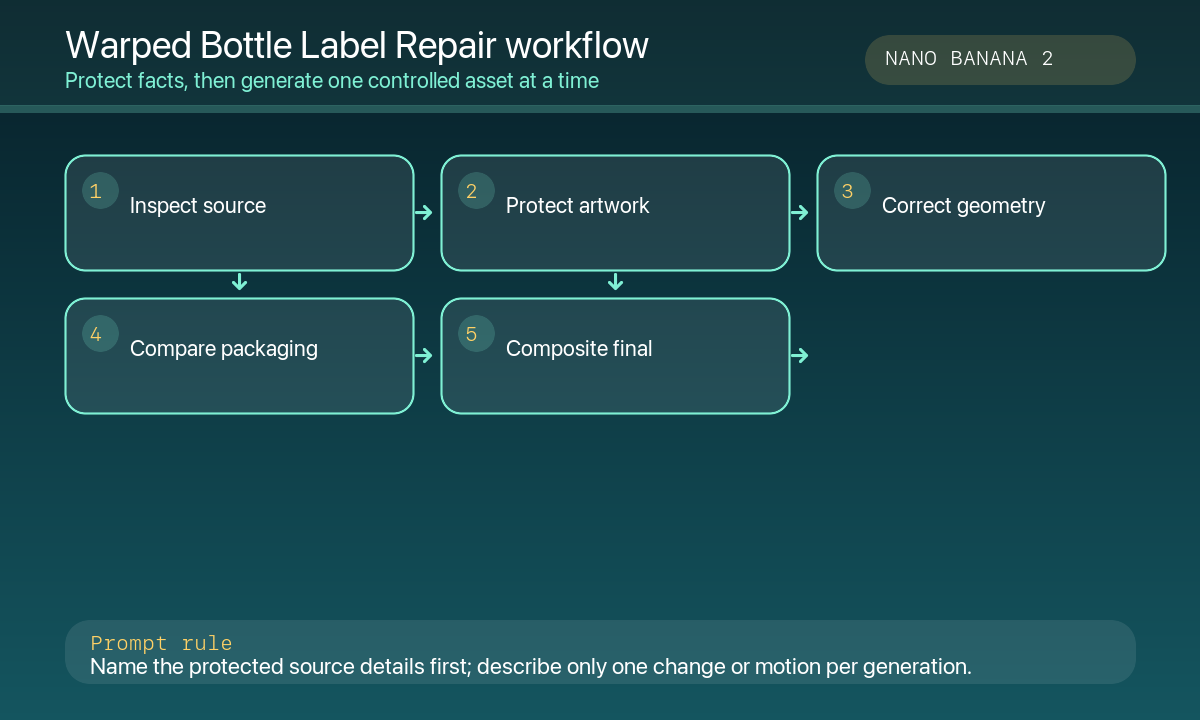
- Collect the approved label artwork, current SKU photo, marketplace crop list, prohibited claims, and the real bottle dimensions before generating.
- Mark the protected zones: closure, shoulder, label boundary, legal copy, batch or lot area, barcode, and any embossing.
- Run one narrow repair pass: label perspective, curvature, edge continuity, glare, or crease—not all issues at once.
- Compare the output beside the source at 100% zoom. Check ellipse curves, type spacing, vertical alignment, reflection shape, and bottle symmetry.
- If copy becomes soft or distorted, return to the packaging artwork or reshoot; do not ask AI to recreate required legal text.
- Finish background, shadow, color management, and final marketplace copy as separate editable layers.
Example prompt variants
- Correct only the amber glass bottle label: make the top and bottom label edges follow the cylinder, preserve every word and award badge, remove one diagonal glare streak, keep the stone background and shadow unchanged.
- Repair the skincare pump bottle label: smooth one corner bubble, align the label seam, preserve font hierarchy, ingredients panel, and recyclable mark; do not change the pump or liquid color.
- Straighten the hot-sauce label for a square marketplace crop: preserve die-cut shape, illustrated chili, legal copy, and neck tag; reduce glare without flattening paper texture.
Quality checklist
- Label geometry follows the bottle surface and does not look like a flat sticker.
- Approved artwork, logo position, wording hierarchy, legal copy, and barcode remain unchanged.
- Bottle shape, closure, liquid color, transparency, and scale match the authorized source.
- Reflections clarify the label instead of hiding defects or inventing gloss.
- Final color, background, shadow, and marketplace text remain in editable production layers.
Mistakes to avoid
- Asking AI to recreate tiny legal, batch, dosage, allergen, or barcode information.
- Using a competitor bottle or generic mockup as the reference for a live SKU.
- Changing the label shape or copy while repairing perspective.
- Treating a smooth generated result as proof that the physical label is defect-free.
Related AIBase pages
- Open Nano Banana 2 image-to-image
- Create transparent product backgrounds
- Create accurate color variants
Practical next step
Open the most relevant AIBase generator, run one narrow prompt first, and save the best result before adding more constraints. The fastest way to improve output quality is to compare one variable at a time: subject, camera, background, lighting, then final polish.