
Nano Banana 2 Product Color Variant Prompts That Keep Shape and Materials
Create controlled product color variants with Nano Banana 2 while protecting silhouette, materials, labels, hardware, lighting, and catalog consistency.
Quick answer
Upload one approved product photo, define the exact target color with a swatch or plain-language specification, and tell Nano Banana 2 to change only the named surfaces. Protect silhouette, construction, material behavior, hardware, labels, camera, and lighting, then compare every variant against the source at full size.
Who this guide is for
Ecommerce catalog teams, product designers, merchandising teams, and marketers testing colorway concepts for apparel, accessories, furniture, packaging, and consumer products before final photography.
Recommended model
| Use case | Recommended model | Why |
|---|---|---|
| This workflow | Nano Banana 2 image-to-image | A reference-led edit is appropriate when the real product geometry and scene should remain fixed while a bounded color region changes. |
AIBase is an independent creative platform. Model names are shown only to identify supported underlying technologies and workflow choices.
Prompt template
Use the uploaded authorized product photo as the exact reference. Change only [named surface or component] from [source color] to [target color and swatch description]. Preserve the exact silhouette, dimensions, seams, texture, grain, transparency, gloss level, hardware, fasteners, label placement, typography, camera angle, crop, shadow, reflections, and background. Make the new color react naturally to the existing light. Do not recolor [protected areas], invent parts, rewrite text, smooth texture, alter exposure, or add props.
Step-by-step workflow
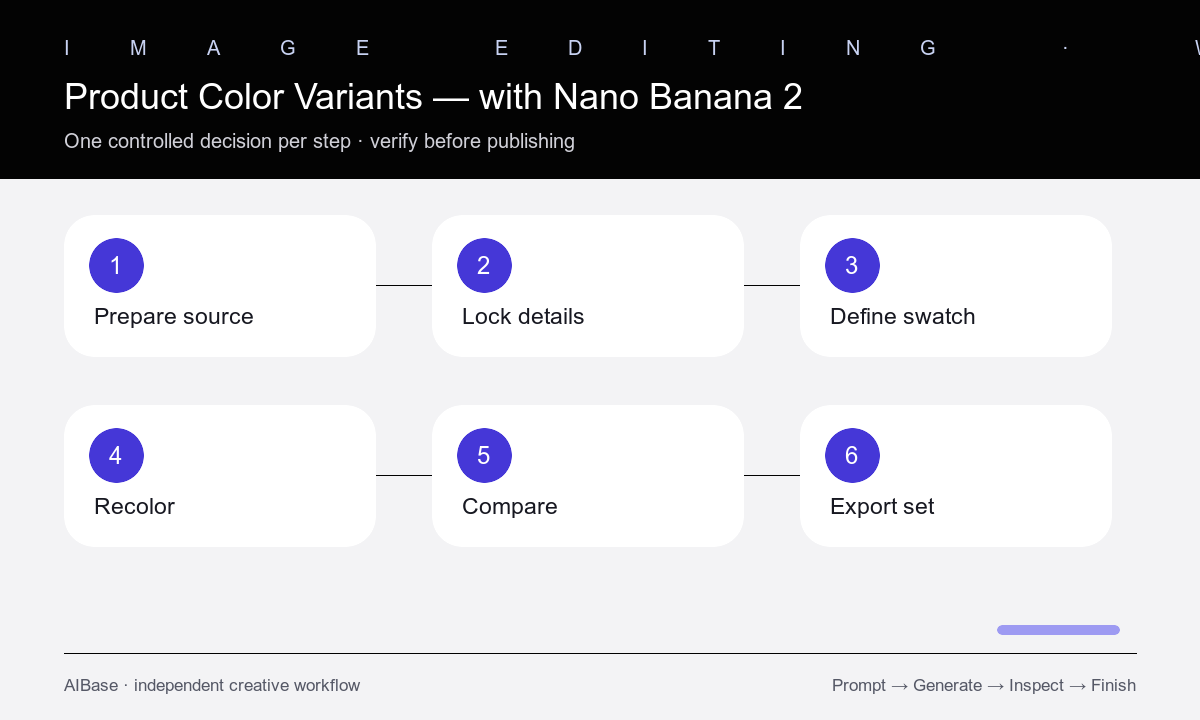
- Choose a sharp source with neutral exposure, visible edges, and enough material detail to distinguish paint, fabric, leather, plastic, metal, and glass.
- List every protected component, then mark the one surface allowed to change; vague requests such as make it blue often recolor hardware, shadows, or labels.
- Define the target with a practical swatch description and finish, such as muted sage green matte coating or deep oxblood semi-aniline leather.
- Generate one colorway at a time while keeping the same source, prompt structure, crop, and attempt budget.
- Compare the result against the source for geometry, stitching, grain, highlights, shadows, reflections, labels, and color spill.
- Export approved variants with consistent dimensions and names, and label them as concepts until the physical colorway is verified.
Example prompt variants
- Change only the upholstered chair fabric from warm gray to muted forest green woven wool; preserve frame, piping, seams, weave, cushion shape, perspective, floor, and window light.
- Change only the sneaker upper from white leather to deep burgundy leather; keep sole, laces, eyelets, stitching, logo placement, panel geometry, texture, shadow, and camera unchanged.
- Change only the insulated bottle body to soft sand-beige matte powder coat; preserve cap, handle, silicone base, printed zone, metal rim, highlights, proportions, and white catalog background.
Quality checklist
- Only the named surfaces changed and no color leaked into hardware, labels, shadows, reflections, skin, or background.
- Silhouette, construction, seams, openings, proportions, accessories, and camera framing match the source.
- Material texture and finish remain believable under the original lighting rather than appearing flat or painted over.
- Labels, logos, compliance marks, and small text were not invented, moved, sharpened, or treated as verified.
- All approved variants use the same crop, scale, background, naming convention, and concept-status disclosure.
Mistakes to avoid
- Requesting several colors in one image instead of generating a controlled variant per colorway.
- Naming a target color without identifying the exact surface and protected components.
- Accepting a visually attractive recolor that also changes texture, geometry, hardware, labels, or lighting.
- Publishing a generated color as an available SKU before matching it to a verified physical sample.
Related AIBase pages
- Open Nano Banana 2 image-to-image
- Learn controlled reference prompts
- Change a product background safely
- Compare ecommerce editing workflows
Practical next step
Open the most relevant AIBase generator, run one narrow prompt first, and save the best result before adding more constraints. The fastest way to improve output quality is to compare one variable at a time: subject, camera, background, lighting, then final polish.