
Nano Banana 2 Prompts to Fix Wrinkled Product Photo Backdrops
Smooth only distracting paper or fabric backdrop wrinkles while preserving the real product, grounding shadow, material texture, lighting, and honest studio context.
Quick answer
Mask only the confirmed backdrop wrinkles, name the real paper or fabric texture, and make the product silhouette, label, reflections, contact points, and grounding shadow non-editable anchors. Use Nano Banana 2 for small image-to-image corrections, compare each pass with the source at full resolution, and keep intentional fabric character or real surface seams. A smoother background must not make the product float or quietly alter the photographed item.
Who this guide is for
Ecommerce retouchers, small studio teams, marketplace sellers, and photographers correcting approved packshots without reshooting an otherwise usable setup.
Recommended model
| Use case | Recommended model | Why |
|---|---|---|
| This workflow | Nano Banana 2 image-to-image for localized backdrop repair | A tightly masked edit can reconstruct nearby background texture while the source remains the authority for product truth, light, and contact shadow. |
AIBase is an independent creative platform. Model names are shown only to identify supported underlying technologies and workflow choices.
Prompt template
Use the uploaded authorized product photo as the exact source. Edit only the masked [paper sweep / fabric backdrop] wrinkles in [precise zone]. Reconstruct a natural continuation of the adjacent verified backdrop color, fiber or paper grain, light falloff, perspective, and shadow. Preserve exact product SKU, silhouette, dimensions, label, text, color, finish, reflections, transparent edges, contact points, grounding shadow, props, camera, crop, white balance, and all pixels outside the mask. Keep intentional texture and construction seams. No product retouch, floating edge, new highlight, enlarged item, rewritten label, perfect synthetic gradient, added prop, text, or watermark.
Step-by-step workflow
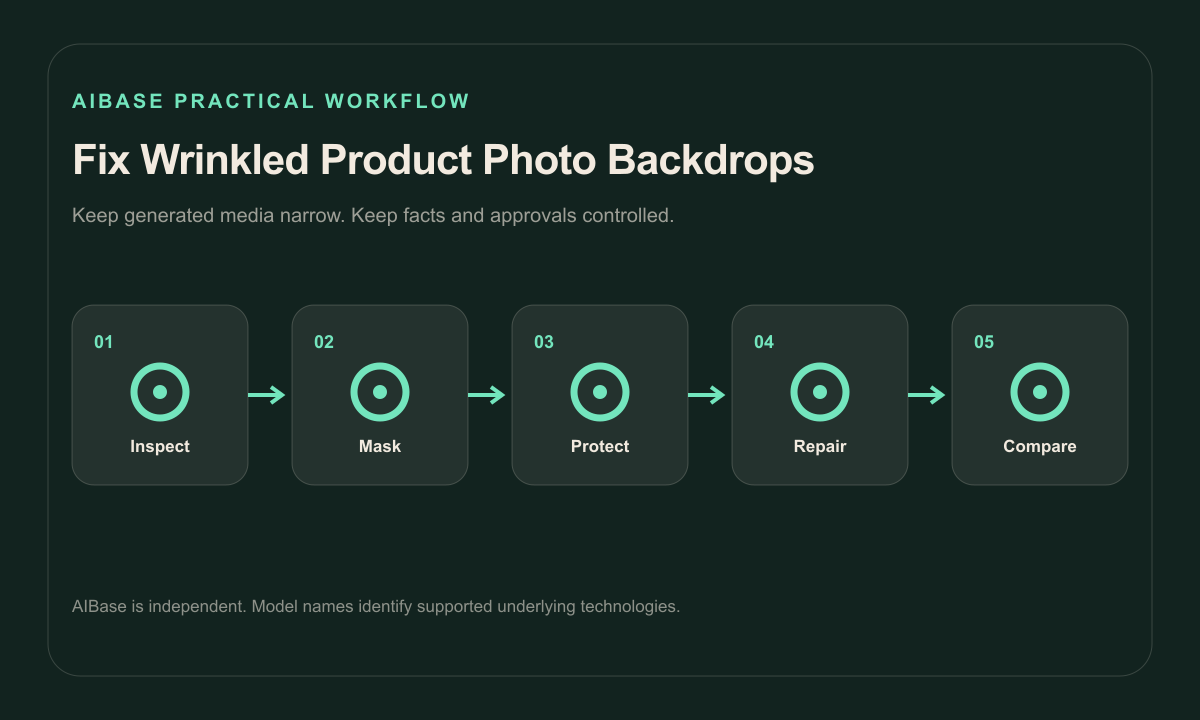
- Archive the untouched high-resolution source and confirm product, photography, and retouch permissions.
- Classify each line as a removable wrinkle, intentional fabric texture, sweep edge, seam, shadow, reflection, or uncertain detail.
- Mask one backdrop-only zone with clearance around transparent edges, fine product details, and the grounding shadow.
- Run separate conservative passes for paper creases, fabric folds, and uneven light instead of requesting a perfect background.
- Compare source and result at full frame and pixel level for product drift, clipped edges, repeated texture, false gradients, and floating contact.
- Export a reversible master with the source, mask, prompt, reviewer, and final marketplace crop recorded.
Example prompt variants
- Remove only the two diagonal creases in the pale gray paper sweep above the approved skincare bottle; preserve bottle, cap, label zone, glass reflections, horizon-free gradient and contact shadow.
- Soften only the distracting vertical fold behind the authorized leather wallet, retain natural linen fibers and small secondary ripples; preserve leather grain, stitching, color, silhouette and shadow.
- Repair the crushed paper patch at the far-right empty copy zone of the approved appliance packshot; do not change the appliance, cable, floor contact, background tone or left-side light falloff.
Quality checklist
- Product geometry, labels, color, finish, transparency, reflections, props, crop, and sellable details match the source.
- Backdrop texture remains plausible rather than becoming plastic, banded, tiled, or unnaturally perfect.
- Grounding and cast shadows still agree with the photographed light and product contact points.
- Only reviewed wrinkle masks changed; seams, intentional texture, and uncertain marks remain intact.
- Source, masks, prompts, comparisons, approval, and export are traceable.
Mistakes to avoid
- Prompting a clean white background and replacing the entire studio context instead of repairing a small wrinkle.
- Masking across transparent product edges or shadows and creating halos or a floating item.
- Removing all fabric character, paper grain, or light falloff until the background looks synthetic.
- Accepting a cleaner background when the model also changes label text, product color, reflections, or proportions.
Related AIBase pages
Practical next step
Open the most relevant AIBase generator, run one narrow prompt first, and save the best result before adding more constraints. The fastest way to improve output quality is to compare one variable at a time: subject, camera, background, lighting, then final polish.