
Nano Banana 2 Prompts to Remove Loose Thread Ends from Apparel Product Photos
Remove isolated loose thread ends from authorized apparel photos while preserving seams, knit structure, hems, texture, fit, color, and honest garment condition.
Quick answer
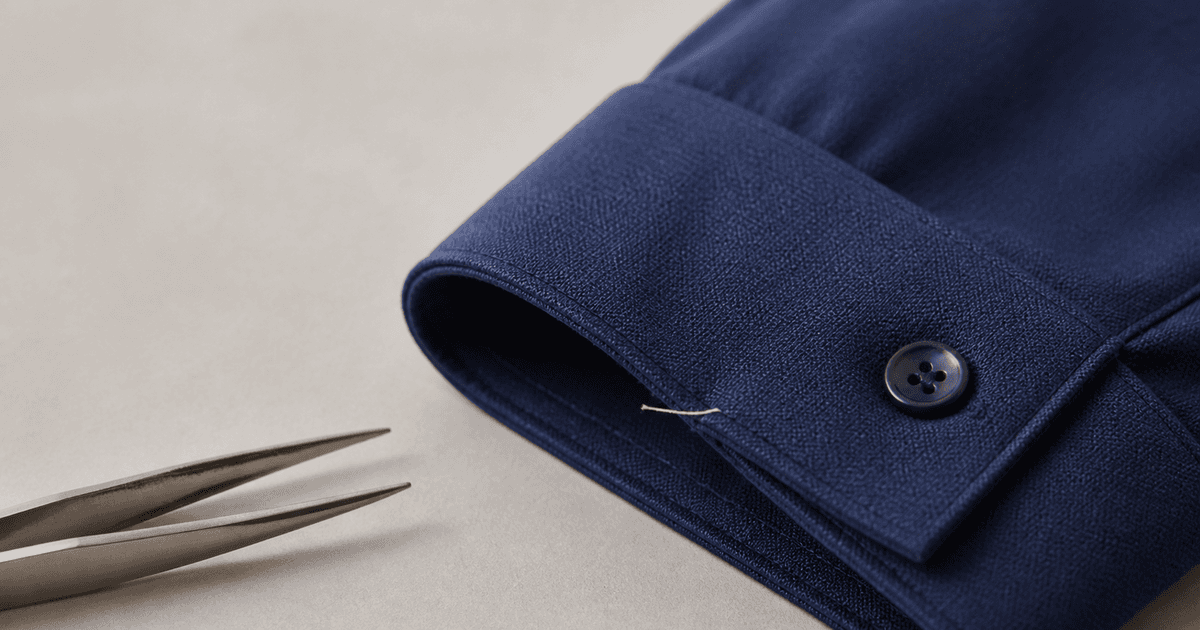
Mask only the isolated thread end that the merchandiser has approved for cleanup, then tell Nano Banana 2 to reconstruct the smallest surrounding fabric region. Protect intentional topstitching, raw edges, embroidery, knit loops, fringe, distressed fibers, seams, hems, folds, color, weave, silhouette, labels, hardware, shadows, and every real condition cue. Compare the edit at full resolution against the source; if the thread is evidence of damage, construction, or a return-relevant defect, keep it visible and fix the physical sample instead.
Who this guide is for
Fashion ecommerce teams, apparel studios, resale marketplaces, catalog retouchers, and quality-control reviewers cleaning a few non-material stray thread ends from authorized product photography.
Recommended model
| Use case | Recommended model | Why |
|---|---|---|
| This workflow | Nano Banana 2 image-to-image for one tightly masked fiber cleanup | A narrow reference-led edit is faster to review than a full garment regeneration and makes source-versus-output comparison practical. |
AIBase is an independent creative platform. Model names are shown only to identify supported underlying technologies and workflow choices.
Prompt template
Edit the uploaded authorized apparel product photo. Remove only the loose thread end inside [exact mask and landmark] and reconstruct the smallest missing fabric area from adjacent verified texture. Preserve garment silhouette, panel geometry, seam path, stitch count and spacing, knit or weave direction, intentional raw edge or fringe, embroidery, print, color, sheen, pilling, wrinkles, hem, cuff, collar, label, hardware, mannequin or model, pose, crop, camera, light, shadow, and background. No seam smoothing, texture cloning outside the mask, fit change, color correction, damage repair, added fiber, word, logo change, or watermark.
Step-by-step workflow
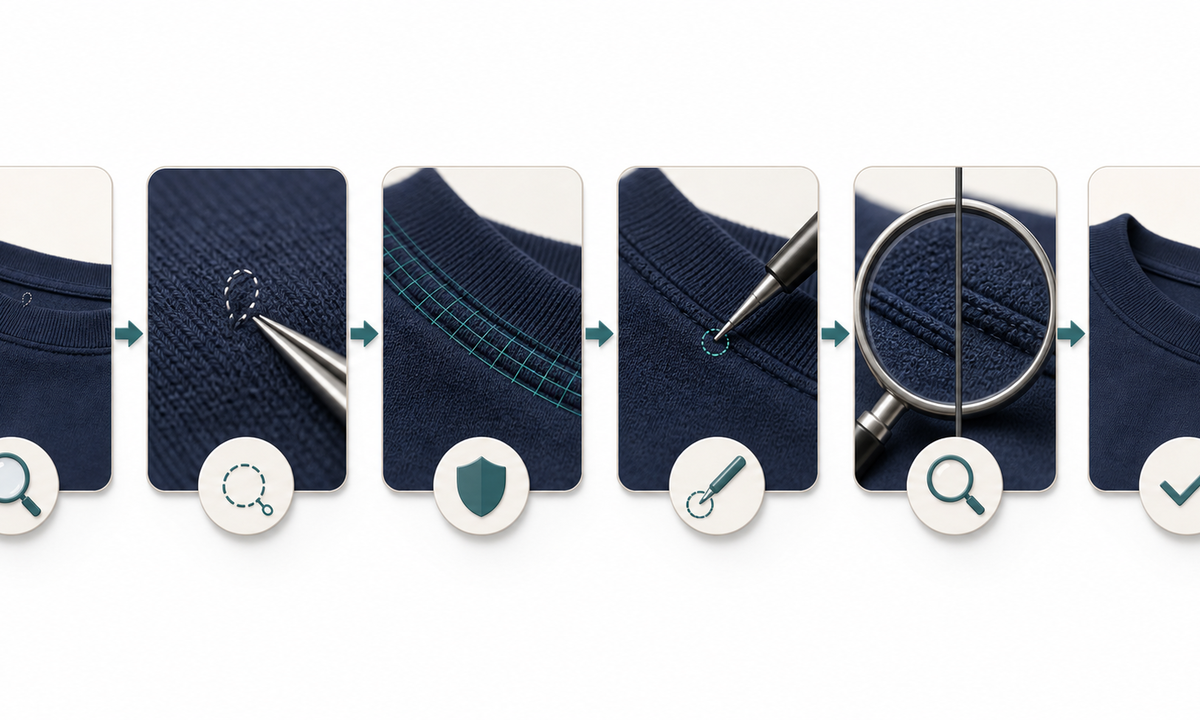
- Confirm image rights, SKU, colorway, size, sample condition, construction details, marketplace rules, and whether the thread is removable debris or a material defect.
- Review front, back, macro, alternate-color, and physical-sample references; mark intentional raw edges, fringe, loops, embroidery, topstitching, repairs, and distressing that must remain.
- Create one small mask per approved loose end and describe its location by a stable garment landmark rather than saying to clean the whole item.
- Generate one edit at a time while protecting seam paths, stitch spacing, fabric direction, folds, fit, color, shadows, labels, and hardware.
- Compare source and output at 100 and 200 percent, including masked edge, neighboring repeats, seam continuity, silhouette, color, condition, and every alternate view.
- Export a reviewable derivative with source, mask, prompt, reviewer, SKU, revision, marketplace use, and rollback path retained.
Example prompt variants
- Remove only the single white loose thread extending from the approved navy cuff mask; preserve rib spacing, cuff seam, knit fuzz, fold, color, hand pose and shadow.
- Remove one isolated fiber tail beside the approved side-seam landmark on the flat-lay shirt; preserve stitch holes, seam direction, cotton weave, wrinkle and silhouette.
- Remove only the approved dangling thread below the jacket buttonhole; preserve buttonhole stitching, frayed design details elsewhere, button, wool texture, lapel shape and lighting.
Quality checklist
- The edited SKU, colorway, construction, sample condition, cleanup authorization, and channel match the source record.
- Seams, stitches, knit or weave direction, raw edges, fringe, embroidery, distressing, folds, silhouette, labels, and hardware remain unchanged.
- The mask edge has no blur, repeated texture tile, missing stitch, plastic patch, color halo, new fiber, or shadow discontinuity.
- No defect, repair, fit, finish, color, material, durability, or condition claim has been improved beyond what the physical product supports.
- Source, mask, prompt, output, comparison, approval, export, replacement, and rollback remain traceable.
Mistakes to avoid
- Using a broad ‘remove all threads’ prompt that deletes intentional fringe, loops, raw hems, embroidery, or visible construction.
- Retouching a broken seam or material defect and turning cleanup into a misleading condition repair.
- Allowing texture synthesis to repeat the weave, erase pilling, smooth wrinkles, or change the garment edge outside the mask.
- Publishing without checking alternate views, magnified edges, sample condition, marketplace policy, and the physical SKU.
Related AIBase pages
Practical next step
Open the most relevant AIBase generator, run one narrow prompt first, and save the best result before adding more constraints. The fastest way to improve output quality is to compare one variable at a time: subject, camera, background, lighting, then final polish.