
Nano Banana 2 Old Photo Restoration Prompts That Keep the Face
Restore an old portrait with Nano Banana 2 while protecting identity, age, expression, period details, crop, and authentic photographic texture.
Quick answer
Use the highest-quality authorized scan available, state that identity, age, expression, pose, clothing, crop, and period context must remain unchanged, then repair one damage class at a time. Remove dust and scratches before attempting contrast, missing-edge, or color work, and keep a version that preserves the original monochrome or film character.
Who this guide is for
Families, archivists, photographers, and local-history teams preparing respectful restoration drafts for private albums, exhibits, memorials, or print—with permission from the image owner and care around sensitive identities.
Recommended model
| Use case | Recommended model | Why |
|---|---|---|
| This workflow | Nano Banana 2 in image-to-image mode | A reference-led edit is appropriate when the source photograph must anchor the person, pose, clothing, composition, and period details while limited damage is repaired. |
AIBase is an independent creative platform. Model names are shown only to identify supported underlying technologies and workflow choices.
Prompt template
Use the uploaded authorized historical photo as the exact identity and composition reference. Keep the same face, apparent age, expression, hairstyle, body proportions, pose, hands, clothing, jewelry, objects, background, crop, camera perspective, and period details. Repair only [dust/scratches/crease/tears/fading]. Reconstruct missing information conservatively from adjacent pixels and visible structure. Preserve [black-and-white/sepia/film grain/paper texture] and natural skin detail. No beautification, age change, face redesign, modern clothing, invented object, new background detail, aggressive sharpening, plastic skin, colorization, text, or watermark.
Step-by-step workflow
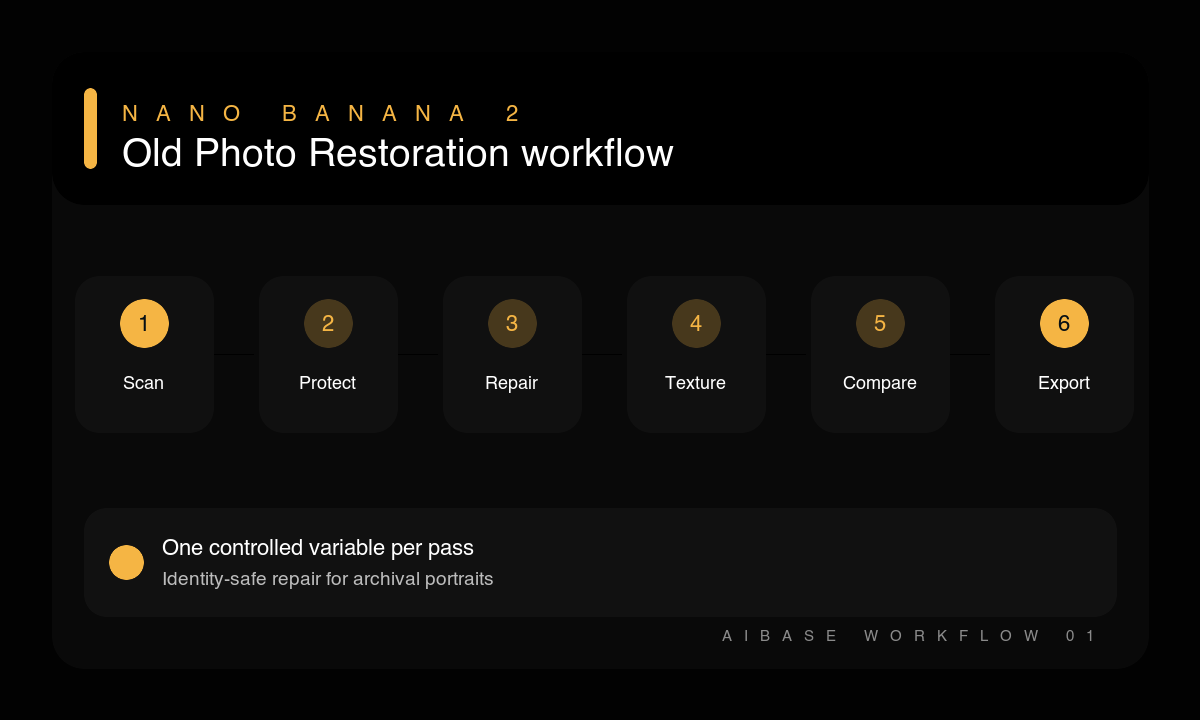
- Scan or photograph the original at the best practical resolution, keep an untouched master, and confirm permission to edit and share it.
- List identity, period, clothing, object, background, and crop details that must not change.
- Run a first pass for dust, small scratches, and isolated spots only.
- Repair creases, tears, or missing edges in a separate pass so reconstruction can be reviewed closely.
- Adjust fading and contrast gently while preserving film grain, paper texture, and plausible tonal range.
- Compare faces, hands, clothing, architecture, and objects against the source at full size before exporting a clearly labeled restoration.
Example prompt variants
- Keep the exact face, age, expression, military uniform, medals, chair, studio curtain, crop, and monochrome texture; remove only dust, fine scratches, and one vertical crease; preserve soft 1940s print contrast.
- Keep both exact identities, hairstyles, joined hands, clothing, garden fence, and sepia tone; repair two torn corners using only adjacent background structure; no face or body reconstruction.
- Keep the child’s exact face, expression, seated pose, shoes, toy, wallpaper, vignette, and film grain; reduce fading and small emulsion spots without sharpening skin or inventing detail.
Quality checklist
- Faces, apparent ages, expressions, poses, hands, and relationships match the source.
- Clothing, objects, architecture, and other period evidence have not been modernized.
- Repairs remove damage without erasing natural grain, paper character, or tonal depth.
- Reconstructed areas are conservative and do not introduce unsupported details.
- The original master is retained and the restored version is labeled appropriately.
Mistakes to avoid
- Asking for restore, colorize, sharpen, and modernize in one uncontrolled pass.
- Letting beauty language change age, facial structure, skin texture, or expression.
- Treating film grain and paper texture as damage that must be removed completely.
- Sharing sensitive family or archival imagery without permission or restoration context.
Related AIBase pages
- Restore a photo with Nano Banana 2
- Read the Nano Banana 2 image-to-image guide
- Use face-preserving portrait edit prompts
Practical next step
Open the most relevant AIBase generator, run one narrow prompt first, and save the best result before adding more constraints. The fastest way to improve output quality is to compare one variable at a time: subject, camera, background, lighting, then final polish.