
Nano Banana Pro Backpack Campaign Prompts That Preserve Product Details
Create polished backpack campaign photos with Nano Banana Pro while preserving exact panels, straps, zippers, pockets, colorways, scale, capacity, and material claims.
Quick answer
Build the prompt from approved front, back, side, open, and hardware references. Lock the backpack silhouette, panel seams, pocket count, zipper routes, pullers, straps, buckles, padding, handle, logo, material texture, and exact colorway before changing the setting. Use real measurements or source photography for capacity, laptop fit, waterproofing, ergonomic, durability, recycled-material, and travel-compliance claims.
Who this guide is for
Backpack brands, outdoor retailers, school and commuter labels, ecommerce teams, catalog designers, and agencies creating launch heroes, lifestyle placements, collection pages, and social campaign images.
Recommended model
| Use case | Recommended model | Why |
|---|---|---|
| This workflow | Nano Banana Pro image-to-image for high-fidelity backpack scene building | A quality-focused reference workflow can preserve repeated soft-goods construction details while exploring polished environments and lighting. |
AIBase is an independent creative platform. Model names are shown only to identify supported underlying technologies and workflow choices.
Prompt template
Use the approved multi-angle references of the exact [backpack SKU and colorway]. Preserve exact silhouette, height-to-width ratio, front and side panels, seam paths, pocket count and position, zipper routes, pullers, webbing, shoulder straps, sternum strap, buckles, back padding, top handle, base, logo size and placement, material weave, hardware finish, verified contents, and color. Place the unchanged backpack in [authorized non-claim scene], at [camera and scale], with [lighting and surface]. Change only environment and light. No invented pocket, open compartment, floating strap, altered logo, extra accessory, person, body contact, impossible load, feature demonstration, text, capacity, laptop-fit, waterproof, ergonomic, durability, recycled-content, warranty, airline, or performance claim.
Step-by-step workflow
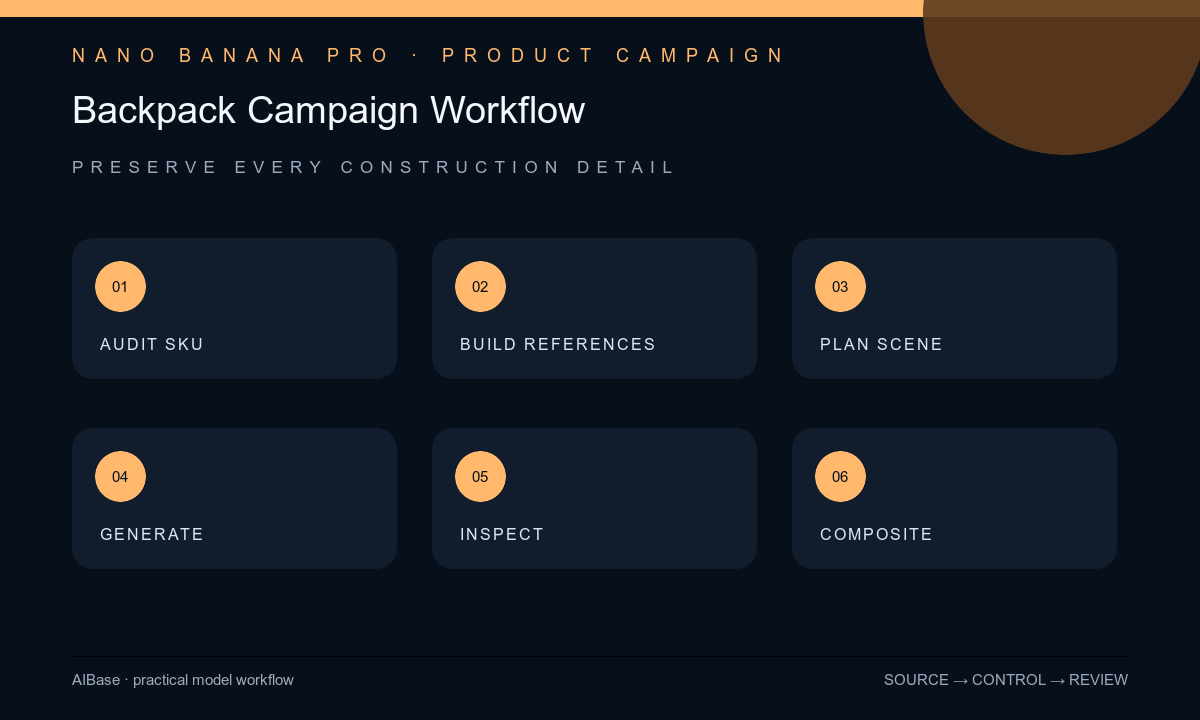
- Create a SKU truth sheet with current colorway, dimensions, capacity, panel map, pockets, zipper paths, straps, buckles, padding, logo, materials, included accessories, and approved claims.
- Prepare aligned front, back, side, three-quarter, base, open-compartment, and detail references; identify which source proves every visible construction feature.
- Choose a scene that supports the audience without implying an unverified use, location, weather rating, load, body fit, school policy, commute, airline rule, or expedition performance.
- Generate the backpack and environment in separate controlled passes when possible, changing one variable—surface, light, camera height, or background—per review round.
- Inspect at full resolution for panel drift, duplicated pockets, broken zippers, twisted straps, buckle mismatch, texture scale, logo error, color shift, contact, shadow, and impossible contents.
- Composite exact marks and approved copy in post, review against the physical SKU and claims file, then archive inputs, prompts, outputs, layered file, approvals, and destination crops.
Example prompt variants
- Approved commuter backpack on a neutral concrete bench, three-quarter front view, soft overcast light, preserve exact charcoal panels, two zipper tracks, side pocket, straps, pullers, top handle, logo, texture, scale, and no laptop or transit claim.
- Exact daypack colorway on a dry studio rock plinth with a nonliteral warm sky gradient, low eye-level camera, preserve all seams, compression straps, buckles, mesh pockets, hardware, contact, and no mountain, rain, person, or performance implication.
- Approved school backpack standing closed on a clean pale floor with abstract color blocks, child-free scene, preserve exact front pocket, reflective trim appearance, zipper pulls, shoulder straps, base, logo, and no safety, age, capacity, or school-approval claim.
Quality checklist
- The exact SKU, colorway, proportions, panels, seams, pockets, zippers, pullers, straps, buckles, padding, handle, base, logo, and texture match approved references.
- The backpack has plausible structure, gravity, surface contact, strap behavior, material response, scale, light, reflection, and shadow.
- No generated scene or visible contents imply unverified capacity, device fit, comfort, durability, water resistance, sustainability, safety, warranty, or travel compliance.
- Exact logo, product copy, measurements, feature callouts, price, CTA, and disclosures remain editable and current.
- Truth sheet, source views, prompt, output, product comparison, claims approval, composite, and export remain traceable.
Mistakes to avoid
- Supplying only a front view and expecting the model to infer the correct side pockets, back padding, strap system, or zipper route.
- Placing the backpack in heavy rain, on a summit, or beside a specific laptop and accidentally creating a performance or fit claim.
- Allowing decorative straps, pockets, buckles, reflective panels, or accessories to appear because they make the design look more technical.
- Reviewing the overall mood but missing small SKU drift in pullers, seams, hardware, logo position, material weave, and color.
Related AIBase pages
- Open Nano Banana Pro
- Create luggage campaign images
- Create outdoor apparel brand films
- Plan product detail page images
Practical next step
Open the most relevant AIBase generator, run one narrow prompt first, and save the best result before adding more constraints. The fastest way to improve output quality is to compare one variable at a time: subject, camera, background, lighting, then final polish.