
Seedance 2 Chocolate Tempering Process Video Prompts from Studio Photos
Turn authorized chocolate-tempering stills into restrained source-led process clips with stable hands, tools, viscosity, and temperature claims kept separate.
Quick answer
Start with an authorized frame that already shows the real chocolate, spatula or scraper, marble slab, hands, and a plausible mid-action position. Animate only one short spreading, folding, or scraping pass, then stop. Lock chocolate viscosity, streak pattern, tool angle, finger count, gloves, surface, camera, and light; add temperatures, percentages, allergens, and technique claims only from verified recipe records.
Who this guide is for
Chocolatiers, craft food studios, culinary educators, and product teams making process Reels, course clips, or product-page loops from owned process photography.
Recommended model
| Use case | Recommended model | Why |
|---|---|---|
| This workflow | Seedance 2 image-to-video for one bounded craft action | A real first frame anchors the chocolate, tool, and workspace while a single-motion request limits impossible melting or hand drift. |
AIBase is an independent creative platform. Model names are shown only to identify supported underlying technologies and workflow choices.
Prompt template
Animate the uploaded authorized chocolate-tempering photo as the exact first frame. Over [4-5 seconds], perform only one [spreading / folding / scraping] pass with the existing [spatula or scraper]. Preserve exact chocolate color, viscosity, streak pattern, gloss, edges, slab or bowl, scraper angle, hand count, fingers, gloves, sleeves, wrist motion, crumbs, thermometer if visible, background, camera, focus, light, and reflections. Finish in a stable supported state. No extra hand or tool, sudden melting, changing chocolate color, invented temperature display, speed ramp, cut, transition, recipe claim, text, sound, or watermark.
Step-by-step workflow
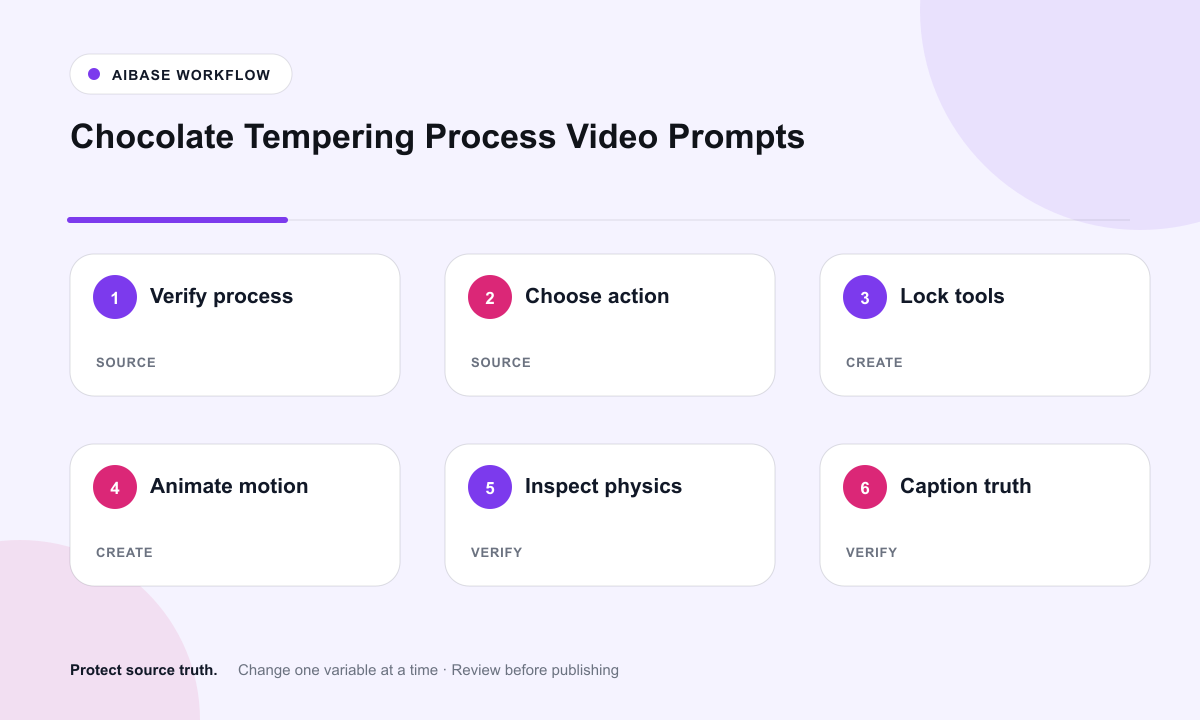
- Confirm recipe ownership, process facts, chocolate type, temperatures, allergens, workspace safety, and any disclosure requirements.
- Select a sharp source frame where the chocolate state, tool contact, hand position, and next action are already plausible.
- Animate one bounded action with explicit locks for viscosity, streaks, tool angle, hands, surface, camera, and light.
- Review at full speed and frame by frame for hand continuity, tool duplication, chocolate mass conservation, and stable gloss.
- Add verified captions, temperatures, ingredient percentages, allergens, disclosure, music license, and CTA in editing.
- Test dark-mode feeds, autoplay mute, vertical crops, course player compression, and rollback if process facts change.
Example prompt variants
- One five-second marble-slab pass: existing scraper moves chocolate slowly outward while streaks and gloss remain continuous; hands and slab stay stable.
- One four-second bowl fold: existing spatula turns through a single folding motion while chocolate viscosity and bowl reflections stay unchanged.
- One gentle seed-chocolate stir: existing spoon makes one partial rotation without changing chocolate color, thermometer, hands, or background.
Quality checklist
- The first frame is authorized, in focus, and already shows the real chocolate, tool, surface, and hand contact.
- Chocolate mass, color, viscosity, streaks, gloss, and edges remain physically plausible throughout the action.
- Hand count, fingers, gloves, tool angle, sleeves, contact, and wrist motion remain stable.
- Temperature, technique, ingredient, allergen, and origin claims come only from verified recipe records.
- Editing, disclosure, caption, music license, approvals, and archive location remain documented.
Mistakes to avoid
- Asking for a full tempering sequence in one generation and receiving impossible phase changes or morphing tools.
- Adding an invented thermometer reading, temperature range, or “perfectly tempered” claim to generated pixels.
- Using someone else’s process photograph without rights or replacing a real maker’s hands with a generated person.
- Publishing without checking muted autoplay, compression, vertical crop, allergen copy, and caption accuracy.
Related AIBase pages
Practical next step
Open the most relevant AIBase generator, run one narrow prompt first, and save the best result before adding more constraints. The fastest way to improve output quality is to compare one variable at a time: subject, camera, background, lighting, then final polish.