
Wan 2.7 Chocolate Melt Product Video Prompts for Stable Food Ads
Animate controlled chocolate melt and drizzle shots with Wan 2.7 while preserving the real product, viscosity, coating, packshot, ingredients, portions, and food claims.
Quick answer
Start from an approved food or packshot frame and animate one small melt event: a softened edge, one short drizzle, or a slow coating pull. Lock portion count, geometry, crumb, inclusions, coating thickness, color, viscosity, plate, props, package, and camera. Use real capture for claims about ingredients, freshness, temperature, texture, serving size, or production; generated appetite motion is creative illustration, not product evidence.
Who this guide is for
Confectionery brands, bakeries, restaurants, food photographers, ecommerce teams, and social editors creating short product loops, menu teasers, launch clips, or ad transitions.
Recommended model
| Use case | Recommended model | Why |
|---|---|---|
| This workflow | Wan 2.7 image-to-video for a single bounded chocolate motion | A reference-led short clip can preserve an approved composition while exploring one localized flow or softening cue with modest camera motion. |
AIBase is an independent creative platform. Model names are shown only to identify supported underlying technologies and workflow choices.
Prompt template
Animate the uploaded authorized chocolate product photo as one [3-5 second] food-ad shot. Preserve exact product count, silhouette, portion size, cut face, crumb, inclusions, coating thickness, chocolate color, verified viscosity, plate, crumbs, props, package, label, lighting, reflections, camera, crop, and background. Motion: [one softened edge / one short drizzle / one slow coating pull] limited to [specific area], physically plausible gravity and contact, camera [locked / one slow move], stable final second. Do not add food, filling, ingredient, steam, gloss, wrapper, hand, utensil, drip, splash, text, logo change, health or ingredient claim, or product transformation.
Step-by-step workflow
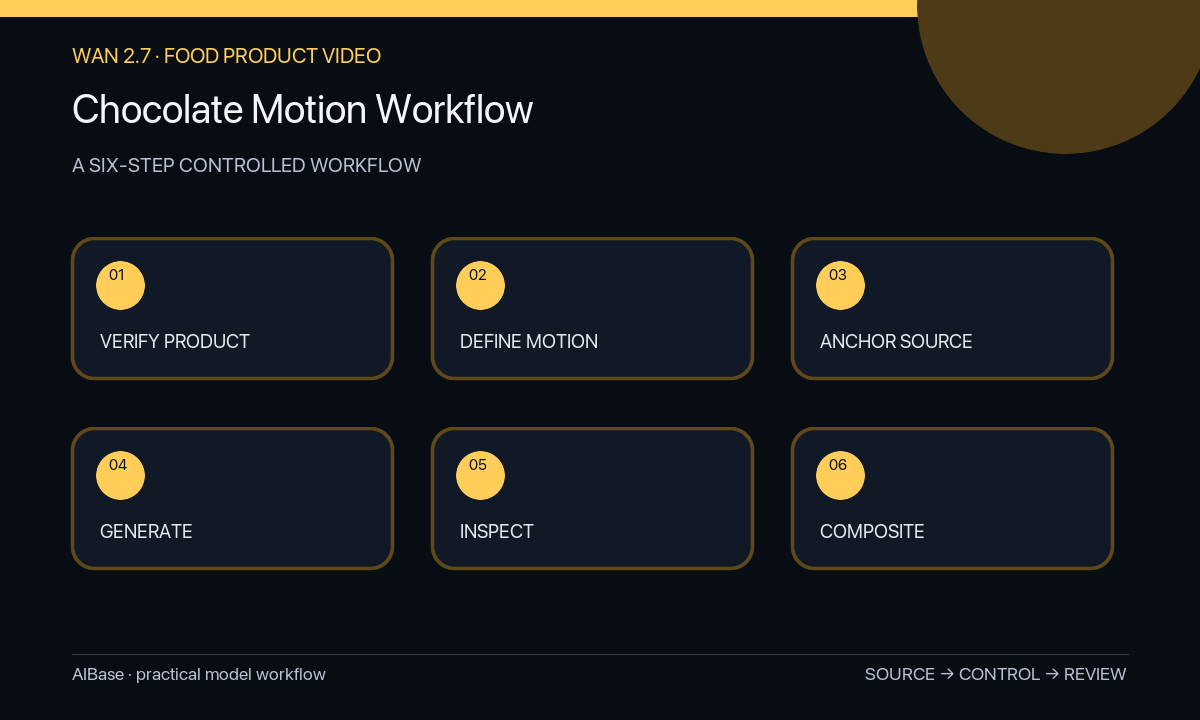
- Confirm the exact product, approved serving appearance, ingredients and allergen policy, portion, temperature context, package version, image rights, and which sensory claims have evidence.
- Choose a source frame with clear food geometry, cut face, coating boundary, support surface, package, and enough space for the intended small flow.
- Define one melt state change and annotate the start area, end area, gravity direction, maximum travel, viscosity reference, protected product zones, and stable final frame.
- Generate a short locked or slow-camera clip with modest motion, avoiding simultaneous melt, break, drizzle, steam, bite, hand, and package movement.
- Inspect frame by frame for product count, volume, crumb, inclusions, coating, viscosity, color, drips, plate contact, reflections, package, label, props, camera, and loops.
- Composite exact packaging and copy in post, add disclosure when needed, and retain source, prompt, output, factual review, claim evidence, and final export.
Example prompt variants
- Four-second locked macro from the approved brownie photo: only the existing top chocolate layer softens slightly at the front edge, preserve square shape, crumb, nut count, portion, plate, crumbs, light, and no new drip or steam.
- Three-second controlled drizzle shot: the already visible chocolate ribbon descends two centimeters onto the verified dessert contact point, preserve ribbon thickness and color, dessert geometry, garnish count, utensil, background, and stable final frame.
- Five-second slow push-in on the approved coated bar: one existing cut-edge bead moves minimally downward under gravity, preserve coating thickness, filling layers, inclusions, wrapper, label, product size, surface, and all other edges.
Quality checklist
- Product count, shape, portion, cut face, crumb, inclusions, coating, package, label, plate, props, and crop remain source-accurate.
- Chocolate flow has plausible gravity, viscosity, speed, volume conservation, contact, reflections, and final resting behavior.
- No food, filling, ingredient, garnish, gloss, steam, utensil, hand, wrapper, text, or product feature appears or disappears.
- The clip does not imply unsupported freshness, temperature, ingredient, allergen, nutrition, serving, handmade, or sensory claims.
- Source, motion specification, prompt, outputs, approvals, claims, disclosures, and final edit remain traceable.
Mistakes to avoid
- Prompting a dramatic endless melt that changes product volume, portion, coating, or internal structure.
- Combining drizzle, steam, break, bite, hand movement, camera orbit, and package reveal in one short clip.
- Letting the model invent filling, nuts, fruit, gloss, garnish, wrapper details, or a different chocolate color.
- Using generated melt behavior as proof of real temperature, freshness, ingredients, texture, serving size, or production method.
Related AIBase pages
- Open Wan 2.7
- Animate steam and aroma cues
- Create food photo animations
- Plan cinematic food commercials
Practical next step
Open the most relevant AIBase generator, run one narrow prompt first, and save the best result before adding more constraints. The fastest way to improve output quality is to compare one variable at a time: subject, camera, background, lighting, then final polish.