
Seedance 2 Fashion Product Video Prompts from a Photo
Turn a fashion product photo into a controlled short video with Seedance 2 using garment anchors, fabric motion, camera direction, and ecommerce-safe framing.
Quick answer
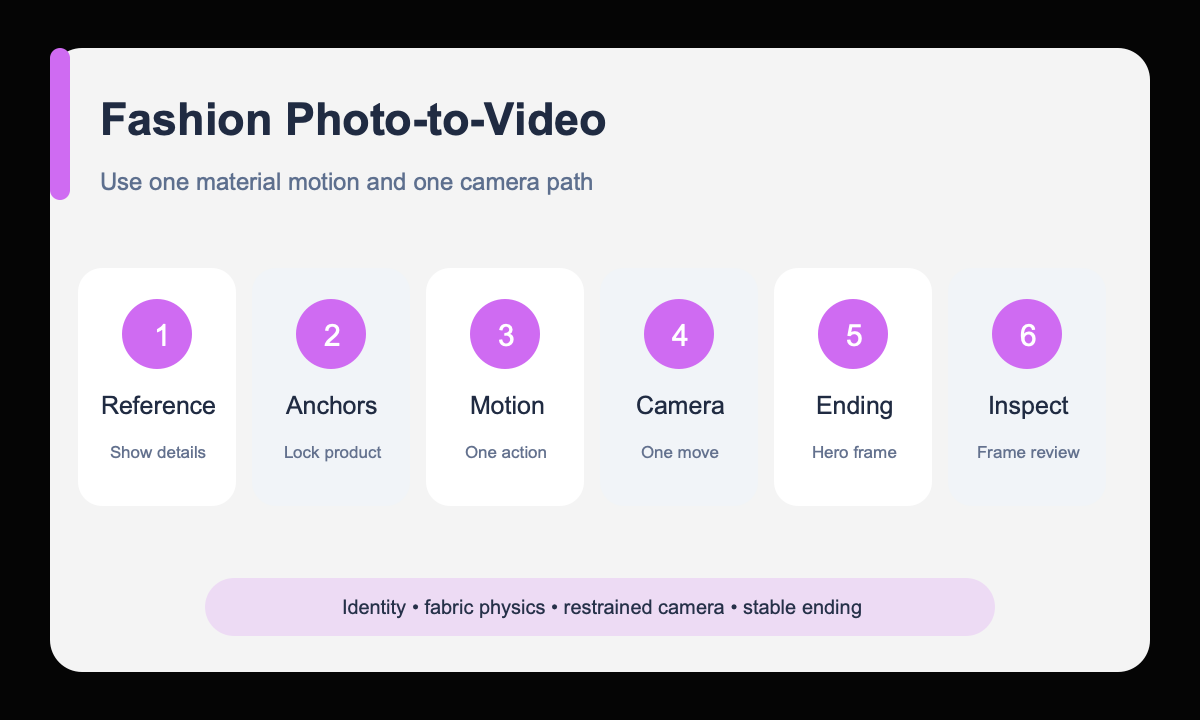
Use a clean reference and describe one believable fabric or accessory motion, one camera move, and one stable end frame. Protect silhouette, color, pattern, hardware, seams, and proportions so motion demonstrates the product instead of redesigning it.
Who this guide is for
Fashion ecommerce teams and social creators animating shoes, bags, jewelry, folded garments, styled flat lays, or model-based product photos into short campaign and product-detail clips.
Recommended model
| Use case | Recommended model | Why |
|---|---|---|
| This workflow | Seedance 2.0 for reference-led fashion motion | The image-to-video workflow can anchor a supplied fashion visual while the prompt directs a short product action, camera path, timing, and optional sound environment. |
AIBase is an independent creative platform. Model names are shown only to identify supported underlying technologies and workflow choices.
Prompt template
Use the uploaded fashion image as the exact product and composition reference. Keep [silhouette], [color], [pattern], [logo/hardware placement], [seams], and [styling] unchanged. Motion: [one physically plausible fabric, model, or object action]. Camera: [one move and speed]. Lighting remains [source light]. End on [stable product-readable frame]. Duration [4-8 seconds], [aspect ratio]. No garment redesign, body distortion, extra accessories, altered branding, readable text, transition, cut, or camera shake. Audio if used: [subtle verified ambience only], no speech.
Step-by-step workflow
- Choose a reference where the full silhouette and important construction details are easy to inspect.
- Write a protected product block for color, pattern, seams, hardware, and styling.
- Select one motion that matches the material, such as a light hem sway, slow turn, or small highlight travel.
- Choose one camera move that reveals rather than competes with the product action.
- Define the final pose or frame so the clip finishes with a usable product view.
- Review shape, fit, pattern continuity, hands, fabric physics, and crop frame by frame before publishing.
Example prompt variants
- Keep the exact leather tote, tan color, handles, stitching, and brass clasp; a gentle turntable rotation reveals the side gusset while the camera makes a slow push-in; clean studio light; finish front three-quarter.
- Keep the exact silk scarf pattern, border, and colors; one soft breeze lifts only the outer corner and settles it; locked overhead camera; preserve the flat-lay arrangement and final copy space.
- Keep the exact sneaker shape, panel colors, laces, and sole; a narrow light sweep moves heel to toe while the shoe remains still; slow lateral camera slide; finish on the original profile.
Quality checklist
- Silhouette, color, pattern, seams, hardware, and branding remain consistent with the reference.
- Fabric, strap, lace, jewelry, and body motion look physically plausible.
- The camera follows one readable path without warping or hiding the product.
- Opening and ending frames both provide a useful ecommerce or social crop.
- Any audio is subtle, relevant, and free of unverified spoken claims.
Mistakes to avoid
- Combining model movement, fabric wind, turntable motion, and a complex camera orbit.
- Failing to protect print scale, panel colors, hardware, or garment construction.
- Using dramatic motion that misrepresents product fit, weight, or behavior.
- Approving the clip at normal speed without checking pattern and silhouette drift frame by frame.
Related AIBase pages
- Animate a fashion product with Seedance 2.0
- Use Seedance camera movement prompts
- Follow the product photo-to-video workflow
Practical next step
Open the most relevant AIBase generator, run one narrow prompt first, and save the best result before adding more constraints. The fastest way to improve output quality is to compare one variable at a time: subject, camera, background, lighting, then final polish.