
Seedance 2.0 Restaurant Menu Photo-to-Video Prompts
Turn an approved menu photo into a short restaurant video with Seedance 2.0 using protected food details, one appetizing motion, stable plating, and edit-ready endings.
Quick answer
Start from the approved dish photo, protect portion size, ingredients, doneness, garnish, plate, table, and color, then add one restrained motion such as steam, a sauce pour, a small camera push, or a gentle herb movement. Reject any clip that invents ingredients, changes the serving, or makes the food look materially different from what a guest receives.
Who this guide is for
Restaurants, cafes, delivery brands, food photographers, and social teams converting verified hero dish images into short menu loops, reels, story assets, and digital-signage clips.
Recommended model
| Use case | Recommended model | Why |
|---|---|---|
| This workflow | Seedance 2.0 in image-to-video mode | Its reference-led video route is suitable for a bounded food shot where the approved image should anchor plating while a narrow motion and camera instruction add appetite appeal. |
AIBase is an independent creative platform. Model names are shown only to identify supported underlying technologies and workflow choices.
Prompt template
Use the uploaded approved menu photo as the exact dish and composition reference. Keep portion size, ingredient count, doneness, texture, sauce coverage, garnish, plate, utensils, table, background, crop, color, and source light unchanged. Animate only [one food or environmental motion]. Camera: [locked/slow push/short arc] at [speed]. Duration: [supported length]. End on a stable frame close to the original composition. No new ingredient, extra garnish, larger portion, changed doneness, melting beyond reality, impossible steam, floating food, deformed plate, spill, hand, bite, text, price, logo, cut, transition, or watermark.
Step-by-step workflow
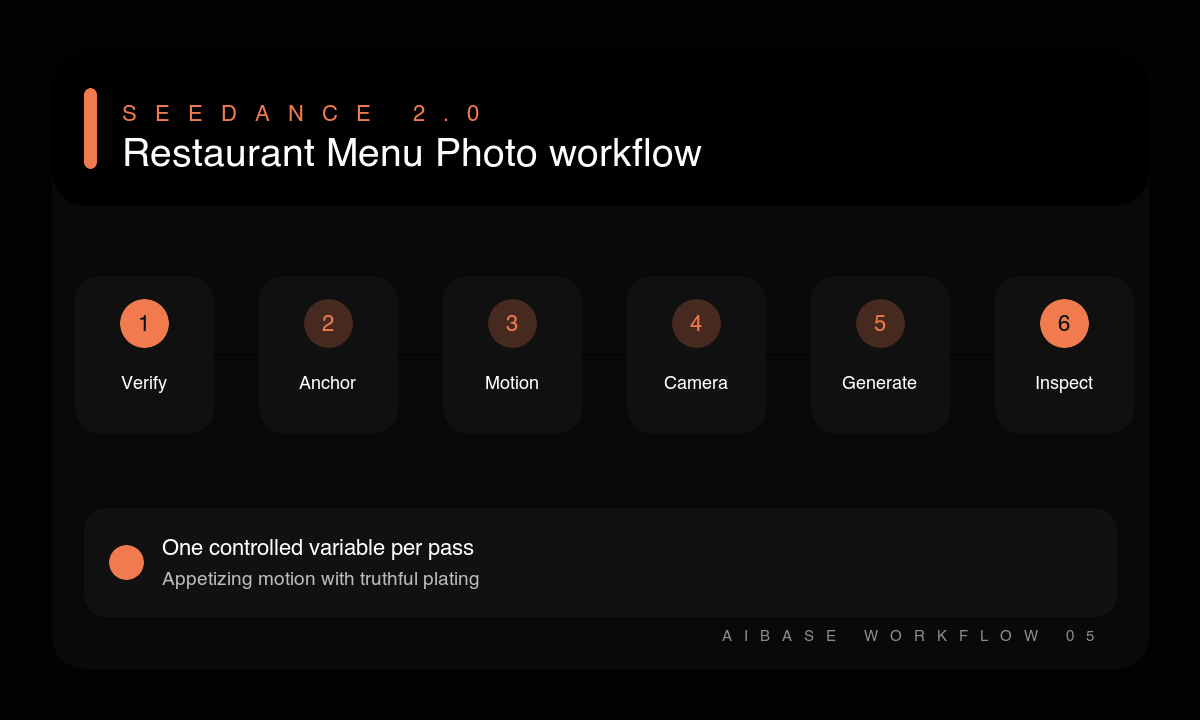
- Choose the approved menu image and note the exact serving, ingredients, garnish, plate, and background that guests should recognize.
- Decide one appetite cue and one placement, duration, aspect ratio, and clean ending.
- Write protected dish anchors before describing steam, pour, utensil, or camera motion.
- Keep the first generation to one motion and a locked camera or one simple camera path.
- Inspect ingredients, portion, doneness, sauce behavior, steam origin, plate geometry, and looping frames.
- Add accurate menu copy and price outside the generated video, then review representation and platform crop before publishing.
Example prompt variants
- Keep the exact ramen portion, noodles, egg halves, pork slices, scallions, bowl, table, and warm light; animate only a thin natural steam plume; locked camera, six seconds, stable loop ending.
- Keep the exact pancake stack, berry count, butter, plate, linen, crop, and morning light; animate one short maple-syrup pour from above frame onto the existing stack; slow push-in, no extra topping.
- Keep the exact grilled vegetables, char marks, herb garnish, ceramic plate, background, and side light; animate only a gentle camera arc of 15 degrees; food and plate remain completely still.
Quality checklist
- The moving dish still matches the approved menu image and actual serving.
- Ingredients, portion, doneness, garnish, plate, color, and background remain stable.
- Steam, sauce, crumbs, and utensils obey believable origin, gravity, contact, and timing.
- The camera uses one smooth move and ends on a clean frame for editing or looping.
- Final copy, pricing, allergens, and claims are added from approved sources outside generation.
Mistakes to avoid
- Combining steam, pours, cutting, camera orbit, falling garnish, and background action in one short clip.
- Accepting a larger portion, brighter ingredient, or extra garnish because it looks more appetizing.
- Letting steam emerge from cold food or sauce ignore the plate and gravity.
- Embedding generated prices, ingredient labels, or dietary claims in the video.
Related AIBase pages
- Animate a menu photo with Seedance 2.0
- Read the Seedance product-photo workflow
- Compare a food-focused Wan 2.7 workflow
Practical next step
Open the most relevant AIBase generator, run one narrow prompt first, and save the best result before adding more constraints. The fastest way to improve output quality is to compare one variable at a time: subject, camera, background, lighting, then final polish.