
Seedance 2 Screen Printing Process Video Prompts
Turn authorized workshop stills into bounded screen-printing clips while preserving the real frame, squeegee path, ink, hands, substrate, and maker evidence.
Quick answer
Start from an authorized still of the actual screen, stencil, squeegee, ink color, substrate, platen, and maker. Animate one visible action—a short flood stroke, one print pull, or lifting the frame—without inventing hidden preparation or a finished design. Preserve hand positions, tool contact, frame geometry, ink behavior, registration, workshop identity, and safety. Use real footage whenever the clip is meant as proof of authorship or process quality.
Who this guide is for
Screen-print studios, apparel makers, poster artists, workshop educators, and craft brands creating short source-led process clips from real photography.
Recommended model
| Use case | Recommended model | Why |
|---|---|---|
| This workflow | Seedance 2 image-to-video for one bounded workshop action | A strong first frame and a single mechanical action can produce a useful process insert while real footage remains authoritative for technique, authorship, and final print quality. |
AIBase is an independent creative platform. Model names are shown only to identify supported underlying technologies and workflow choices.
Prompt template
Animate the uploaded authorized screen-printing workshop photo as the exact first frame. Preserve screen-frame dimensions and hinges, mesh, stencil zones, tape, registration marks, squeegee width and angle, ink color and amount, substrate position and color, platen, clamps, tools, maker identity, sleeves, gloves if present, hands, fingers, camera, crop, and light. Animate only [one short flood stroke / one controlled print pull / the existing frame lifting] over [4-6 seconds] along [direction and speed], ending stable. No extra hand, tool, ink color, spill, readable design, changed stencil, completed hidden print, unsafe contact, workshop invention, claim, word, sound, or watermark.
Step-by-step workflow
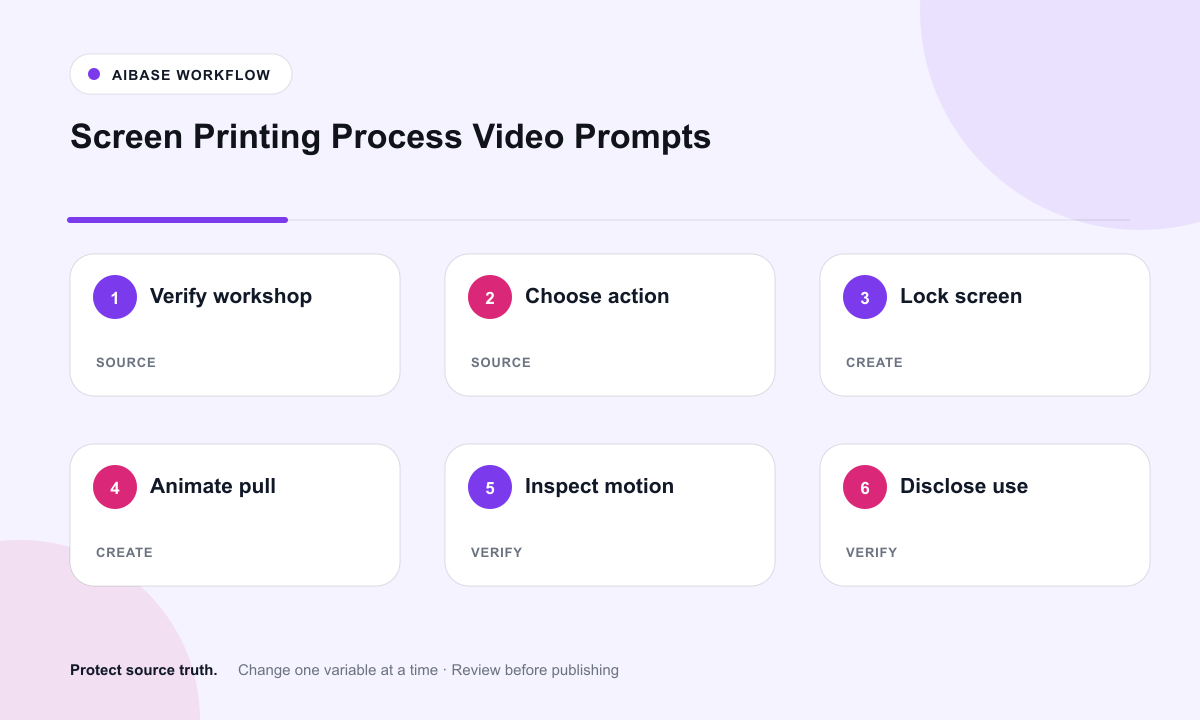
- Confirm image and maker rights, actual screen and substrate, ink system, process stage, safety controls, final-use disclosure, and whether documentary evidence is required.
- Choose a frame where the requested action path, both hands, squeegee, ink bead, screen, hinges, and substrate relationship are visible.
- Write every protected anchor before the motion instruction, then request one short action with a defined direction and endpoint.
- Generate a locked-camera version first and review it at quarter speed for finger anatomy, squeegee contact, frame geometry, ink flow, registration, and shadows.
- Use real footage for preparation, multi-pass registration, curing, cleanup, final print proof, and maker attribution; label synthetic motion when context could confuse viewers.
- Add verified captions, edition details, materials, safety notes, workshop booking, licensed audio, CTA, and accessibility in the editor.
Example prompt variants
- Four-second overhead flood stroke: the existing squeegee moves one short pass away from the maker, preserves hand grip, frame, blue ink bead, blank substrate, registration tabs, and locked camera; no printed text.
- Five-second print pull: both authorized hands guide the existing squeegee once toward the camera with steady pressure, preserve apron, mesh, stencil boundary, platen, ink color, and workshop light.
- Four-second frame lift: the existing hinged screen rises slowly just enough to reveal the already visible abstract safe area, preserve clamps, substrate alignment, hands, ink, and no newly readable design.
Quality checklist
- Screen, stencil, frame, hinges, clamps, squeegee, ink, substrate, registration, maker, and workshop match authorized sources.
- The requested action has plausible hand anatomy, tool contact, pressure, ink flow, material flex, shadows, and a stable endpoint.
- No readable design, client work, extra color, hidden process step, final quality result, or authorship claim is invented.
- Safety, ventilation, chemicals, curing, cleanup, materials, edition facts, and workshop claims come from verified records or real footage.
- Rights, source, prompt, output, frame review, disclosure, approvals, captions, and removal path remain traceable.
Mistakes to avoid
- Animating an entire multicolor print sequence from one still and inventing registration, drying, and final artwork.
- Letting hands merge, the squeegee detach from mesh, ink flow backward, or the screen change shape.
- Generating readable client art, logos, edition numbers, or a successful print not shown in the source.
- Presenting synthetic motion as documentary proof that a named maker completed the process.
Related AIBase pages
Practical next step
Open the most relevant AIBase generator, run one narrow prompt first, and save the best result before adding more constraints. The fastest way to improve output quality is to compare one variable at a time: subject, camera, background, lighting, then final polish.