
Seedance 2 Watch Assembly Process Video Prompts
Animate authorized watch assembly photos with Seedance 2 using bounded tool motion, mechanically plausible part placement, stable hands, and preserved product details.
Quick answer
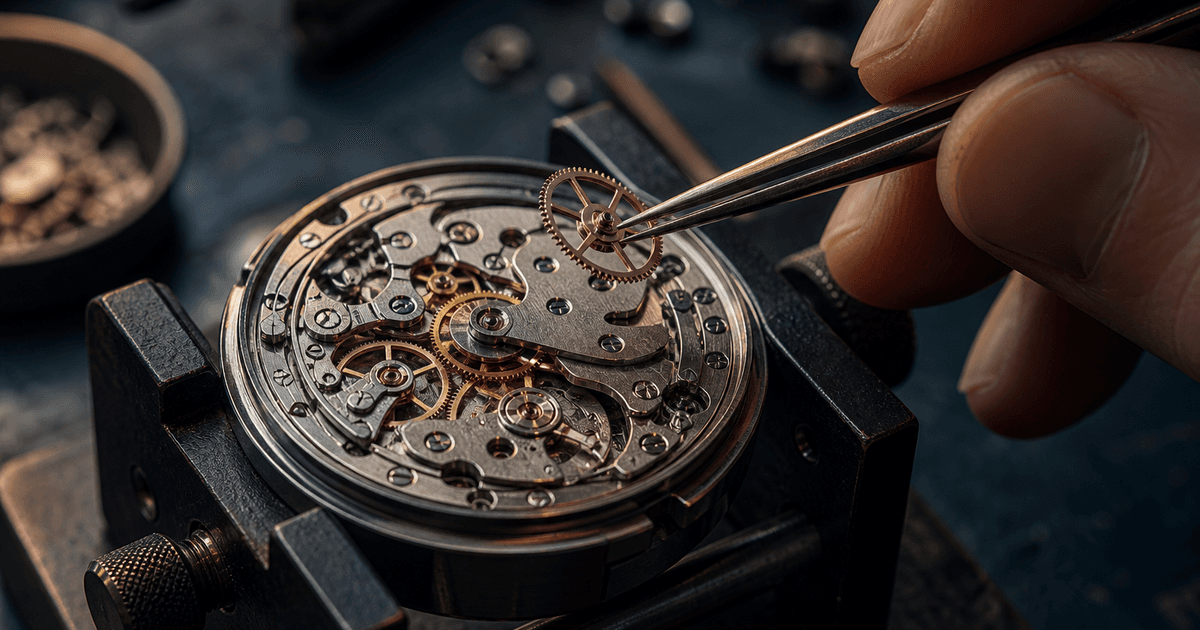
Use an authorized frame where the exact assembly stage, part, tool, fixture, and contact point are visible. Request one short mechanically plausible action—such as tweezers lowering one gear into its documented seat—while locking the movement, screws, jewels, bridges, dial, case, hands, technician anatomy, bench, camera, and lighting. Use generated motion as illustrative process footage unless a qualified watchmaker verifies the exact procedure.
Who this guide is for
Watchmakers, repair studios, craft educators, jewelry brands, content teams, and documentary editors creating restrained macro process clips from approved workshop photography.
Recommended model
| Use case | Recommended model | Why |
|---|---|---|
| This workflow | Seedance 2 image-to-video for one source-led assembly action | The still image supplies the real watch, part layout, tools, and bench; a narrow motion prompt can add continuity without asking the model to invent an entire repair sequence. |
AIBase is an independent creative platform. Model names are shown only to identify supported underlying technologies and workflow choices.
Prompt template
Animate the uploaded authorized watch-assembly photo as the exact first frame. Verified stage: [specific operation]. Move only [tool and one part] from [start] to [documented contact or seat] over [duration], then hold. Preserve exact movement or module geometry, bridges, gears, jewels, screws, springs, dial, hands, case, fixture, tool shape, grip, fingers, gloves, bench, dust state, reflections, shadows, focus plane, crop, camera, and light. Camera [locked or one subtle push]. No extra or missing component, spinning unrelated gear, floating part, bent tool, fused finger, case closure, time change, spark, dust burst, oil, text, logo, sound, or watermark.
Step-by-step workflow
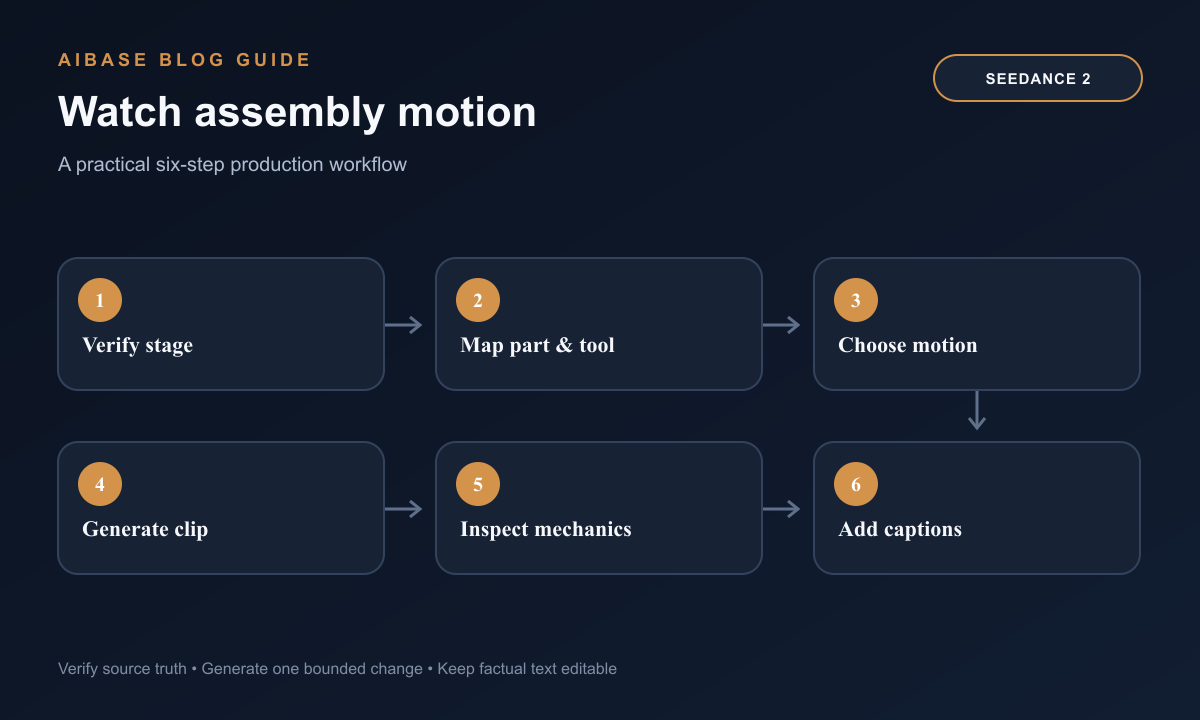
- Confirm rights, watch reference, movement or module, exact service stage, part identity, tool, safety limits, confidentiality, and whether a qualified watchmaker can review the result.
- Choose a sharp source with stable support, visible contact point, credible grip, clean part separation, and no critical mechanism hidden by fingers or reflections.
- Map invariants and one action with start, path, contact, end, duration, and camera; do not combine pickup, placement, fastening, winding, casing, and testing.
- Generate short camera-locked variants first, then add one subtle macro push only if part geometry and hand anatomy remain stable.
- Inspect frame by frame for component count, tooth and screw continuity, jewel position, tool alignment, collision, grip, finger anatomy, shadow, focus, time display, and stable ending.
- Have a knowledgeable reviewer classify the clip as verified or illustrative, then add exact captions, disclosure, brand marks, and audio in post and retain the review trail.
Example prompt variants
- Four-second locked macro: the visible tweezers lower the single documented brass gear three millimeters into the open seat and release, preserve every surrounding bridge, jewel, screw, tooth, finger, fixture, shadow, and no other motion.
- Three-second source-led clip: the screwdriver makes one small clockwise service turn on the already seated screw, preserve driver tip engagement, screw head, bridge, hand grip, dial position, bench, and no part appearance or disappearance.
- Five-second inspection shot: one subtle camera push toward the completed approved movement only, no component or hand motion, preserve exact gear positions, reflections, focus transition, case, fixture, dust, and stable final frame.
Quality checklist
- Watch reference, assembly stage, movement geometry, component count, part seat, screw and jewel positions, dial, hands, case, fixture, and tools match the source and review record.
- The one action follows a plausible path with correct contact, scale, gravity, collision, tool engagement, and stable ending.
- Hands, fingers, gloves, tweezers, screwdriver, reflections, shadows, focus, bench objects, camera, and lighting do not morph or duplicate.
- The clip is not presented as an exact repair instruction, authenticity proof, manufacturing claim, precision measurement, or completed service unless separately verified.
- Source rights, watch reference, stage notes, prompt, output, frame review, expert classification, disclosure, edit, and export remain traceable.
Mistakes to avoid
- Asking for a complete watch assembly timelapse from one frame and allowing parts, tools, fingers, and mechanism geometry to appear or vanish.
- Combining gear placement, screw fastening, winding, hand-setting, casing, polish, and camera orbit in one short clip.
- Accepting visually attractive motion with impossible tooth engagement, tool contact, screw direction, part scale, or technician anatomy.
- Publishing illustrative generation as proof of a specific movement, hand-built process, repair method, origin, precision, or authenticity.
Related AIBase pages
- Open Seedance 2
- Use the Seedance image-to-video guide
- Create leathercraft process videos
- Create product-photo motion
Practical next step
Open the most relevant AIBase generator, run one narrow prompt first, and save the best result before adding more constraints. The fastest way to improve output quality is to compare one variable at a time: subject, camera, background, lighting, then final polish.