
Seedream 5.0 Lite Customer Referral Program Banner Prompts
Generate fast text-free referral banner families while keeping rewards, eligibility, limits, tracking, disclosures, and CTA copy accurate and editable.
Quick answer
Freeze the real referral terms before making art: who can refer, who qualifies as a new customer, the reward for each party, required purchase, attribution window, caps, exclusions, payout timing, expiry, geography, tax handling, fraud rules, and support path. Use Seedream 5.0 Lite to produce a text-free background family with protected zones for real copy and controls. Avoid fake currency, gift cards, customer portraits, testimonials, counters, or sharing UI.
Who this guide is for
Ecommerce, subscription, marketplace, app, and lifecycle teams launching referral campaigns across email, account dashboards, landing pages, social posts, and in-app banners.
Recommended model
| Use case | Recommended model | Why |
|---|---|---|
| This workflow | Seedream 5.0 Lite for fast crop-safe referral background families | It supports quick visual iteration across ratios while volatile reward details and program rules stay in editable campaign components. |
AIBase is an independent creative platform. Model names are shown only to identify supported underlying technologies and workflow choices.
Prompt template
Create a coordinated text-free referral-program background for [channel and ratio]. Theme [warm exchange / shared discovery / simple connection] using [abstract paired shapes / two paths meeting / duplicate parcels without labels]. Palette [specific], visual density [low], protected zones [headline / reward terms / CTA / disclosure], mobile crop anchor [specific]. No person, testimonial, currency, coin, gift card, coupon code, referral link, phone UI, share icon, reward amount, counter, badge, word, letter, number, logo, or watermark.
Step-by-step workflow
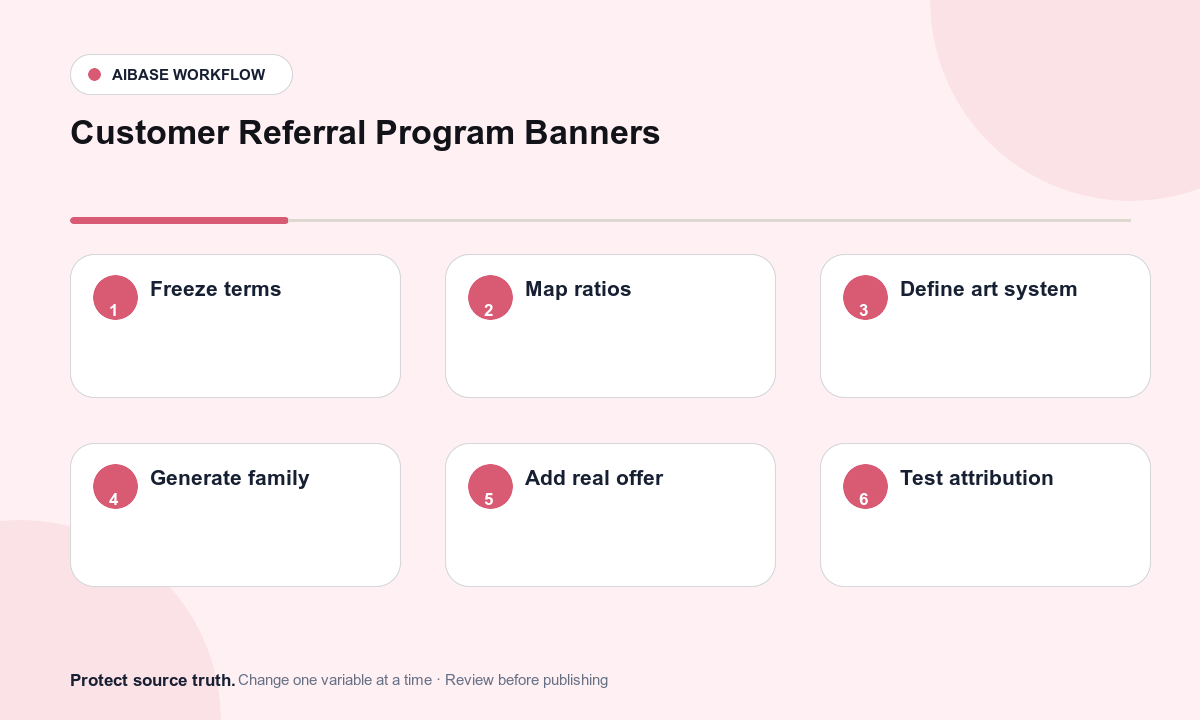
- Approve the referral truth sheet: referrer and friend eligibility, qualifying event, reward type and value, caps, attribution, exclusions, payout, expiry, regions, tax, fraud, privacy, and support.
- Map desktop, mobile, email, dashboard, landing, and social ratios with exact copy, CTA, legal, localization, and product safe zones.
- Define one abstract visual idea and shared palette, lighting, material, density, and crop anchor before generating the family.
- Generate text-free backgrounds from the smallest or most constrained placement first, then extend the approved composition to other ratios.
- Assemble real offer copy, eligibility, terms, privacy notice, CTA, link, account state, and disclosure in editable accessible components.
- Test referral creation, attribution, deep links, new-customer logic, reward timing, cap behavior, fraud controls, localization, expiry, analytics, and support escalation.
Example prompt variants
- Text-free 16:9 account banner with two soft paper ribbons meeting at center-right, coral and cream palette, empty left headline zone and lower disclosure strip, no money or people.
- Text-free 4:5 social background with two complementary abstract parcels separated by a clear central copy lane, muted teal and amber, no labels, gift cards, badges, or numbers.
- Text-free 3:1 email header with a single dotted path connecting two simple circles, low visual density, mobile-safe center motif, clean right CTA zone, no share icon or text.
Quality checklist
- Eligibility, qualifying event, reward, value, caps, attribution, exclusions, timing, expiry, geography, tax, fraud, privacy, and support match approved terms.
- All reward amounts, terms, CTA labels, account states, links, disclosures, and dates remain editable and localizable.
- Generated art contains no fake customer, testimonial, currency, code, gift card, counter, account screen, success state, or product claim.
- Desktop, mobile, email, social, dark-mode, reduced-data, keyboard, and screen-reader experiences remain clear without decoration.
- Truth sheet, prompts, assets, campaign versions, link tests, attribution tests, approvals, expiry, and rollback remain traceable.
Mistakes to avoid
- Using coins, cash, gift cards, or oversized prizes that imply a reward different from the approved terms.
- Embedding a reward amount, expiration date, referral code, or legal phrase into artwork that cannot update.
- Showing fictional friends, purchases, notifications, or earnings as if they were real customer outcomes.
- Launching before testing attribution windows, existing-customer exclusions, caps, payout timing, deep links, and expired states.
Related AIBase pages
Practical next step
Open the most relevant AIBase generator, run one narrow prompt first, and save the best result before adding more constraints. The fastest way to improve output quality is to compare one variable at a time: subject, camera, background, lighting, then final polish.