
Wan 2.7 Lip Balm Twist Product Video Prompts
Animate one controlled lip balm twist with stable packaging, plausible tube mechanics, preserved product shape, and claims-safe beauty marketing.
Quick answer
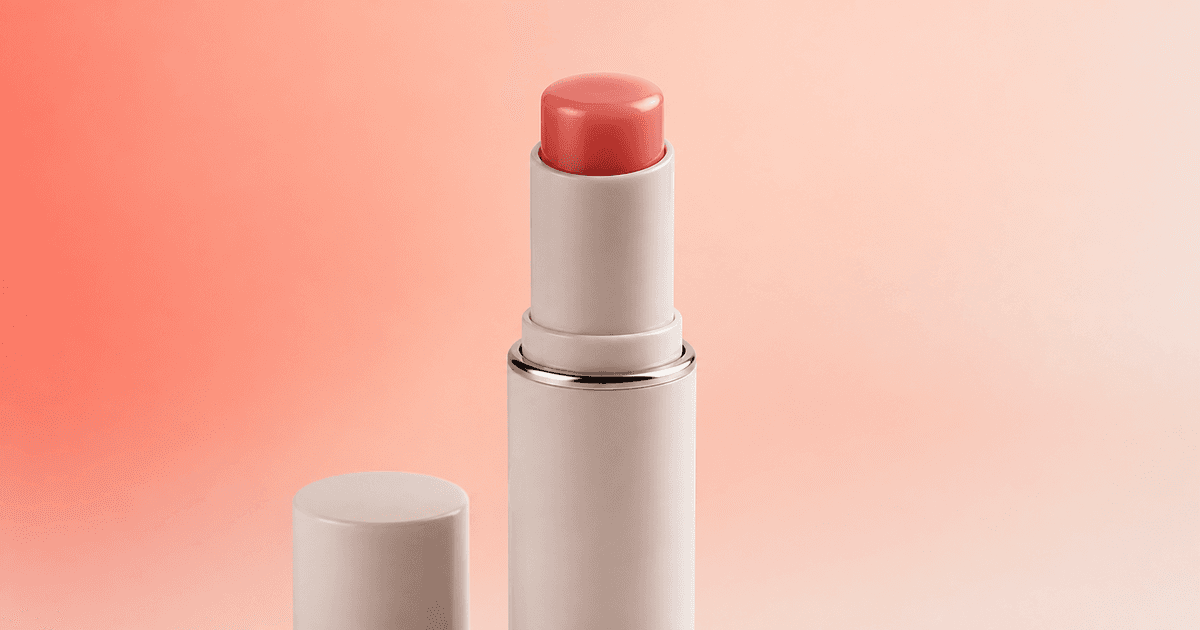
Use an authorized open-tube product photo and ask Wan 2.7 for one modest, mechanically plausible rise of the existing balm—usually a few millimeters—while the tube stays locked. Preserve the exact SKU, case, collar, base, cap, label, logo area, balm color, bullet shape, surface finish, fill position, reflections, shadow, camera, and background. Avoid lips, application, melting, texture transformation, ingredient imagery, and before-and-after skin cues unless they are separately authorized and substantiated; add claims, shade name, ingredients, price, and CTA in post.
Who this guide is for
Beauty brands, cosmetics retailers, marketplace teams, product photographers, and social editors turning approved lip-care pack shots into short PDP or ad-detail loops.
Recommended model
| Use case | Recommended model | Why |
|---|---|---|
| This workflow | Wan 2.7 for a restrained lip balm image-to-video mechanism shot | Short image-to-video motion can make a static pack shot more useful, but limiting the animation to the tube mechanism helps protect the precise packaging and cosmetic product geometry. |
AIBase is an independent creative platform. Model names are shown only to identify supported underlying technologies and workflow choices.
Prompt template
Use the uploaded authorized [lip balm SKU and shade] photo as the exact first frame. Preserve exact tube height, width, base, twist ring, collar, cap position, label, logo area, seam, material, color, reflections, balm bullet color, diameter, tip shape, surface, fill position, crop, camera, lighting, shadow, and background. Motion: the existing balm rises [3-6 millimeters] smoothly from the tube over [3-5 seconds] as the unseen internal mechanism turns; the exterior case remains still. No new hand, lips, cap movement, label change, extra product, melting, sweating, gloss surge, color shift, claim, ingredient, text, or watermark.
Step-by-step workflow
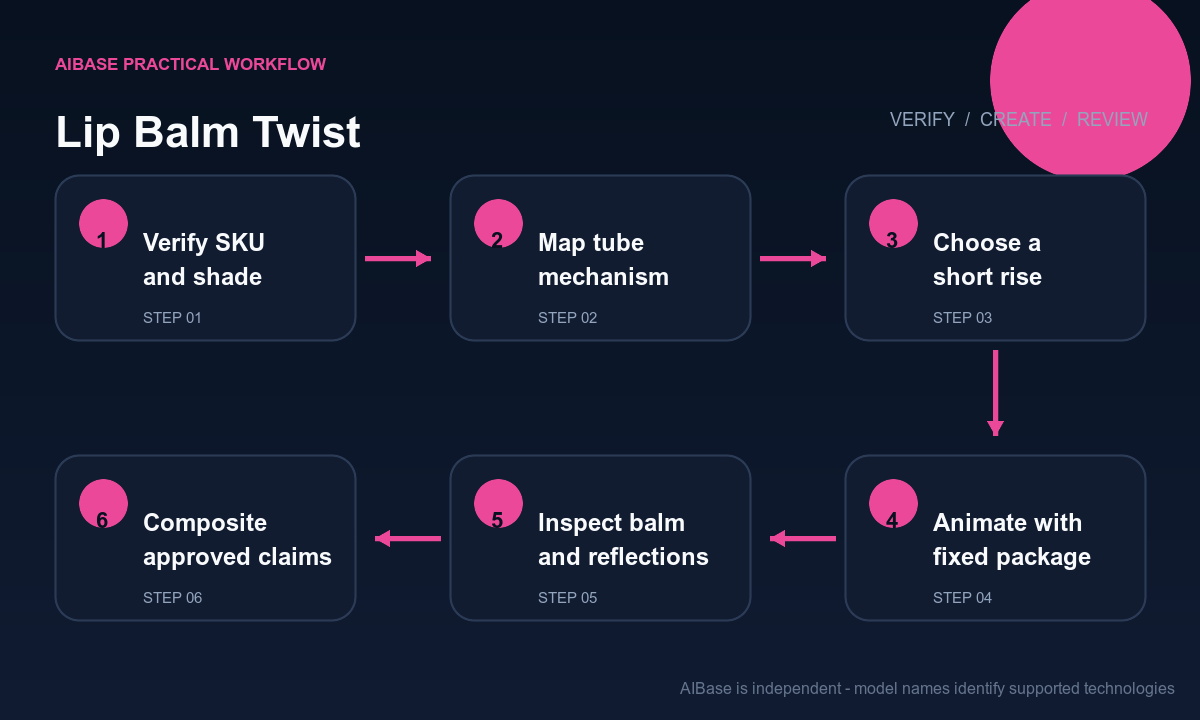
- Confirm product-photo rights and lock the SKU, shade, packaging revision, net weight, balm height in the source, cap and collar geometry, ingredient and claim approvals, market, crop, and disclosure rule.
- Map the tube mechanism and safe movement range: what rotates, what stays fixed, how far the balm may rise, where it meets the collar, and which reflections and seams anchor the package.
- Choose one short rise, lower, or gentle partial turn; do not combine the mechanism with cap removal, hand interaction, lip application, ingredient burst, texture smear, or camera orbit.
- Generate with the product centered and packaging constraints repeated, using a locked camera and a duration long enough to read the movement without stretching or melting the balm.
- Inspect each frame for telescoping case parts, changing tube diameter, drifting labels, duplicate caps, balm growth, tip reshaping, melting, color flicker, broken reflections, shadow jumps, and unstable end frames.
- Composite exact shade, product name, net weight, ingredients, substantiated claims, price, availability, disclosure, captions, and CTA as editable layers, then archive the approved clip and source record.
Example prompt variants
- Four-second macro: coral balm rises four millimeters from the exact white tube while the case, silver collar and nearby cap remain locked, preserve rounded tip, satin wax texture, reflection and shadow, no hand, lip, label change, or melting.
- Three-second square PDP loop: existing clear balm lowers slightly into the verified matte tube and returns near the first frame, preserve diameter, flat tip, seam, logo area, cap, background gradient, camera, and no ingredient, sparkle, claim, or text.
- Five-second side detail: one unseen twist raises the approved tinted balm by five millimeters, keep the exterior base motionless, exact fill color and package geometry, soft highlight, stable shadow, no application, skin, duplicate product, or watermark.
Quality checklist
- SKU, shade, balm color, bullet shape, fill position, tube, base, twist ring, collar, cap, seams, label, logo area, material, reflections, shadow, and crop match the approved source.
- The balm moves through the real opening on one axis with plausible distance and speed; the case does not telescope, breathe, rotate, melt, duplicate, or change diameter.
- Camera, focus, background, color, light, shadow, reflections, first frame, end frame, and loop remain stable without flicker or crawling packaging detail.
- No generated lip, skin result, moisture halo, ingredient, medical cue, flavor, scent, SPF, hydration, repair, natural, clean, or performance claim appears without substantiation.
- Product record, rights, mechanism note, prompt, frames, claim review, disclosure, overlay source, export, markets, and retirement remain traceable.
Mistakes to avoid
- Asking the balm to twist up without stating which exterior parts remain fixed, causing the whole package to telescope, spin, widen, or change seams.
- Combining cap removal, hand pickup, lip application, gloss, ingredient particles, product rotation, and camera movement in one unstable clip.
- Accepting a balm that grows from the tip, melts, changes shade, develops a different bullet shape, or passes through the collar instead of rising mechanically.
- Using generated shine, moisture, smooth lips, botanicals, medical symbols, or before-and-after cues as evidence for hydration, repair, SPF, ingredients, safety, or clinical performance.
Related AIBase pages
- Open Wan 2.7
- Animate packaging reveals
- Animate cosmetic powder bursts
- Create cosmetics campaign visuals
Practical next step
Open the most relevant AIBase generator, run one narrow prompt first, and save the best result before adding more constraints. The fastest way to improve output quality is to compare one variable at a time: subject, camera, background, lighting, then final polish.