
GPT Image 2 Etsy Shop Banner Prompts with Product-Safe Copy Space
Create Etsy shop banner background concepts with GPT Image 2, then add approved product photos, shop name, offer, and accessibility text as controlled layers.
Quick answer
Generate a text-free visual background sized around Etsy’s current banner placements, keeping a calm shop-name zone and a separate product zone. Composite approved listing photos and add the shop name, offer, dates, and CTA in a design tool. Preview desktop and mobile crops before publishing because important details near the edges can disappear.
Who this guide is for
Etsy sellers, handmade brands, vintage shops, print-on-demand operators, and small creative teams refreshing a storefront for a collection, seasonal event, gifting period, or brand update.
Recommended model
| Use case | Recommended model | Why |
|---|---|---|
| This workflow | GPT Image 2 | It is useful for exploring coherent storefront backgrounds and prop arrangements while exact products, typography, prices, and shop claims remain controlled outside generation. |
AIBase is an independent creative platform. Model names are shown only to identify supported underlying technologies and workflow choices.
Prompt template
Create a text-free Etsy shop banner background for a [shop category] serving [buyer]. Brand mood: [three concrete traits]. Palette: [approved colors]. Visual cue: [one material or object family]. Composition: wide panoramic field with a calm low-detail shop-name zone at [left/center], an approved-product placement zone at [right/center], and a shared center-safe region for narrower crops. Keep props secondary and leave clean edges around product placements. No product replicas, logo, shop name, headline, price, discount, coupon, shipping claim, review stars, trademark, readable text, watermark, border, or crucial detail at the far edges.
Step-by-step workflow
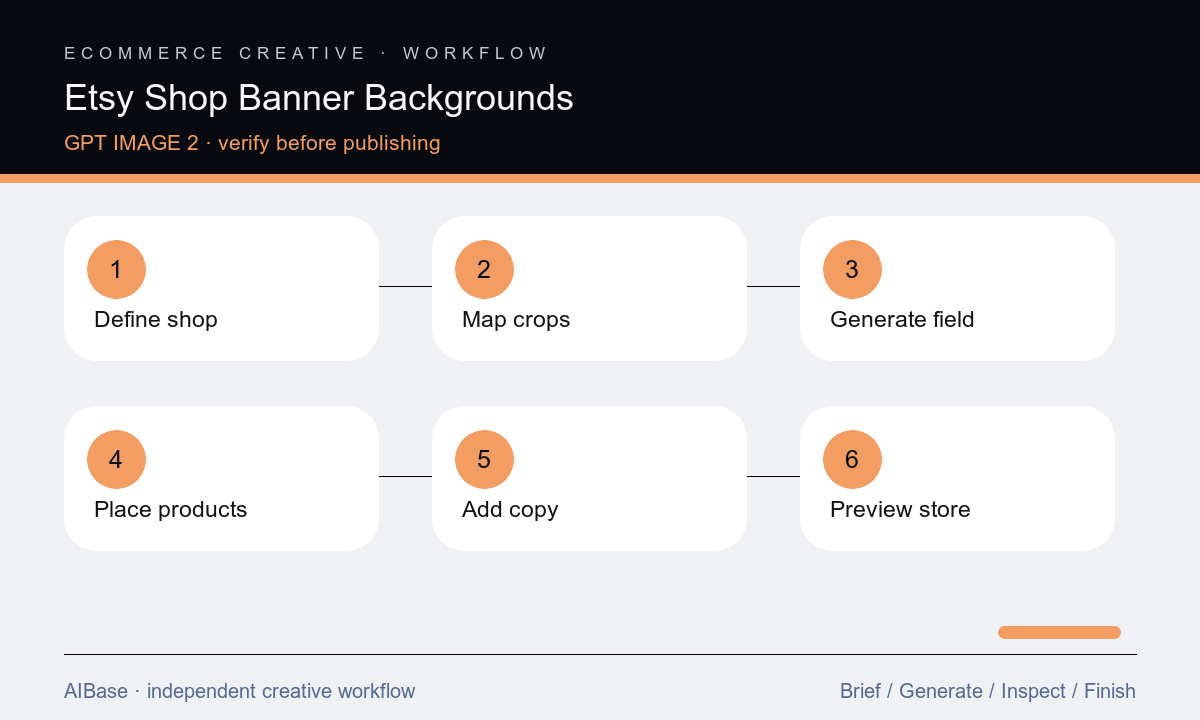
- Record the shop category, audience, visual identity, current product families, banner placements, crop previews, launch dates, offer facts, and the single action the banner should support.
- Choose one hierarchy with a shop-name zone, product zone, and center-safe overlap; sketch both wide and narrow crops before generating any background.
- Generate three text-free directions that vary one dimension at a time, such as material, season, or lighting, while keeping the same layout and palette.
- Select one background, remove any invented merchandise or readable marks, then composite authorized product cutouts with believable scale, contact shadows, and consistent light.
- Add the exact shop name, headline, offer, dates, and CTA as editable type; do not rely on generated lettering for business facts.
- Preview the live banner across supported layouts, check contrast and alt text, verify links and offer terms, then archive the layered source for the next refresh.
Example prompt variants
- Text-free panoramic banner for a handmade ceramic shop, warm clay and oat palette, linen surface with one soft arch shadow, quiet name zone left and three product cutout positions right, no pottery replicas or text.
- Text-free storefront background for a botanical stationery shop, muted sage and cream paper layers, delicate pressed-leaf shadows only, centered copy-safe band and product zones at both sides, no cards, logos, or lettering.
- Text-free banner for a vintage homewares seller, deep olive wall and aged walnut ledge, restrained gallery lighting, calm center-left name zone and right-side object space, no antique replicas, dates, prices, or text.
Quality checklist
- The banner supports the actual shop category, current products, audience, brand palette, and one clear storefront action.
- Approved product photos remain exact in shape, material, color, count, logo, label, condition, scale, and shadow treatment.
- Shop name, headline, price, discount, dates, shipping terms, CTA, and legal copy are editable, reviewed layers rather than generated pixels.
- Desktop and narrower crop previews preserve the name, product priority, contrast, breathing room, and no edge collisions.
- The exported file meets current platform dimensions, color, file-size, accessibility, destination-link, and campaign-expiration requirements.
Mistakes to avoid
- Asking the model to generate the banner, exact products, shop name, promotion, and CTA in one image.
- Filling the panoramic canvas evenly and discovering that the narrow crop removes the product or shop identity.
- Using generic craft props that resemble merchandise the seller does not make or imply materials the products do not use.
- Publishing a seasonal offer without verifying dates, inventory, shipping constraints, destination links, and a scheduled removal date.
Related AIBase pages
- Open GPT Image 2
- Build Shopify hero banner concepts
- Create ecommerce category banners
- Plan Etsy listing backgrounds
Practical next step
Open the most relevant AIBase generator, run one narrow prompt first, and save the best result before adding more constraints. The fastest way to improve output quality is to compare one variable at a time: subject, camera, background, lighting, then final polish.