
GPT Image 2 Subscription Box Product Photo Prompts
Plan subscription-box product photos with GPT Image 2 using an exact monthly manifest, reveal hierarchy, quantity controls, copy space, and a final SKU-accurate composite.
Quick answer
Freeze the month-specific contents before generating: box version, exact item count, quantity, size, flavor or color, and what is not included. Use GPT Image 2 to explore closed-box, open-box, and flat-lay composition, but composite approved product photography for the publishable reveal whenever packaging, labels, or included contents must be exact.
Who this guide is for
Subscription-commerce teams, curated gift services, meal and beauty boxes, retention marketers, and creative studios building monthly reveals, renewal emails, paid ads, and landing-page imagery.
Recommended model
| Use case | Recommended model | Why |
|---|---|---|
| This workflow | GPT Image 2 for subscription-box composition concepts | A tightly enumerated text-to-image brief can quickly explore reveal angle, arrangement, surface, lighting, and copy zones before approved SKU assets replace generated stand-ins. |
AIBase is an independent creative platform. Model names are shown only to identify supported underlying technologies and workflow choices.
Prompt template
Create a text-free subscription-box product photo concept for [month/theme/channel]. Exact visible manifest: box [version and dimensions]; 1) [item, quantity, size/color], 2) [item, quantity, size/color], 3) [item, quantity, size/color], 4) [insert if actually included]. Show exactly these items and no others. Box state: [closed/open with lid angle]; layout: [three-quarter reveal/top-down flat lay]; hero hierarchy: [item]; [aspect ratio] with a clear [region] copy zone. Preserve realistic relative scale, package silhouette, approved color blocks, material, and item separation. Do not duplicate, omit, merge, hide, resize implausibly, invent samples, gifts, filler products, readable labels, logos, prices, claims, hands, food portions, or props that could look included.
Step-by-step workflow
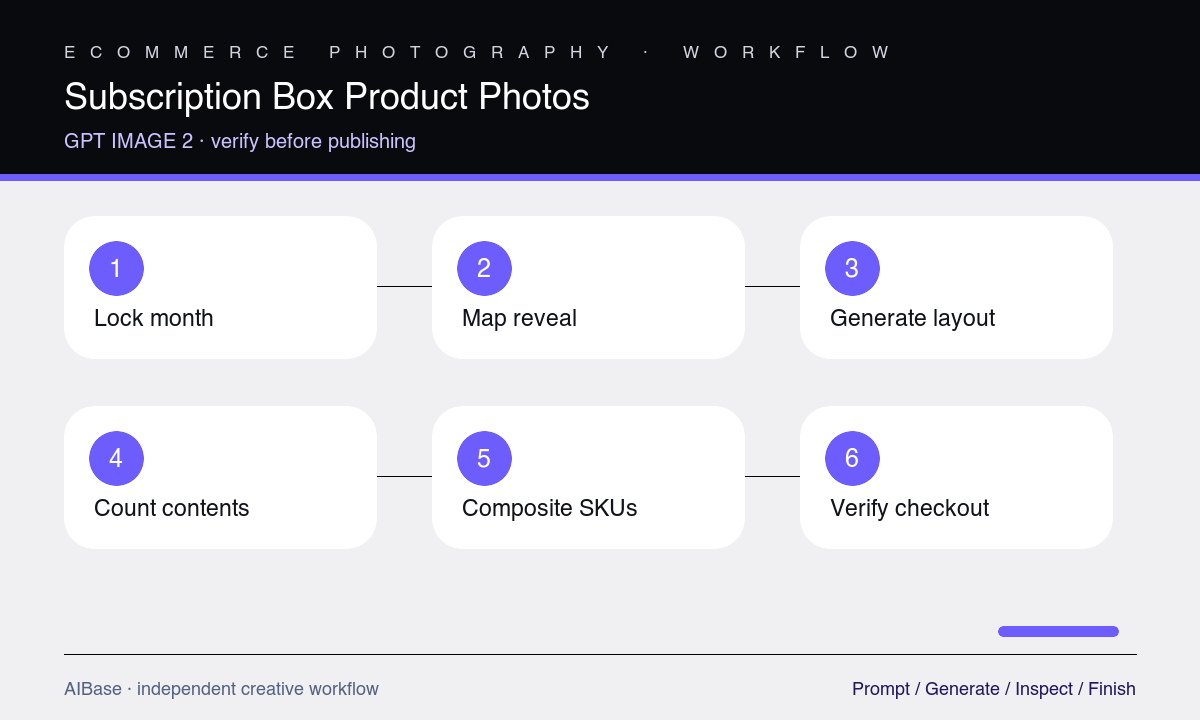
- Lock the month, regional version, shipping box, insert, exact SKU manifest, quantities, variants, dimensions, inventory status, and launch embargo in one source of truth.
- Choose one asset job—sealed tease, open reveal, complete flat lay, or category close-up—and sketch the box, hero item, supporting order, and copy area.
- Generate a text-free composition with generic packaging and explicit counts, rejecting any frame before styling review if a product is missing, duplicated, merged, or ambiguous.
- Refine one layout variable at a time: lid angle, item spacing, relative scale, hierarchy, surface, lighting, or channel crop.
- Rebuild the selected scene with approved packshots or a controlled physical shoot, then add accurate typography, price, month, and offer terms as editable elements.
- Verify the final image against the live manifest, inventory, region, billing period, landing page, alt text, and scheduled reveal time before publishing.
Example prompt variants
- Square open beauty-box concept with exactly one serum carton, one moisturizer jar, one lip balm tube, and one printed guide, lid at 100 degrees, jar as hero, soft rose paper fill, no extra samples, text, or hands.
- Wide coffee subscription reveal with one open kraft mailer, exactly two equal-size sealed coffee bags and one tasting card, true scale, warm side light, calm left copy zone, no beans, mug, grinder, readable labels, or bonus item.
- 4:5 snack-box flat lay with exactly six numbered sealed items from the manifest arranged around the empty box, all fully separated and equal visual weight, pale tabletop, no loose food, utensils, price, or invented flavor.
Quality checklist
- Box version, insert, every SKU, quantity, size, color or flavor, and regional variation match the frozen monthly manifest exactly.
- Nothing is duplicated, omitted, merged, hidden, distorted, floating, clipped, or represented at a misleading relative scale.
- Props, filler, packaging, readable text, badges, gifts, samples, prices, and claims cannot be mistaken for included contents or offer terms.
- The reveal hierarchy and copy zone work at the final email, landing-page, ad, and mobile crops without obscuring products.
- Approved product composites, live inventory, launch timing, destination page, disclosure, and alt text pass a final cross-functional review.
Mistakes to avoid
- Prompting a themed box from a category list instead of freezing exact monthly SKUs, quantities, variants, and exclusions.
- Accepting attractive extra samples or loose props that subscribers could reasonably believe are included.
- Publishing generated package labels, flavors, sizes, or box art as though they depict the shipped version.
- Reusing last month’s reveal composition without checking the new item dimensions, inventory, region, and scheduled embargo.
Related AIBase pages
- Open GPT Image 2
- Create ecommerce bundle photos
- Create flat-lay product photos
- Plan product infographic images
Practical next step
Open the most relevant AIBase generator, run one narrow prompt first, and save the best result before adding more constraints. The fastest way to improve output quality is to compare one variable at a time: subject, camera, background, lighting, then final polish.