
Nano Banana 2 Prompts to Fix Color Casts in Product Photos
Correct warm, green, blue, or mixed-light color casts with Nano Banana 2 while preserving verified product color, labels, materials, reflections, and background neutrals.
Quick answer
Use a verified neutral reference or current physical sample before correcting color. Identify whether the cast affects the whole frame, one light source, a reflective surface, or only the background, then request a bounded white-balance correction while locking product hue, material response, label art, exposure, reflections, and shadow direction. A pleasing result is not accurate unless it still matches the approved SKU under a defined viewing condition.
Who this guide is for
Ecommerce retouchers, marketplace sellers, catalog teams, product photographers, and small brands correcting authorized packshots captured under mixed LEDs, window light, colored walls, or inconsistent camera white balance.
Recommended model
| Use case | Recommended model | Why |
|---|---|---|
| This workflow | Nano Banana 2 image-to-image for a controlled color-correction pass | A reference-led edit can neutralize a localized or global cast without rebuilding a product photo whose geometry and composition are already approved. |
AIBase is an independent creative platform. Model names are shown only to identify supported underlying technologies and workflow choices.
Prompt template
Use the uploaded authorized product photo as the exact source. Correct only the [global warm cast / green background spill / blue shadow cast / mixed-light region] using the verified [gray card / color target / approved reference photo / measured product sample]. Make [named neutral area] neutral and match the product's approved [specific hue or finish]. Preserve exact SKU geometry, product color relationships, label artwork, every character, material texture, transparency, gloss, highlights, reflections, exposure, contrast, contact shadow, background gradient, camera, crop, and all unaffected pixels. No relighting, recoloring, whitening, saturation boost, skin-tone change, label cleanup, shape change, invented detail, text, or watermark.
Step-by-step workflow
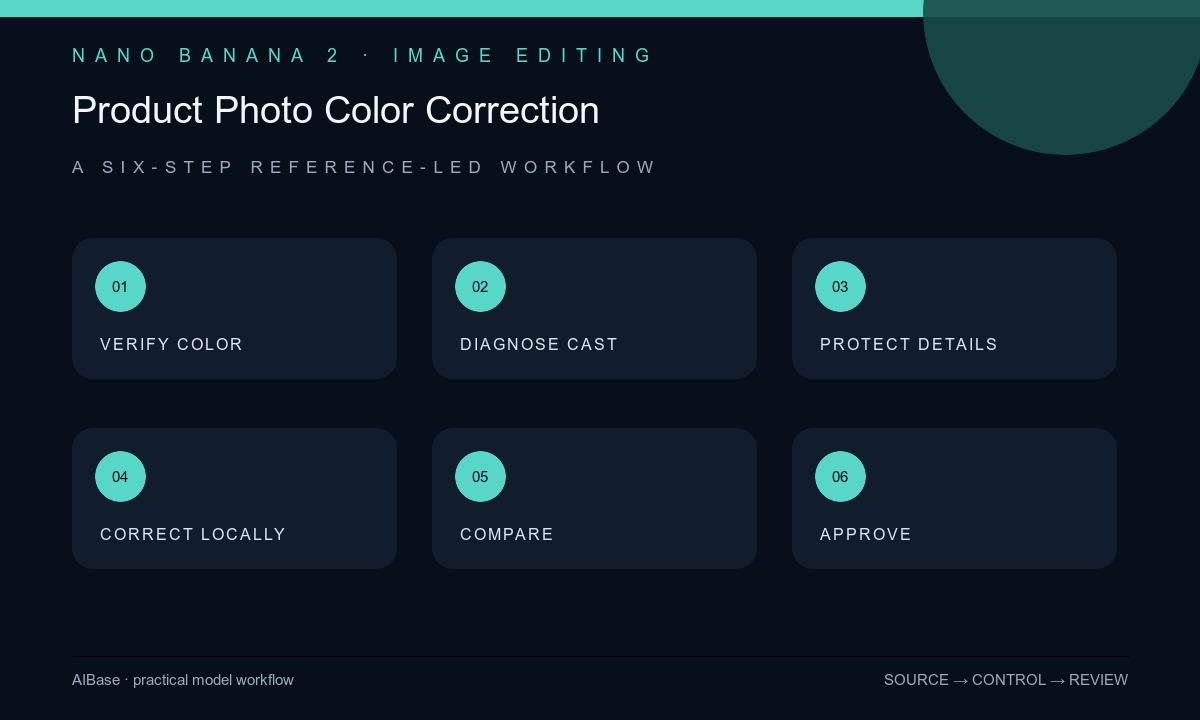
- Confirm the exact SKU, colorway, packaging version, intended color space, and an approved reference such as a gray card frame, color target, calibrated source, or physical-sample review.
- Diagnose the cast by region and cause: global white balance, colored bounce, mixed light, reflective contamination, display mismatch, or a genuinely colored material that must not be neutralized.
- Protect labels, metallic highlights, transparent areas, emissive elements, intentional warm lighting, people, and branded colors with a mask or explicit invariant list.
- Request one conservative correction at a time, naming the neutral anchor and the affected region instead of asking for generic color enhancement.
- Compare source, output, and approved reference at 100% zoom on a controlled display; inspect hue, neutrals, gradients, material separation, reflection color, clipping, noise, and mask seams.
- Approve with the product owner or current physical sample, export in the required color space, and retain source, reference, mask, prompt, output, and review conditions.
Example prompt variants
- Remove only the green fluorescent cast from the white carton and neutral sweep, using the photographed gray card as neutral; preserve the verified coral label color, black print, paper grain, folds, shadow, exposure, and crop.
- Correct the cool blue cast limited to the right shadow side of the approved stainless bottle, preserve brushed-metal direction, warm key-light highlight, exact navy coating, logo, cap, reflections, and every unmasked pixel.
- Neutralize the warm wall bounce on the left edge of the white appliance without changing the intentional warm room light, verified enamel color, display, buttons, cable, contact shadow, background, or camera settings.
Quality checklist
- The exact SKU and approved colorway match the reference under the documented display and lighting conditions.
- Neutral areas are neutral without flattening intentional warmth, colored reflections, transparent materials, metallic response, or background depth.
- Labels, logos, small print, gradients, highlights, shadows, exposure, contrast, texture, and image noise remain source-faithful.
- The correction has no mask halo, clipped channel, posterization, oversaturation, gray skin, or inconsistent cast between adjacent surfaces.
- Source, color reference, color space, mask, prompt, output, device conditions, and approval remain traceable.
Mistakes to avoid
- Using make the colors accurate without supplying an approved neutral or product-color reference.
- Removing every warm or cool tone and accidentally destroying intentional lighting, metallic reflections, or material depth.
- Boosting saturation and contrast to make the correction look stronger instead of matching the real SKU.
- Approving on an uncalibrated phone screen without checking the target marketplace export and a current physical sample.
Related AIBase pages
- Open Nano Banana 2 image editing
- Create product color variants
- Remove product-photo glare
- Build clean white-background photos with GPT Image 2
Practical next step
Open the most relevant AIBase generator, run one narrow prompt first, and save the best result before adding more constraints. The fastest way to improve output quality is to compare one variable at a time: subject, camera, background, lighting, then final polish.