
Nano Banana 2 Prompts to Remove Wrinkles from Product Backdrops
Remove distracting wrinkles from a paper or fabric product-photo backdrop with Nano Banana 2 while preserving the SKU, surface texture, contact shadow, lighting, and honest product condition.
Quick answer
Mask the backdrop separately from the product, then ask Nano Banana 2 to remove only the distracting large creases. Keep the backdrop’s real paper grain or fabric weave, the product edge, contact shadow, reflections, and lighting direction unchanged. Leave small natural texture in place so the result does not look cut out or airbrushed.
Who this guide is for
Ecommerce photographers, marketplace sellers, catalog retouchers, and small studios cleaning paper sweeps, muslin, vinyl, or tabletop backgrounds after a real product shoot.
Recommended model
| Use case | Recommended model | Why |
|---|---|---|
| This workflow | Nano Banana 2 image-to-image | This is a bounded source edit: the photographed product remains the truth while a clearly identified backdrop region receives a restrained cleanup. |
AIBase is an independent creative platform. Model names are shown only to identify supported underlying technologies and workflow choices.
Prompt template
Use the uploaded authorized product photo as the exact source. Edit only the [paper/fabric/vinyl] backdrop inside [mask or described region]. Remove the [large diagonal crease / fold shadow / crushed area] and continue the existing surface naturally. Preserve the exact SKU silhouette, proportions, color, label, text, logo, finish, texture, edge detail, reflections, props, crop, perspective, lighting direction, background hue, horizon, and contact shadow. Retain subtle [paper grain/fabric weave] and believable tonal variation. Do not alter the product, retouch product damage, erase the grounding shadow, create a plastic-smooth surface, extend the set, add objects, invent text, or change exposure.
Step-by-step workflow
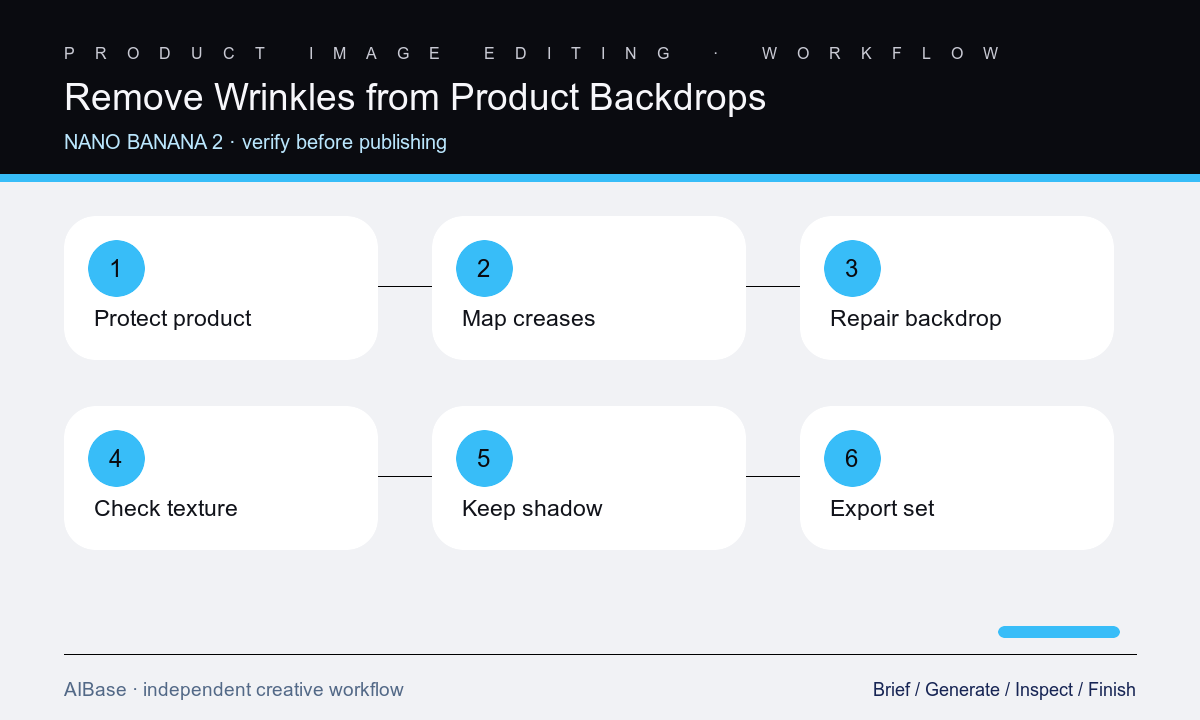
- Confirm that the wrinkle belongs to the removable backdrop rather than the product, packaging, prop, intentional drape, or a shadow needed to explain the lighting.
- Create a tight backdrop mask with extra care around transparent parts, loose straps, fine edges, reflective surfaces, and the contact-shadow transition.
- Describe the crease by location, direction, depth, and material, then request one local repair while locking the product and camera geometry.
- Compare the result with the source at equal scale, checking that paper grain or fabric weave continues without cloning, smearing, or an abrupt smooth patch.
- Inspect the product edge, label, reflections, horizon, floor-to-wall curve, contact shadow, and any translucent color spill before accepting the edit.
- Export the required marketplace crop, retain the original and mask, and review the edited photo beside other images from the same SKU set.
Example prompt variants
- Remove only the broad diagonal crease behind this ceramic mug on the light-gray paper sweep; preserve mug shape, glaze, handle opening, printed mark, edge, reflection, contact shadow, sweep curve, grain, crop, and light.
- Smooth the two crushed zones in the navy muslin outside the handbag silhouette while retaining natural low-amplitude fabric weave; preserve bag, straps, hardware, stitching, color, shadow, and all overlaps.
- Repair the vertical fold shadow in the white vinyl backdrop to the right of the appliance; preserve the appliance, cable, transparent control cover, label, cool highlight, grounding shadow, horizon, and neutral background.
Quality checklist
- The SKU, packaging, props, crop, perspective, labels, logos, colors, materials, reflections, and product condition remain source-accurate.
- Only identified large creases are removed; natural grain, weave, tonal variation, and the backdrop’s floor-to-wall transition remain believable.
- Product edges, fine parts, transparent regions, overlapping straps, cables, and reflective boundaries show no cutout halo or accidental fill.
- The contact shadow still grounds the product and agrees with the unchanged light direction, intensity, and surrounding reflections.
- The edit matches adjacent catalog images and the original, mask, approval notes, output profile, and marketplace crop are retained.
Mistakes to avoid
- Using smooth the whole image and erasing product texture, label embossing, seams, reflections, or honest surface condition.
- Removing every tonal variation until fabric becomes plastic, paper loses grain, or the product appears to float.
- Masking across transparent edges, straps, handles, cables, or the contact shadow and letting the background leak into the SKU.
- Treating a real dent, packaging fold, product wrinkle, or material characteristic as a backdrop defect without product-owner approval.
Related AIBase pages
- Open Nano Banana 2 image-to-image
- Make a transparent product background
- Fix product photo perspective
- Correct mixed product lighting
Practical next step
Open the most relevant AIBase generator, run one narrow prompt first, and save the best result before adding more constraints. The fastest way to improve output quality is to compare one variable at a time: subject, camera, background, lighting, then final polish.