
Seedance 2 Cosmetics Texture Video Prompts from a Product Photo
Animate a cosmetics product photo with Seedance 2 using controlled cream, gel, foam, oil, or powder motion while preserving packaging and honest texture behavior.
Quick answer
Anchor the exact packaging first, then describe one small, physically plausible texture action with speed, viscosity, direction, volume, and end state. Use verified product behavior as the reference, keep the camera simple, and reject clips that imply an unsupported texture, ingredient effect, application result, or pack feature.
Who this guide is for
Beauty brands, ecommerce teams, creative studios, and social marketers prototyping short skincare, haircare, makeup, or bath-product shots from approved pack photography.
Recommended model
| Use case | Recommended model | Why |
|---|---|---|
| This workflow | Seedance 2.0 in image-to-video mode | The reference-led video workflow can keep the supplied pack and composition central while a narrow motion prompt explores one controlled texture beat. |
AIBase is an independent creative platform. Model names are shown only to identify supported underlying technologies and workflow choices.
Prompt template
Use the uploaded approved product photo as the exact visual reference. Keep the package silhouette, cap or pump, material, color, label zones, product count, placement, surface, shadows, reflections, background, and crop unchanged. Animate only [verified cream/gel/oil/foam/powder texture]: [one action], moving [direction] at [speed] with [viscosity/particle behavior], ending [specific stable state]. Camera [locked/slow push], [duration], [ratio]. No package deformation, cap motion, label mutation, extra product, impossible splash, excessive quantity, ingredient visualization, skin transformation, medical or performance claim, hand, text, logo invention, cut, or watermark.
Step-by-step workflow
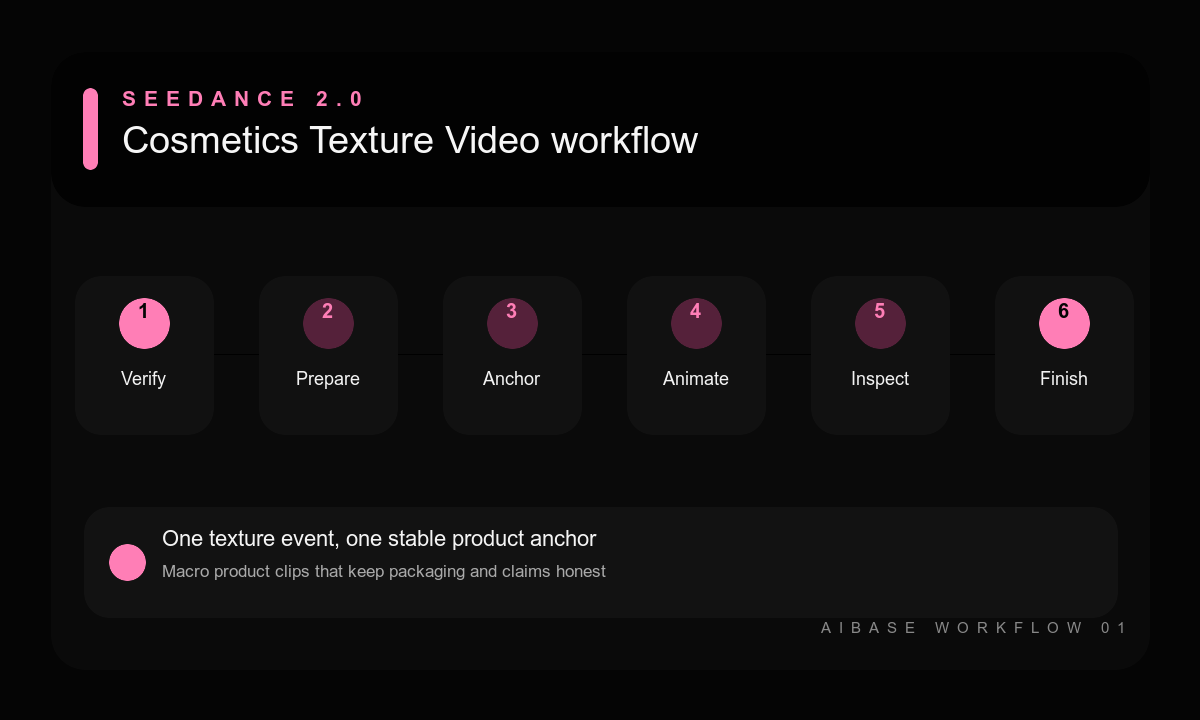
- Verify the real product texture, color, opacity, viscosity, safe quantity, packaging, and claims with the product team.
- Prepare a clean pack reference and, when available, a separate authorized texture reference under similar light.
- Write protected pack anchors before defining one texture motion and its final resting state.
- Keep the camera locked for complex fluid motion or use one slow move when the texture itself is restrained.
- Generate a short clip and inspect pack geometry, label zones, contact, fluid continuity, particle behavior, and final frame.
- Add verified typography and mandatory disclosures in editing, then route the final composite through brand and claims review.
Example prompt variants
- Keep the exact frosted moisturizer jar, silver lid, pale peach label zone, travertine surface, and side light; one small ribbon of verified white cream folds slowly beside the jar and settles into a soft peak; locked camera, six seconds.
- Keep the exact amber serum bottle, black dropper, glass tint, label zone, reflection, and dark stone; one clear oil droplet travels down the existing glass pipette and lands in a shallow pool; macro locked camera, no skin result.
- Keep the exact coral cleanser tube, cap, print zones, wet tile, and crop; a small amount of verified translucent gel forms one slow wave behind the tube and settles; no oversized splash, bubbles, or ingredient particles.
Quality checklist
- Packaging geometry, materials, colors, closures, label zones, count, and placement remain faithful.
- Texture color, opacity, viscosity, volume, speed, gravity, contact, and end state match verified behavior.
- The camera, reflections, shadows, surface, and crop remain stable without distracting motion.
- No unsupported ingredient, efficacy, skin result, medical implication, or packaging feature is introduced.
- The final clip has a clean edit point and space for verified copy added in post.
Mistakes to avoid
- Using luxury liquid or silky cream as vague adjectives without defining physical behavior.
- Combining pump action, product rotation, macro camera orbit, splash, particles, and hand interaction in one shot.
- Accepting a dramatic fluid effect that misrepresents the actual color, quantity, viscosity, or result.
- Letting generated label text or pack geometry pass because viewers will see the clip briefly.
Related AIBase pages
- Animate cosmetics with Seedance 2.0
- Use the Seedance product photo-to-video workflow
- Control Seedance camera movement
- Create cosmetics infographic concepts
Practical next step
Open the most relevant AIBase generator, run one narrow prompt first, and save the best result before adding more constraints. The fastest way to improve output quality is to compare one variable at a time: subject, camera, background, lighting, then final polish.