
Seedance 2.0 Furniture Room Reveal Video Prompts from a Product Photo
Turn an authorized furniture room photo into a controlled reveal with Seedance 2.0 prompts that preserve product geometry, layout, materials, camera motion, and truthful styling.
Quick answer
Use the approved room image as the exact first frame and choose one reveal mechanism: a slow push through a doorway, a short lateral slide past a foreground edge, or a gentle rise from detail to full composition. Lock the furniture, walls, openings, decor, light, and scale; do not ask the room to redesign itself during the move.
Who this guide is for
Furniture retailers, interior studios, home-goods brands, architects, marketplace sellers, and social teams turning a verified styled-room photograph into a short catalog, landing-page, or social reveal.
Recommended model
| Use case | Recommended model | Why |
|---|---|---|
| This workflow | Seedance 2.0 image-to-video | A reference-led video workflow is appropriate when the approved furniture and room arrangement must remain stable while only one modest camera move and subtle environmental motion are introduced. |
AIBase is an independent creative platform. Model names are shown only to identify supported underlying technologies and workflow choices.
Prompt template
Use the uploaded authorized furniture room photo as the exact first-frame, product, room, material, and styling reference. Preserve every furniture item's silhouette, dimensions, construction, upholstery or finish, color, seams, hardware, position, spacing, floor contact, shadows, reflections, walls, windows, doors, trim, decor, and lighting. Camera performs one [slow push-in/lateral slide/gentle rise] over [duration] with [start and end framing], natural parallax, and no lens change. Add only [one subtle curtain, leaf, or light movement] if physically present. No furniture morph, moving cushions, opening drawer, assembly, room expansion, new wall, new prop, changing fabric, relighting, person, pet, text, logo, price, or watermark.
Step-by-step workflow
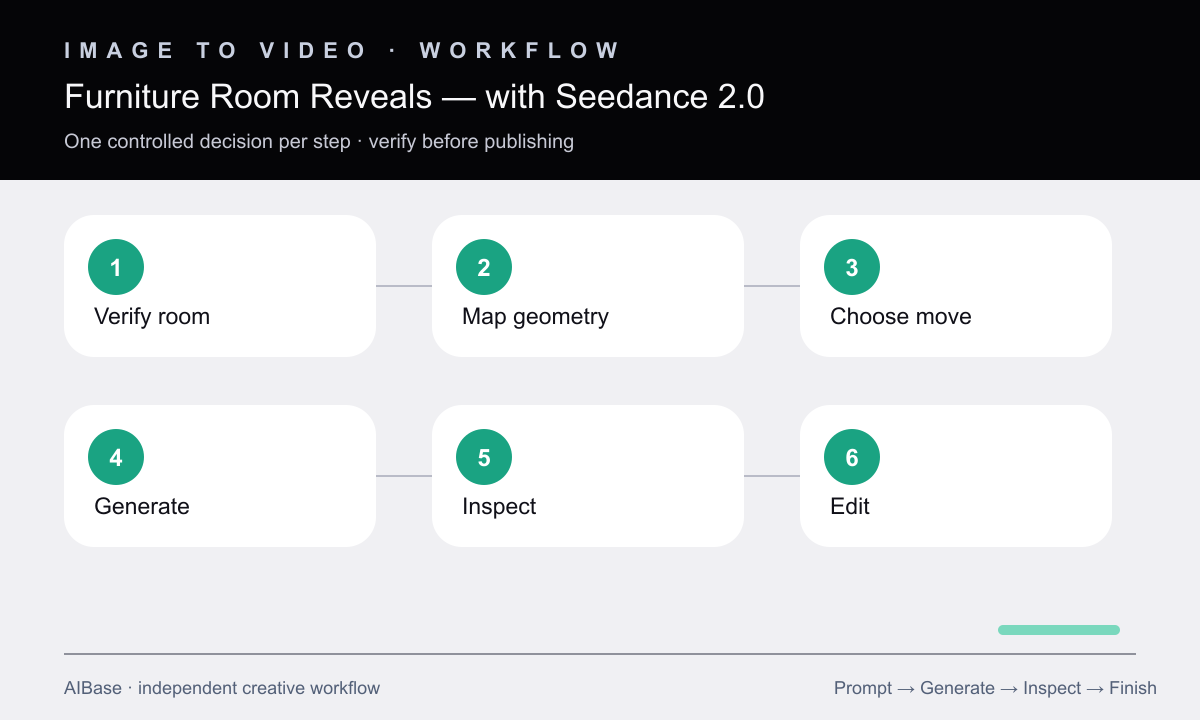
- Verify the source image, usage rights, exact products, colorways, accessories, styling status, room dimensions, and any digitally staged elements before animation.
- Map strong straight lines, occlusion edges, furniture contacts, mirrors, windows, repeating textures, and narrow gaps most likely to warp during motion.
- Choose the shortest camera path that reveals one useful product relationship and write explicit start, direction, speed, end, and no-orbit constraints.
- Generate with furniture and environment fully locked; omit extra prop, fabric, lighting, and object motion in the first pass.
- Inspect frame by frame for changing leg counts, cushion seams, table edges, wood grain, upholstery, wall geometry, openings, shadows, reflections, and scale.
- Trim the cleanest movement, add approved copy and audio in post, and label or disclose visualization where the room is not a literal documented location.
Example prompt variants
- Six-second landscape living-room reveal, slow lateral slide right from behind the existing doorway edge, preserve sofa, coffee table, rug, lamps, cushions, window, wall art, materials, and morning light exactly.
- Five-second vertical armchair product reveal, gentle rise from verified wood leg and upholstery detail to the full chair, locked room styling, no fabric movement, changing seams, new decor, or camera orbit.
- Six-second square dining-set reveal, very slow push-in along the room centerline, preserve chair count, table dimensions, place settings, floor lines, pendant position, reflections, and all product colors.
Quality checklist
- Every product keeps the same geometry, construction, material, color, seam, hardware, position, contact, and relative scale as the approved source.
- Walls, floor lines, openings, windows, trim, mirrors, decor, shadows, and reflections remain spatially coherent throughout the camera move.
- The motion has one clear direction, plausible parallax, a stable horizon, and no unintended orbit, zoom pulse, or lens change.
- The clip does not imply a real room, feature, dimension, colorway, included accessory, or product function that the source does not verify.
- The final crop leaves room for editable product copy and passes full-speed, slow-motion, loop, rights, and disclosure review.
Mistakes to avoid
- Combining a room makeover, furniture assembly, changing daylight, moving curtains, and a camera orbit in one generation.
- Choosing a long move that exposes large unseen areas the source cannot verify.
- Missing warped legs, changing seams, floating rugs, sliding decor, bent wall lines, or mirror inconsistencies during review.
- Presenting a generated room reveal as documentary evidence of dimensions, included accessories, stock, or a finished customer installation.
Related AIBase pages
- Open Seedance 2.0
- Create furniture catalog room scenes
- Animate real-estate listing photos
- Use controlled camera movement prompts
Practical next step
Open the most relevant AIBase generator, run one narrow prompt first, and save the best result before adding more constraints. The fastest way to improve output quality is to compare one variable at a time: subject, camera, background, lighting, then final polish.